Best Open Source Models for OpenClaw
GLM-5 and MiniMax M2.5 are the best open source models for running OpenClaw. This guide covers setup, pricing, risks of using Claude Code or Gemini CLI subscriptions, and why these two models beat the rest.
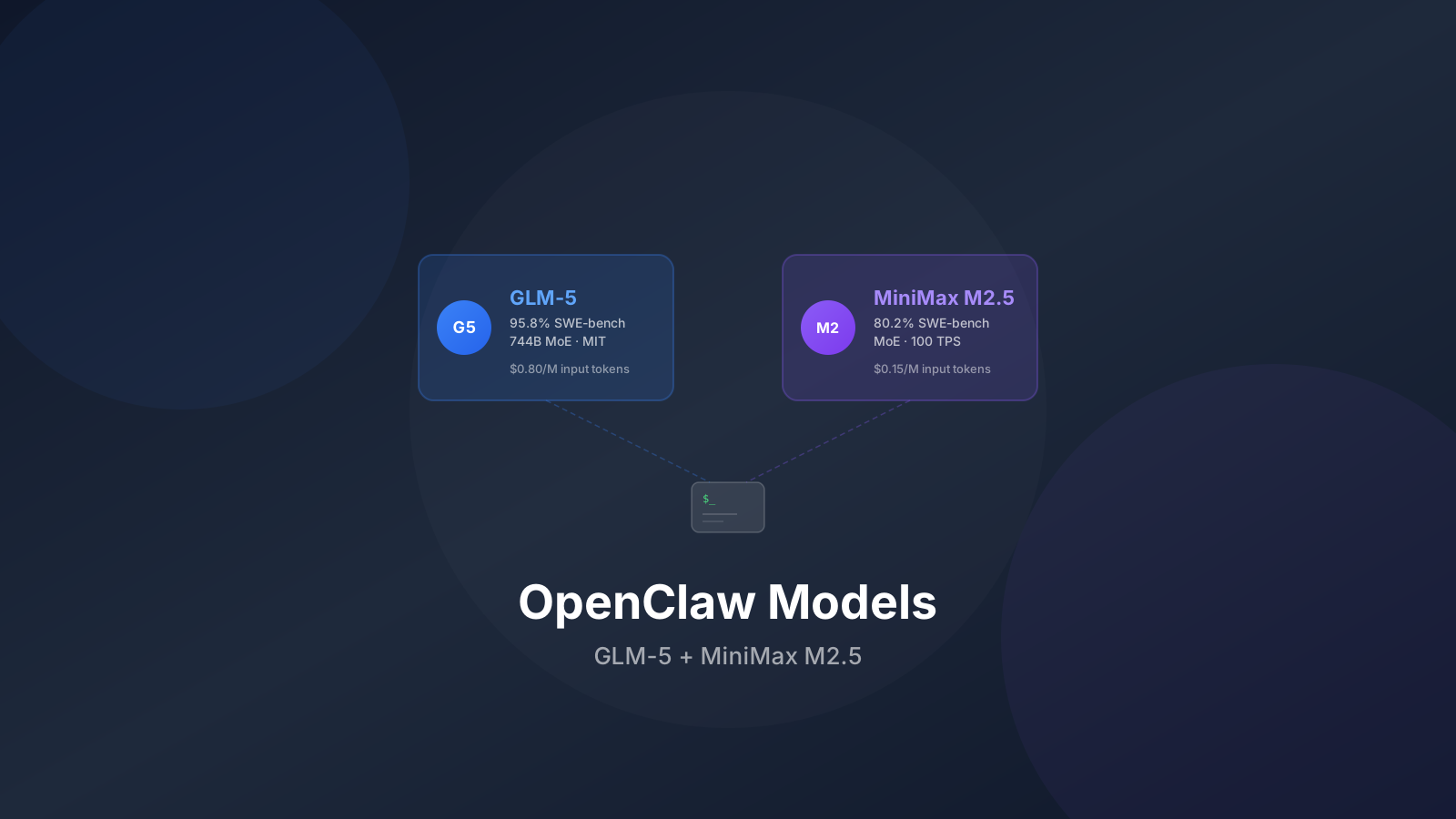
I’ve been running OpenClaw for a while now and tried a bunch of different models with it. After swapping between providers and watching my API bills, two models stood out: GLM-5 and MiniMax M2.5.
Below I’ll go through why I landed on these two, how to set them up, and why routing your Claude Code or Gemini CLI subscription through OpenClaw is a bad idea.
Subscription Risk Warning
Using your Claude Code, Gemini CLI, or ChatGPT/Codex subscription OAuth tokens with OpenClaw can get your account banned. Anthropic, Google, and OpenAI monitor for automated usage patterns that fall outside normal CLI use. Stick with API keys instead.
Why Open Source Models Make Sense for OpenClaw
OpenClaw runs 24/7 on your server. It handles messages, runs scheduled jobs, and executes skills nonstop. That kind of continuous usage gets expensive with proprietary models.
Open source models through API providers give you:
- Predictable costs: Pay per token, no surprise subscription overages
- No ban risk: API access is designed for automated use
- Model flexibility: Swap models anytime through config changes
- Better rate limits: API tiers usually offer higher throughput than subscription OAuth
If you’re new to OpenClaw, our setup guide walks through the full installation process. For a broader look at alternatives, check out our OpenClaw alternatives roundup.
The Risks of Using Claude Code or Gemini CLI Subscriptions
Let me get this out of the way first because I see people asking about it constantly.
OpenClaw supports OAuth tokens from Claude Code, Gemini CLI, and OpenAI Codex. This means you can technically use your $20/month Claude Pro subscription or your Google AI subscription to power OpenClaw instead of paying for API credits. It works. But you’re playing with fire.
Why you can get banned
Anthropic, Google, and OpenAI all have terms of service that restrict how their subscription tokens can be used. When you route a Claude Code OAuth token through OpenClaw, here’s what happens:
- Usage patterns change: Normal Claude Code use looks like a developer typing in a terminal. OpenClaw sends automated requests around the clock, often in bursts when scheduled jobs fire
- Token volume spikes: An always-on assistant burns through more tokens than a human coding session
- Rate limit abuse: OpenClaw may retry failed requests or send parallel calls that look like scraping
- IP and fingerprinting: Requests from a VPS data center look different from a laptop on residential internet
What happens when you get banned
| Platform | Consequence | Recovery |
|---|---|---|
| Claude Code | Account suspended, subscription cancelled | Appeal process exists but no guarantee |
| Gemini CLI | Google account flagged, API access revoked | Could affect other Google services |
| OpenAI Codex | Account banned, subscription terminated | Limited appeal options |
Real Risk
People have had their accounts suspended within days of routing subscription tokens through automated tools. The detection is getting better, not worse. Your Claude Max subscription is not worth losing over $15 in saved API costs.
What to do instead
Use API keys. That’s it. Every provider offers pay-as-you-go API access that’s designed for automated usage:
- Anthropic API: console.anthropic.com — get an API key, pay per token
- Google AI: aistudio.google.com — Gemini API with generous free tier
- OpenAI API: platform.openai.com — standard API access
Or better yet, use open source models where this isn’t even a concern. Which brings us to the actual recommendations.
1. GLM-5: The one I use for serious work
GLM-5 from Z.AI is the strongest open source model I’ve tested. It reasons well, barely hallucinates, and can actually handle multi-step agent tasks without falling apart halfway through.
Why GLM-5 works for OpenClaw
OpenClaw isn’t just a chatbot. It plans tasks, calls tools, runs scripts, and keeps context across long conversations. GLM-5 handles that kind of work reliably.
- 95.8% SWE-bench Verified: The highest coding score among open source models, which matters when OpenClaw runs code on your server
- Near-zero hallucinations: Scores -1 on AA-Omniscience Index. When your assistant runs commands on a live server, you want it to be right
- Agentic task handling: ELO 1,412 on GDPval-AA — only Claude Opus 4.6 and GPT-5.2 score higher
- 200K context window: Enough for OpenClaw’s conversation history plus tool outputs
- MIT license: No usage restrictions, fully compatible with automated workflows
Technical specs
| Feature | GLM-5 |
|---|---|
| Total Parameters | 744B (MoE) |
| Active Parameters | 40B |
| Context Length | 200K tokens |
| Architecture | MoE with Sparse Attention |
| Input Cost | $0.80/M tokens |
| Output Cost | $2.56/M tokens |
| License | MIT |
Setting up GLM-5 with OpenClaw
Edit your OpenClaw config to use GLM-5:
openclaw configure --section modelsOr edit the config file directly:
{
  "agents": {
    "defaults": {
      "model": {
        "primary": "z-ai/glm-5",
        "fallback": ["minimax/m2.5-lightning"]
      }
    }
  }
}
Then restart the gateway:
openclaw gateway restartGLM-5 is available through OpenRouter and directly through the Z.AI API. For OpenClaw, I’d recommend using the Z.AI coding plans since they’re priced for developer workloads.
GLM Coding Plans
Z.AI offers GLM Coding Plans with pricing designed for developers running continuous workloads like OpenClaw.
Where GLM-5 shines in OpenClaw
- Scheduled tasks: Morning briefings, server monitoring, cron jobs that need to actually work
- Coding skills: When you tell OpenClaw to run scripts or manage Docker containers, GLM-5’s coding accuracy matters
- Research tasks: Pairs well with DuckDuckGo search integration for pulling and summarizing web results
- Multi-step workflows: Complex skills that chain multiple tool calls together
- Long conversations: Keeps context across extended sessions without losing the thread
2. MiniMax M2.5: The cheap one that’s surprisingly good
MiniMax M2.5 costs a fraction of GLM-5 and still scores 80.2% on SWE-bench Verified. For an always-on assistant, that price difference matters a lot over a month.
Why MiniMax M2.5 works for OpenClaw
Most OpenClaw interactions don’t need the absolute best model. Quick questions, reminders, file management, simple research. A cheaper model handles these fine. MiniMax M2.5 is cheap enough that you forget it’s costing anything.
- 80.2% SWE-bench Verified: Beats Claude Opus 4.6 on Droid scaffold, more than enough for OpenClaw tasks
- $0.15/M input tokens: The cheapest frontier model available. Running OpenClaw for a month might cost a few dollars
- Two speed tiers: M2.5 at 50 tokens/second and Lightning at 100 tokens/second
- 10+ programming languages: Go, C, C++, TypeScript, Rust, Python, Java, and more
- Agent framework support: Works with Claude Code, Droid, Cline, and similar agent tools
Technical specs
| Feature | MiniMax M2.5 |
|---|---|
| Architecture | Mixture-of-Experts (MoE) |
| Context Length | 200K tokens |
| M2.5 Input Cost | $0.15/M tokens (50 TPS) |
| M2.5 Output Cost | $1.20/M tokens (50 TPS) |
| Lightning Input Cost | $0.30/M tokens (100 TPS) |
| Lightning Output Cost | $2.40/M tokens (100 TPS) |
Setting up MiniMax M2.5 with OpenClaw
{
  "agents": {
    "defaults": {
      "model": {
        "primary": "minimax/m2.5",
        "fallback": ["minimax/m2.5-lightning"]
      }
    }
  }
}
For faster responses (good for interactive chat), use the Lightning variant:
{
  "agents": {
    "defaults": {
      "model": {
        "primary": "minimax/m2.5-lightning"
      }
    }
  }
}
Cost Breakdown
Running MiniMax M2.5 at 50 TPS continuously for an hour costs about $0.30. That means running OpenClaw 24/7 for a full month on MiniMax M2.5 would cost roughly $7-15 depending on actual usage. Compare that to $50-150/month with Claude API.
Where MiniMax M2.5 shines in OpenClaw
- Always-on chat: Cheap enough that you don’t think twice about sending messages
- Quick tasks: Reminders, file management, simple lookups
- Coding assistance: 80.2% SWE-bench means it handles most coding skills reliably
- Scheduled jobs: Morning briefings, server checks, cron tasks
- Fallback model: Works well as a secondary model when your primary hits rate limits
GLM-5 vs MiniMax M2.5: head to head
Here’s how they compare for OpenClaw use:
| Feature | GLM-5 | MiniMax M2.5 |
|---|---|---|
| SWE-bench Verified | 95.8% | 80.2% |
| Input Cost | $0.80/M tokens | $0.15/M tokens |
| Output Cost | $2.56/M tokens | $1.20/M tokens |
| Context Length | 200K | 200K |
| Hallucination Rate | Near-zero | Low |
| Speed | Standard | 50-100 TPS |
| Best For | Complex tasks, coding, research | Always-on chat, budget usage |
| Monthly Cost (estimated) | $30-60 | $7-15 |
What I actually run
Use both. Set GLM-5 as primary and MiniMax M2.5-Lightning as fallback:
{
  "agents": {
    "defaults": {
      "model": {
        "primary": "z-ai/glm-5",
        "fallback": ["minimax/m2.5-lightning"]
      }
    }
  }
}
GLM-5 does the hard stuff, MiniMax catches anything that fails or gets rate-limited. For simpler skills and scheduled tasks, you can also point specific agents at MiniMax directly to save money.
Setting up DuckDuckGo search with your models
Both GLM-5 and MiniMax M2.5 work with OpenClaw’s web search. If you haven’t set that up yet, our DuckDuckGo OpenClaw search guide walks through it.
Web search matters more than you’d think for an always-on assistant. Without it, OpenClaw is limited to whatever the model learned during training. With it, OpenClaw can grab current information when answering questions or running research tasks.
Cost comparison: open source vs subscriptions
Here’s what you’d actually spend per month running OpenClaw with different approaches:
| Approach | Monthly Cost | Ban Risk | Notes |
|---|---|---|---|
| Claude Code OAuth | $20-200 (subscription) | High | Terms violation, account suspension risk |
| Gemini CLI OAuth | $0-20 (subscription) | High | Could affect your Google account |
| Claude API (Sonnet 4.5) | $50-150 | None | Expensive for 24/7 use |
| GLM-5 API | $30-60 | None | Best performance, reasonable cost |
| MiniMax M2.5 API | $7-15 | None | Best value, strong performance |
| GLM-5 + M2.5 combo | $20-40 | None | What I run |
The API route costs less than a Claude subscription and you don’t risk losing your account. For most OpenClaw setups, the GLM-5 and MiniMax M2.5 combo is the obvious pick.
Tips from running this setup
A few things I learned the hard way:
Prompt tuning
GLM-5 and MiniMax M2.5 respond differently to the same prompt. GLM-5 does better with clear, structured instructions. MiniMax M2.5 handles casual requests fine but needs explicit formatting instructions when you want structured output.
Edit your ~/.openclaw/workspace/SOUL.md to include model-specific guidance:
When executing tasks:
- Break complex requests into clear steps
- Confirm before running destructive commands
- Use structured output for research results
Context management
Both models support 200K tokens, but shorter conversations give better results. Use /compact when things get long, or /new to start fresh.
Monitoring costs
Watch your API usage for the first week. OpenClaw’s scheduled jobs and background tasks burn more tokens than you’d guess. Check your provider dashboards:
- Z.AI: z.ai/dashboard
- MiniMax: platform.minimax.io
Fallback configuration
Always set a fallback model. API providers go down. If GLM-5 is out at 3 AM and you have a morning briefing scheduled, MiniMax picks up the slack.
Frequently Asked Questions
Can I use both GLM-5 and MiniMax M2.5 at the same time?
Yes. Set one as primary and the other as fallback in your OpenClaw config. You can also configure different models for different agents or skills.
Will using my Claude subscription with OpenClaw definitely get me banned?
Not guaranteed, but the risk is real and growing. Anthropic actively monitors for automated usage through OAuth tokens. Several users have reported account suspensions. It’s not worth the risk when API access is available.
How much does it cost to run OpenClaw with MiniMax M2.5 for a month?
Depends on usage, but most people spend $7-15/month. Heavy users with lots of scheduled tasks and long conversations might hit $20-25. Still far cheaper than Claude API.
Can I switch models without restarting OpenClaw?
Yes. Use the /model command in your chat to switch models on the fly. For permanent changes, edit the config and run openclaw gateway restart.
Do these models support DuckDuckGo search in OpenClaw?
Yes. Both GLM-5 and MiniMax M2.5 work with OpenClaw’s DuckDuckGo search integration. The search tool provides web results that the model can use to answer questions with current information.
What about using local models with Ollama instead?
Local models are a solid option if you have the hardware. Our OpenClaw with Ollama guide covers hardware tiers, model recommendations (including Nanbeige4.1-3B for budget machines), and how to set up a hybrid config with local primary + API fallback. For most VPS setups, API-based models like GLM-5 and MiniMax M2.5 still perform better than what you can run locally.
At this point, there’s no good reason to risk your Claude or Gemini subscription on an automated tool. GLM-5 handles the complex stuff, MiniMax M2.5 keeps the bill low for everyday use. Set them up, configure your fallbacks, and stop worrying about ban emails.
Whichever model you use, make sure your OpenClaw instance is hardened first. The OpenClaw security guide covers CVE-2026-25253, 40+ patched vulnerabilities, and a step-by-step lockdown procedure.
For the full model breakdown including Kimi K2.5, Qwen-Max, and Devstral 2, check out our best open source LLMs for coding guide. If you’re still deciding between AI assistant platforms, our OpenClaw alternatives article covers the other options. For container-isolated agents with Claude, see our NanoClaw deploy guide. For the smallest possible Zig binary with 22+ providers, see the NullClaw deploy guide. And if you want visibility into what your agent is actually doing — sessions, costs, cron jobs — check out our best OpenClaw dashboards roundup.