NullClaw Deploy Guide: The Smallest AI Assistant Infrastructure in Zig
Step-by-step guide to deploying NullClaw on a Linux VPS. Covers Zig binary, 22+ LLM providers, 17 chat channels, hybrid memory, sandboxing, and running on $5 hardware.
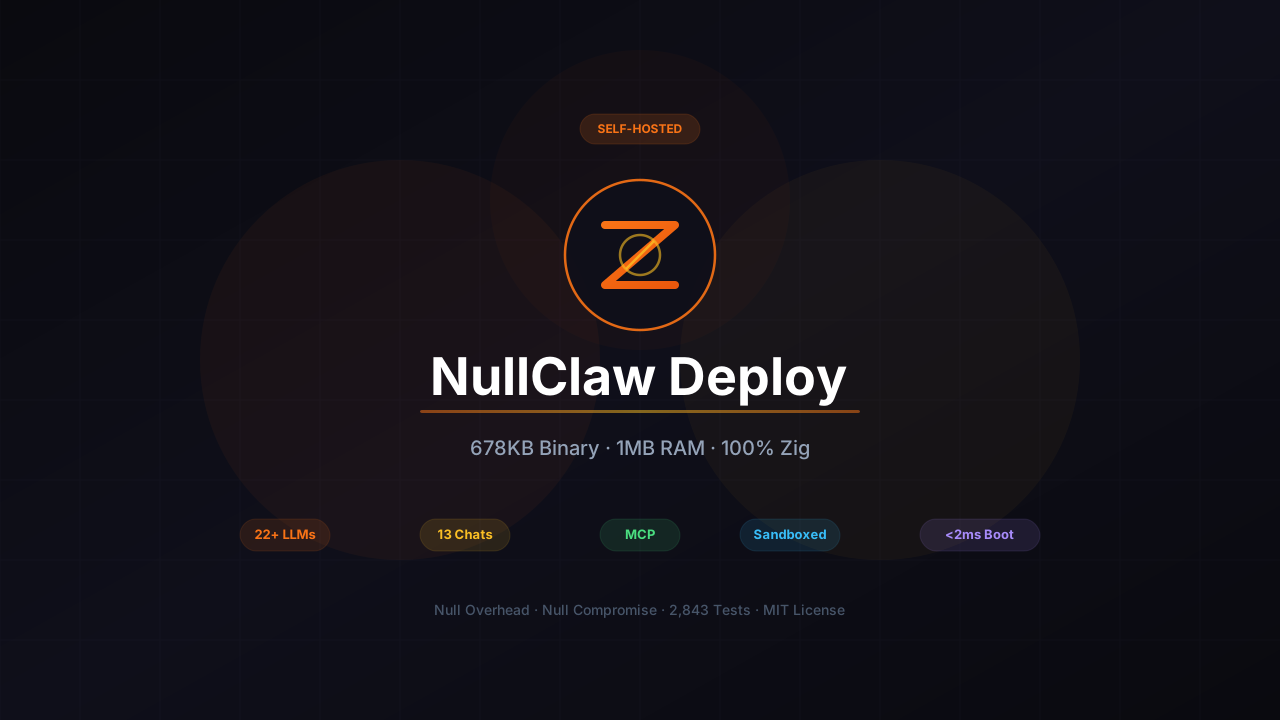
NullClaw is the smallest AI assistant I’ve found that still does everything. A single 678 KB static binary written in Zig, about 1 MB of RAM at runtime. No runtime, no VM, no framework overhead. It boots in under 2 milliseconds and runs on anything with a CPU, including $5 ARM boards.
This guide walks through deploying NullClaw on a VPS with your choice of LLM provider, chat channels, hybrid memory, and proper sandboxing.
NullClaw GitHubWhat this guide covers
- Building NullClaw from source or using Docker
- Configuring 22+ LLM providers via OpenAI-compatible endpoints
- Setting up Telegram, Discord, Slack, or 10 other channels
- Hybrid memory system with SQLite FTS5 + vector search
- Multi-layer sandboxing (Landlock, Firejail, Bubblewrap, Docker)
- MCP server integration
- Running on edge hardware and $5 boards
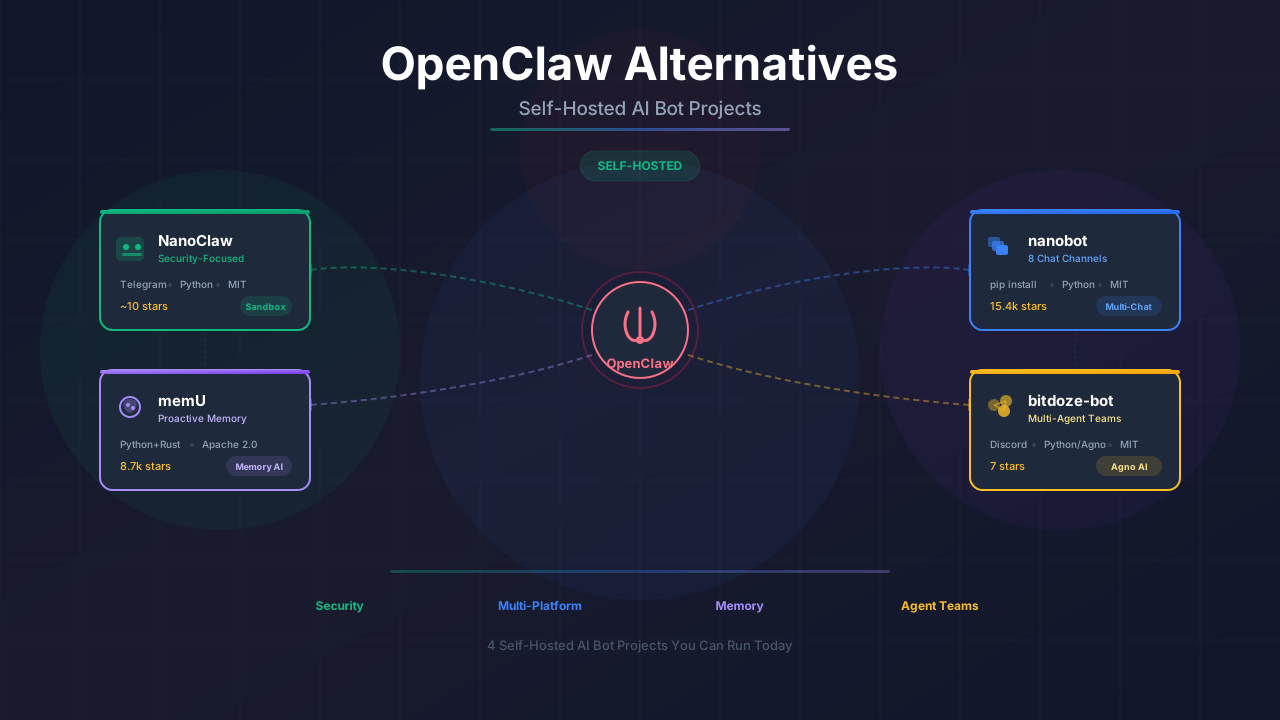
If you’re comparing self-hosted bot options, our OpenClaw alternatives roundup includes NullClaw alongside ZeroClaw, nanobot, NanoClaw, and PicoClaw.
What NullClaw actually is
NullClaw is an AI assistant written entirely in Zig. The tagline is “null overhead, null compromise” — a static binary with zero runtime dependencies that runs on the cheapest hardware you can find.
The architecture uses vtable interfaces for every subsystem. Want to swap your LLM provider? Change one config line. Same for channels, memory backends, tools, tunnels, sandboxes, and peripherals.
678 KB binary · <2 ms startup · 3,230+ tests · 22+ providers · 17 channels · Pluggable everythingHow it compares
| OpenClaw | nanobot | ZeroClaw | NullClaw | |
|---|---|---|---|---|
| Language | TypeScript | Python | Rust | Zig |
| RAM | > 1 GB | > 100 MB | < 5 MB | ~1 MB |
| Startup | > 500 s | > 30 s | < 10 ms | < 2 ms |
| Binary | ~28 MB | N/A | 3.4 MB | 678 KB |
| Tests | — | — | 1,017 | 3,230+ |
| Channels | 4 | 9 | 8+ | 17 |
| Providers | Several | 13+ | 22+ | 22+ |
| Min Hardware | Mac Mini $599 | Linux SBC ~$50 | Any $10 hardware | Any $5 hardware |
The benchmark numbers are measured on 0.8 GHz edge hardware. NullClaw starts in under 8 milliseconds even on the slowest targets.
Why Zig
Zig is a systems programming language that compiles to C-like performance with zero runtime overhead:
| Property | What it means for NullClaw |
|---|---|
| No garbage collector | Deterministic memory, no pauses |
| No hidden allocations | You control every byte |
| Static binary | No dependencies, drop and run |
| Compile-time execution | Config validation at build time |
| Cross-compilation | Build for ARM from x86 |
That 678 KB binary covers the same feature set as alternatives that weigh in at multiple gigabytes.
Installation
Two main ways to get NullClaw installed.
You need Zig 0.15.2 (exact version required):
# Install Zig (Linux)
curl -L https://ziglang.org/download/0.15.2/zig-linux-x86_64-0.15.2.tar.xz | tar -xJ
sudo mv zig-linux-x86_64-0.15.2 /usr/local/zig
sudo ln -s /usr/local/zig/zig /usr/local/bin/zig

# Clone and build
git clone https://github.com/nullclaw/nullclaw.git
cd nullclaw

# Release build (678 KB)
zig build -Doptimize=ReleaseSmall

# The binary is at zig-out/bin/nullclaw
ls -lh zig-out/bin/nullclaw
If you prefer containers:
# Build the image
docker build -t nullclaw .

# Run
docker run -d \
  -v ~/.nullclaw:/root/.nullclaw \
  -p 3000:3000 \
  --name nullclaw \
  nullclaw
After building, run the onboard wizard:
# Quick setup (non-interactive)
nullclaw onboard --api-key sk-... --provider openrouter

# Or interactive wizard
nullclaw onboard --interactive
This creates ~/.nullclaw/ with a config.json and workspace folder.
Check that everything’s working:
nullclaw statusConfiguring LLM providers
NullClaw supports 22+ providers out of the box. Every provider uses the OpenAI-compatible interface, so switching is just a config change.
Supported providers
| Provider | Use case |
|---|---|
| OpenRouter | Gateway to any model |
| Anthropic | Claude models |
| OpenAI | GPT models |
| Ollama | Local models |
| Venice | Privacy-focused |
| Groq | Fast inference |
| Mistral | Mistral models |
| xAI | Grok models |
| DeepSeek | DeepSeek models |
| Together | Open-source models |
| Fireworks | Fast open-source |
| Perplexity | Search-augmented |
| Cohere | Command models |
| Bedrock | AWS-hosted models |
| Gemini | Google Gemini |
| Custom | Any OpenAI-compatible endpoint |
Get an API key
For OpenRouter (recommended for flexibility):
- Go to openrouter.ai
- Create an account and generate an API key
- The key starts with
sk-or-
MiniMax coding plan — 10% off
If you want to use MiniMax M2.5 or GLM-5 through OpenRouter, check our referral links for discounts on coding plans.
Add to config
Edit ~/.nullclaw/config.json:
{
  "default_provider": "openrouter",
  "default_temperature": 0.7,
  "models": {
    "providers": {
      "openrouter": {
        "api_key": "sk-or-your-key"
      }
    }
  },
  "agents": {
    "defaults": {
      "model": {
        "primary": "anthropic/claude-sonnet-4"
      }
    }
  }
}
Using custom providers
Any OpenAI-compatible endpoint works:
{
  "models": {
    "providers": {
      "minimax": {
        "api_key": "your-minimax-key",
        "base_url": "https://api.minimax.chat/v1"
      }
    }
  }
}
Then set "default_provider": "minimax".
Recommended models
If you’re looking for cost-effective models to pair with NullClaw, two open-source options work well:
MiniMax M2.5 — A 230B MoE model with 10B active parameters. Scores 80.2% on SWE-Bench Verified at a fraction of Claude’s cost ($0.15/M input tokens). The Lightning variant runs at 100 tokens/sec. Available through OpenRouter or directly via the MiniMax API.
GLM-5 — A 744B MoE model from Z.AI with 40B active parameters. 95.8% on SWE-bench Verified and near-zero hallucinations. Available through OpenRouter or Z.AI coding plans.
Both are covered in detail in our nanobot setup guide, which walks through API key configuration and provider setup. The same models work with NullClaw through OpenRouter or direct provider endpoints.
Test it
nullclaw agent -m "What's 42 * 17?"Channel setup
NullClaw supports 17 chat channels. Pick what you use.
Telegram
- Create a bot via @BotFather
- Copy the bot token
- Get your Telegram user ID (message @userinfobot)
Config:
{
  "channels": {
    "telegram": {
      "accounts": {
        "main": {
          "bot_token": "123456789:ABCdefGHIjklMNOpqrSTUvwxYZ",
          "allow_from": ["your_telegram_user_id"],
          "reply_in_private": true
        }
      }
    }
  }
}
Allowlist behavior
Empty allow_from means deny all. Use ["*"] to allow everyone, or add specific user IDs to restrict access.
Discord
- Go to discord.com/developers/applications
- Create a bot and copy the token
- Enable MESSAGE CONTENT INTENT in the Bot settings
Config:
{
  "channels": {
    "discord": {
      "accounts": {
        "main": {
          "token": "your-discord-bot-token",
          "guild_id": "your-server-id",
          "allow_from": ["your_user_id"],
          "allow_bots": false
        }
      }
    }
  }
}
Slack
Config:
{
  "channels": {
    "slack": {
      "accounts": {
        "main": {
          "bot_token": "xoxb-your-bot-token",
          "app_token": "xapp-your-app-token",
          "allow_from": ["U1234567890"]
        }
      }
    }
  }
}
Other channels
| Channel | Config key | Notes |
|---|---|---|
| iMessage | imessage | macOS only |
| Matrix | matrix | Homeserver required |
whatsapp | Via Meta webhook | |
| Signal | signal | Signal-cli required |
| Line | line | LINE Messaging API |
| Webhook | webhook | Custom HTTP endpoint |
| IRC | irc | Libera, OFTC, etc. |
| Lark/Feishu | lark | ByteDance workplace |
| DingTalk | dingtalk | Alibaba workplace |
qq | Via go-cqhttp | |
| OneBot | onebot | Universal bot protocol |
email | IMAP/SMTP | |
| MaixCam | maixcam | Sipeed hardware |
Full config example
Here’s a complete ~/.nullclaw/config.json with OpenRouter, Telegram, hybrid memory, and sandboxing:
{
  "default_provider": "openrouter",
  "default_temperature": 0.7,

  "models": {
    "providers": {
      "openrouter": { "api_key": "sk-or-..." }
    }
  },

  "agents": {
    "defaults": {
      "model": { "primary": "anthropic/claude-sonnet-4" },
      "heartbeat": { "every": "30m" }
    }
  },

  "channels": {
    "telegram": {
      "accounts": {
        "main": {
          "bot_token": "123:ABC",
          "allow_from": ["your_user_id"]
        }
      }
    }
  },

  "memory": {
    "backend": "sqlite",
    "auto_save": true,
    "embedding_provider": "openai",
    "vector_weight": 0.7,
    "keyword_weight": 0.3,
    "hygiene_enabled": true
  },

  "gateway": {
    "port": 3000,
    "require_pairing": true,
    "allow_public_bind": false
  },

  "autonomy": {
    "level": "supervised",
    "workspace_only": true,
    "max_actions_per_hour": 20
  },

  "runtime": {
    "kind": "native",
    "docker": {
      "image": "alpine:3.20",
      "network": "none",
      "memory_limit_mb": 512,
      "read_only_rootfs": true
    }
  },

  "security": {
    "sandbox": { "backend": "auto" },
    "resources": { "max_memory_mb": 512, "max_cpu_percent": 80 },
    "audit": { "enabled": true, "retention_days": 90 }
  },

  "tunnel": { "provider": "none" },
  "secrets": { "encrypt": true },
  "identity": { "format": "openclaw" }
}
Memory system
NullClaw’s memory is built on SQLite with no external dependencies:
| Layer | Implementation |
|---|---|
| Vector DB | Embeddings stored as BLOB, cosine similarity search |
| Keyword search | FTS5 virtual tables with BM25 scoring |
| Hybrid merge | Configurable vector/keyword weights |
| Embeddings | OpenAI, custom URL, or noop |
| Hygiene | Automatic archival + purge of stale memories |
| Snapshots | Export/import for migration |
Config:
{
  "memory": {
    "backend": "sqlite",
    "auto_save": true,
    "embedding_provider": "openai",
    "vector_weight": 0.7,
    "keyword_weight": 0.3,
    "hygiene_enabled": true
  }
}
Set embedding_provider to noop if you don’t want to pay for embeddings. FTS5 keyword search still works.
Identity files
NullClaw supports two identity formats:
| Format | Files | Use case |
|---|---|---|
openclaw | IDENTITY.md, SOUL.md, USER.md | Markdown-based |
aieos | Single JSON file | Portable AI personas |
Edit these in ~/.nullclaw/workspace/ to customize the bot’s personality and knowledge about you.
Security model
NullClaw locks things down at multiple levels, not just application-level allowlists.
Gateway security
| Layer | Default | What it does |
|---|---|---|
| Localhost binding | 127.0.0.1 | Refuses public exposure |
| Pairing required | true | 6-digit code exchange for bearer token |
| Tunnel required | false | Refuses 0.0.0.0 without tunnel |
To expose the gateway, configure a tunnel:
{
  "tunnel": {
    "provider": "cloudflare"
  }
}
Supported tunnels: Cloudflare, Tailscale, ngrok, or custom binary.
Sandbox isolation
NullClaw auto-detects the best sandbox backend:
| Backend | Platform | Security level |
|---|---|---|
| Landlock | Linux 5.13+ | Kernel-level |
| Firejail | Linux | Namespaces |
| Bubblewrap | Linux | Lightweight containers |
| Docker | Any | Full container isolation |
Config:
{
  "security": {
    "sandbox": { "backend": "auto" }
  }
}
Set "backend": "docker" for maximum isolation.
Encrypted secrets
API keys are encrypted with ChaCha20-Poly1305:
{
  "secrets": { "encrypt": true }
}
The encryption key is stored locally in ~/.nullclaw/.
Workspace scoping
With workspace_only = true, the bot can only access files inside its workspace. Symlink escape attempts are blocked through path canonicalization.
MCP support
NullClaw supports Model Context Protocol servers:
{
  "mcp_servers": {
    "filesystem": {
      "command": "npx",
      "args": ["-y", "@modelcontextprotocol/server-filesystem", "/home/user/documents"]
    }
  }
}
MCP tools are discovered and registered automatically. The bot can use them alongside built-in tools.
Scheduled tasks
NullClaw has a built-in cron scheduler:
# List scheduled tasks
nullclaw cron list

# Add a recurring task
nullclaw cron add --name "morning" --message "What's on my calendar today?" --cron "0 9 * * *"

# Run a task once
nullclaw cron run <task_id>

# Pause/resume
nullclaw cron pause <task_id>
nullclaw cron resume <task_id>
Tasks are persisted to JSON and survive restarts.
CLI reference
| Command | Description |
|---|---|
nullclaw onboard --api-key sk-... | Quick setup |
nullclaw onboard --interactive | Full wizard |
nullclaw agent -m "..." | Single message |
nullclaw agent | Interactive chat |
nullclaw gateway | Start webhook server |
nullclaw daemon | Full autonomous runtime |
nullclaw status | System status |
nullclaw doctor | Diagnostics |
nullclaw channel doctor | Channel health |
nullclaw service install | Install as system service |
nullclaw cron list/add/remove | Manage scheduled tasks |
nullclaw skills list/install | Manage skill packs |
nullclaw hardware scan | Detect peripherals |
nullclaw migrate openclaw | Import from OpenClaw |
VPS deployment
For production use, here’s a complete VPS setup.
Server requirements
| Spec | Minimum | Works with |
|---|---|---|
| CPU | Any | 0.8 GHz edge core |
| RAM | 256 MB | 1 GB+ recommended |
| Storage | 1 GB | 10 GB for logs |
| OS | Linux | Ubuntu 22.04+ |
NullClaw runs on $5 boards. I tested it on a Raspberry Pi Zero 2 W and it worked fine.
Quick deployment
ssh root@YOUR_SERVER_IP

# Update system
apt update && apt upgrade -y

# Install Zig
curl -L https://ziglang.org/download/0.15.2/zig-linux-x86_64-0.15.2.tar.xz | tar -xJ
sudo mv zig-linux-x86_64-0.15.2 /usr/local/zig
sudo ln -s /usr/local/zig/zig /usr/local/bin/zig

# Clone and build
git clone https://github.com/nullclaw/nullclaw.git
cd nullclaw
zig build -Doptimize=ReleaseSmall

# Install binary
sudo cp zig-out/bin/nullclaw /usr/local/bin/

# Initialize
nullclaw onboard --interactive

# Edit config
nano ~/.nullclaw/config.json

# Start daemon
nullclaw daemon
Systemd service
For automatic startup:
nullclaw service install
nullclaw service start
nullclaw service status
Or create manually:
[Unit]
Description=NullClaw AI Assistant
After=network.target

[Service]
Type=simple
ExecStart=/usr/local/bin/nullclaw daemon
Restart=always
RestartSec=10

[Install]
WantedBy=multi-user.target
Save to /etc/systemd/system/nullclaw.service, then:
systemctl daemon-reload
systemctl enable nullclaw
systemctl start nullclaw
Running on edge hardware
NullClaw’s low resource usage makes it a good fit for edge deployment:
| Hardware | RAM | Status |
|---|---|---|
| Raspberry Pi Zero 2 W | 512 MB | ✅ Works |
| Raspberry Pi 4 | 2-8 GB | ✅ Works |
| Orange Pi Zero | 256 MB | ✅ Works |
| $5 AliExpress SBC | 256 MB | ✅ Works |
| MaixCam (RISC-V) | 256 MB | ✅ Supported |
Build for ARM from x86:
zig build -Dtarget=aarch64-linux -Doptimize=ReleaseSmallGateway API
| Endpoint | Method | Auth | Description |
|---|---|---|---|
/health | GET | None | Health check |
/pair | POST | X-Pairing-Code | Exchange code for token |
/webhook | POST | Bearer token | Send message |
/whatsapp | GET | Query params | Meta webhook verification |
/whatsapp | POST | Meta signature | WhatsApp incoming |
Pairing flow:
# Start gateway (shows pairing code)
nullclaw gateway

# Exchange code for token
curl -X POST http://127.0.0.1:3000/pair \
  -H "X-Pairing-Code: 123456"

# Use token for requests
curl -X POST http://127.0.0.1:3000/webhook \
  -H "Authorization: Bearer YOUR_TOKEN" \
  -H "Content-Type: application/json" \
  -d '{"message": "Hello, nullclaw!"}'
NullClaw vs ZeroClaw vs nanobot
I run all three, so here’s a direct comparison:
| Aspect | NullClaw 🟠 | ZeroClaw 🦀 | nanobot 🐍 |
|---|---|---|---|
| Language | Zig | Rust | Python |
| RAM usage | ~1 MB | < 5 MB | ~100 MB |
| Startup | < 2 ms | < 10 ms | > 2 s |
| Binary size | 678 KB | 3.4 MB | N/A |
| Channel count | 17 | 8+ | 9 |
| Provider count | 22+ | 22+ | 13+ |
| Memory | SQLite hybrid | SQLite hybrid | File-based |
| Security | Sandbox + pairing | Pairing + sandbox | Allowlists |
| Min hardware | $5 board | $10 board | $50 SBC |
| Setup method | zig build | cargo install | pip install |
NullClaw is the lightest option here. ZeroClaw is easier to set up if you’re already in the Rust ecosystem. nanobot has the broadest channel support.
Frequently asked questions
How much does it cost to run NullClaw?
Hardware: $5 for a cheap ARM board, or $0 if you already have a VPS. API costs depend on your provider — expect $5-50/month for personal use.
Can I run NullClaw without any API costs?
Yes. Configure Ollama as your provider and point it at a local model. You need hardware that can run inference, but there are no API bills.
Does NullClaw work on a Raspberry Pi Zero?
Yes. The 512 MB Pi Zero 2 W runs NullClaw without issues. The original Pi Zero (single-core) might struggle with inference but the assistant itself works.
Can multiple people use one NullClaw instance?
Yes. Add multiple user IDs to allow_from. Each person gets their own conversation context.
What’s the difference between gateway and daemon?
nullclaw gateway starts the webhook server only. nullclaw daemon starts the full autonomous runtime including all channels, heartbeat tasks, and scheduler.
Can I migrate from OpenClaw to NullClaw?
Yes. NullClaw has a built-in migration command:
nullclaw migrate openclaw --dry-run
nullclaw migrate openclaw
How do I add a new channel that’s not supported?
Implement the Channel vtable interface in src/channels/ and submit a PR. The architecture is designed for extensions.
If you’re comparing container-based isolation, see our NanoClaw deploy guide — it uses Docker containers with Claude’s Agent SDK. For a Python-based alternative with MiniMax and GLM-5 setup walkthroughs, check the nanobot setup guide.
If you want to explore other AI coding tools, our AI coding tools comparison covers the current landscape. For MCP basics that work across assistants, check the MCP introduction for beginners.
Este artículo también está disponible en español: Guía de Despliegue de NullClaw.