How to Use Claude Sonnet 4.5, Opus 4.5, GPT-5, Gemini 3 for FREE
Discover 5 legitimate ways to access Claude Sonnet 4.5, GPT-5, Gemini 3, and Opus 4.5 for free. Get free API credits, tokens, and premium AI access for development.
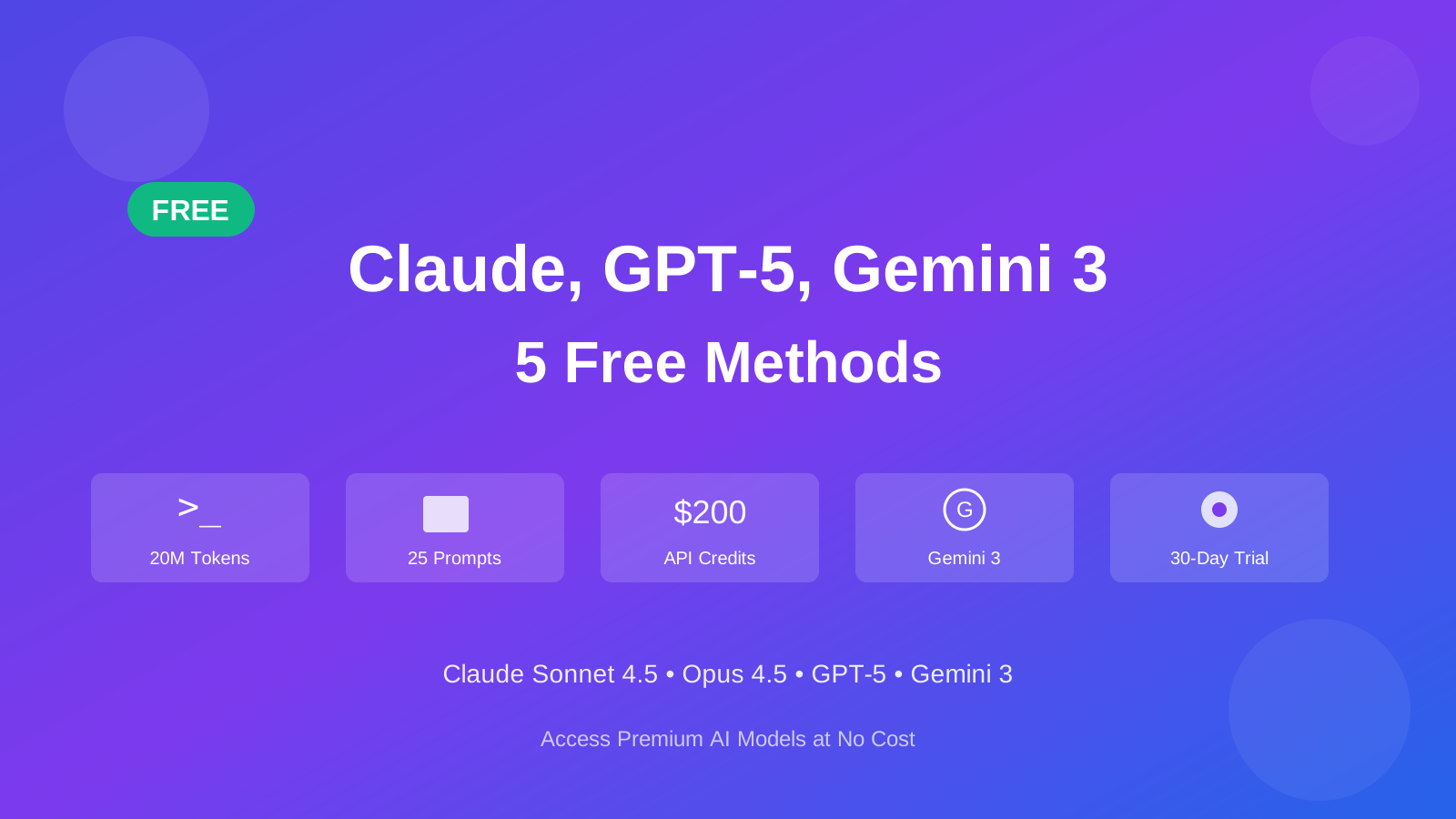
Want to use Claude Sonnet 4.5, GPT-5, Gemini 3, or Opus 4.5 without paying? Here are five ways to access these AI models for free. I use these tools daily for coding, automation, and content creation.
What You'll Get
- $200 in free API credits to test premium models
- 20 million free tokens first month for coding and automation
- 25 free prompts per month in an AI IDE
- Google Antigravity with free Gemini 3 Pro, Claude Opus 4.5, and multi-model access
- GitHub Copilot 30-day free trial with ongoing free tier
Why Use Claude Sonnet 4.5, GPT-5, and Gemini 3?
- Claude Sonnet 4.5: Best coding model in the world with 77.2% on SWE-bench Verified, capable of maintaining focus for 30+ hours on complex tasks
- Claude Opus 4.5: Anthropic’s most powerful model for complex reasoning and agentic tasks
- GPT-5: OpenAI’s latest flagship model with enhanced reasoning, extended thinking capabilities, and superior performance across multiple domains
- Gemini 3: Google’s most intelligent model representing a step-change for agentic coding
- Premium Performance: All models excel at coding, reasoning, content creation, and agentic tasks
- Production Ready: Proven reliability for professional development and business applications
Claude Sonnet 4.5 costs $3-15 per million tokens, while GPT-5 and Gemini 3 have similar pricing. These free alternatives help avoid those costs.
Method 1: Droid CLI - 20 Million Free Tokens First Month
Droid CLI by Factory AI offers 20 million free tokens for the first month.
What is Droid CLI?
Droid CLI is a command-line interface that provides access to multiple AI models including Claude Sonnet 4.5, GPT-5, Claude Opus 4.5, and more. It’s designed for developers who prefer working in the terminal or need to integrate AI into their workflows.
Key Features
- 20 Million Free Tokens: First month allowance for testing and development
- Multiple Model Support: Access Claude Sonnet 4.5, Claude Opus 4.5, GPT-5, and more
- CLI Integration: Works in your terminal
- IDE Support: Integrates with development environments
- Reasoning Mode: Extended thinking for complex problem-solving
- Real-Time Usage Tracking: Monitor your token consumption
How to Get Started with Droid CLI
Step 1: Sign Up and Install
# Visit the website and create an account
# https://go.bitdoze.com/droid-cli

# Install the CLI tool (instructions provided after signup)
curl -fsSL https://app.factory.ai/cli | sh
Step 2: Launch and Configure
# Start Droid CLI
droid

# The interface will prompt you to choose your model
Step 3: Select Your Model
When you launch Droid, you’ll see options to choose between:
- Claude Sonnet 4.5
- Claude Opus 4.5
- GPT-5
- Other supported models
Step 4: Enable Reasoning (Optional)
For complex tasks requiring deep thinking, you can enable reasoning mode which allows the model to think through problems step-by-step before responding.
Real-World Usage Example
Here’s how I use Droid CLI in my daily workflow:
# Launch Droid
droid

# Select Claude Sonnet 4.5 or Opus 4.5
# Enable reasoning mode for complex tasks

# Example prompt
"Create a Python web scraper that extracts product prices from e-commerce sites,
handles pagination, and exports data to CSV with error handling"
The model will process your request and provide comprehensive code with explanations. Each interaction consumes tokens from your 20 million first month allowance.
Monitoring Your Usage
Token Tracking
Droid CLI shows usage statistics. Refresh your dashboard to see how many tokens you’ve consumed. A typical complex prompt uses 20,000-30,000 tokens, leaving room for development work.
Best Use Cases for Droid CLI
- Backend Development: API creation, database design, server configuration
- Automation Scripts: Task automation, data processing, workflow optimization
- Code Review: Analyzing and improving existing codebases
- Learning: Exploring new programming concepts and frameworks
- Prototyping: Rapid development of proof-of-concept applications
Method 2: Windsurf IDE - 25 Free Prompts Monthly
Windsurf is an AI-integrated development environment that offers 25 free prompts per month with access to premium models including Claude Sonnet 4.5 and GPT-5.
What Makes Windsurf Special?
Windsurf is a development environment with AI integrated into the workflow. Unlike traditional IDEs with AI plugins, Windsurf is built with AI assistance as a core feature.
Key Features
- 25 Free Prompts Monthly: Allowance for regular development work
- Premium Model Access: Claude Sonnet 4.5, GPT-5, and their Supernova model
- Dual Modes: Chat mode for questions and Code mode for direct file editing
- Cascade Projects: AI can plan and execute multi-file projects
- Free Supernova Access: Unlimited access to their proprietary model
- Credit System: Different models cost different amounts per prompt
Understanding the Credit System
Windsurf uses a credit-based system where different models have different costs:
| Model | Credits per Prompt | Best For |
|---|---|---|
| Supernova | Free (unlimited) | General coding, quick questions |
| Claude Sonnet 4.5 | 1 credit | Complex coding, reasoning tasks |
| GPT-5 | 1 credit | Advanced reasoning, content creation |
| GPT-4o | 0.5 credits | Cost-effective premium performance |
With 25 free credits monthly, use premium models for complex tasks while leveraging Supernova for routine work.
How to Get Started with Windsurf
Step 1: Download and Install
Visit Windsurf and download the IDE for your operating system (Windows, macOS, or Linux).
Step 2: Create Your Account
Sign up for a free account to access your monthly credit allowance.
Step 3: Choose Your Mode
Windsurf offers two primary interaction modes:
- Chat Mode: Ask questions, get explanations, discuss architecture
- Code Mode: Direct file editing and project-wide changes
Step 4: Select Your Model
Open the model selector and choose based on your needs:
- Use Supernova for general tasks (free, unlimited)
- Reserve Claude Sonnet 4.5 or GPT-5 for complex problems (1 credit each)
Practical Example: Building a Snake Game
Here’s a real-world example of using Windsurf:
Prompt: "Build a snake game in Python with pygame"

The AI will:
1. Plan the project structure
2. Create necessary files
3. Implement game logic
4. Add controls and scoring
5. Provide instructions for running the game
Windsurf’s Cascade feature allows the AI to plan multi-step projects and execute them systematically, creating multiple files and organizing your project structure automatically.
Monitoring Your Usage
Credit Management
Track your credit usage in the Windsurf dashboard. The interface shows remaining credits and usage history to help you plan your monthly allocation.
Best Use Cases for Windsurf
- Full-Stack Development: Complete web applications with frontend and backend
- Code Refactoring: Improving existing codebases with AI assistance
- Learning New Frameworks: Exploring React, Vue, Angular, etc.
- UI/UX Development: Creating beautiful, responsive interfaces
- Documentation: Generating comprehensive project documentation
Method 3: AgentRouter - $200 Free API Credits
AgentRouter offers $200 in free API credits to test premium models including GPT-5, Claude Sonnet 4.5, and GLM-4.5.
What is AgentRouter?
AgentRouter is an API routing service that provides access to multiple AI models through a unified interface. The $200 free credit makes it useful for testing and development.
Key Features
- $200 Free Credits: Substantial allowance for extensive testing
- Multiple Premium Models: GPT-5, Claude Sonnet 4.5, GLM-4.5
- OpenAI-Compatible API: Easy integration with existing tools
- Dashboard Interface: Monitor usage and manage API keys
- IDE Integration: Works with Roo Code, Claude Code, Cline, Kilo Code, and more
Available Models
| Model | Use Case |
|---|---|
| GPT-5 | Advanced reasoning, content creation |
| Claude Sonnet 4.5 | Complex coding, long-context tasks |
| GLM-4.5 | Agentic tasks, tool integration |
How to Get Started with AgentRouter
Step 1: Sign Up
Visit AgentRouter and create an account. You’ll immediately receive $200 in free credits.
Step 2: Create an API Key
- Navigate to the API Keys section in your dashboard
- Click “Create New Key”
- Set a name (e.g., “Development Key”)
- Choose default grouping
- Set a quota (e.g., $10 per key for safety)
- Optionally restrict to specific models
- Click Submit to generate your key
Step 3: Configure Your IDE
AgentRouter works with multiple development tools. Here’s how to set it up:
For Roo Code (VS Code Extension)
// Create a new profile in Roo Code settings
{
  "profile_name": "AgentRouter Free",
  "provider": "OpenAI Compatible",
  "base_url": "https://agentrouter.org/v1",
  "api_key": "your_api_key_here",
  "model": "gpt-5",
  "enable_streaming": true
}
For Kilo Code
- Open Kilo Code settings
- Select “Use my own key”
- Choose “OpenAI Compatible” provider
- Enter base URL:
https://agentrouter.org/v1 - Paste your API key
- Select your preferred model
Important Considerations
Reliability Notice
AgentRouter is a newer service. Use it for:
- Testing and experimentation
- Non-critical projects
- Learning and development
- Open-source contributions
Avoid using it for production applications or sensitive business projects.
Best Use Cases for AgentRouter
- API Development: Building applications that use AI models
- Batch Processing: Processing large amounts of data
- Experimentation: Testing different models and approaches
- Cost Comparison: Evaluating which model works best for your needs
Method 4: Google Antigravity IDE - Free Gemini 3 Pro Access
Google Antigravity is Google’s agentic development platform available in public preview with rate limits on Gemini 3 Pro usage. It also includes access to Claude Sonnet 4.5, Claude Opus 4.5, and GPT-OSS models.
What is Google Antigravity?
Google Antigravity is an agent-first platform where AI agents can autonomously plan and execute software tasks. It provides an IDE experience with browser control capabilities, asynchronous interaction patterns, and multi-agent orchestration.
Key Features
- Free Gemini 3 Pro Access: Rate limits during public preview
- Multi-Model Support: Access Gemini 3, Claude Sonnet 4.5, Claude Opus 4.5, and GPT-OSS
- Browser Control: Agents can autonomously control browser for testing
- Asynchronous Workflows: Spawn and orchestrate multiple agents in parallel
- Dual Interface: Editor view for synchronous work, Manager view for agent orchestration
- Knowledge Management: Agent learns from past work and feedback
- Cross-Platform: Compatible with MacOS, Linux, and Windows
Core Tenets of Antigravity
Google built Antigravity around four key principles:
| Tenet | Description |
|---|---|
| Trust | Task-level abstractions with artifacts and verification results for user validation |
| Autonomy | Agents operate across code editor, terminal, and browser simultaneously |
| Feedback | Async feedback through Google-doc-style comments on text and visual artifacts |
| Self-improvement | Knowledge management allows agents to learn from past work |
How Antigravity Works
Editor View (Synchronous):
- AI-powered IDE experience
- Tab completions and inline commands
- Fully functioning agent in the side panel
- Focused, hands-on development
Manager View (Asynchronous):
- Mission control for spawning multiple agents
- Orchestrate agents across multiple workspaces in parallel
- Inbox notifications for agent progress
- Running background research while focusing on other tasks
Artifacts and Verification
Unlike tools that show every single tool call or only the final code change, Antigravity provides context at a natural task-level abstraction through Artifacts:
- Task Lists: Clear breakdown of what the agent will accomplish
- Implementation Plans: Review before implementation begins
- Walkthroughs: Understand what was done at completion
- Screenshots: Visual verification of browser-based testing
- Browser Recordings: Full recordings of automated testing sessions
How to Get Started with Antigravity
Step 1: Visit the Platform
Go to antigravity.google and sign up for the public preview.
Step 2: Download and Install
Download the Antigravity IDE for your operating system (macOS, Linux, or Windows).
Step 3: Choose Your Model
Select from available models:
- Gemini 3 Pro - Google’s most intelligent model (generous free limits)
- Claude Sonnet 4.5 - Anthropic’s top coding model
- Claude Opus 4.5 - Anthropic’s most powerful model for complex reasoning
- GPT-OSS - OpenAI’s model offering
Step 4: Start Building
Use either the Editor view for hands-on coding or the Manager view to spawn autonomous agents for complex tasks.
Real-World Use Case Example
Task: "Build a new frontend feature and verify it works"

The Antigravity Agent will:
1. Write code for the new frontend feature
2. Use the terminal to launch localhost
3. Actuate the browser to test the feature works
4. Provide screenshots and recordings as verification
5. All without manual intervention
Best Use Cases for Antigravity
- Full-Stack Development: Leverage browser control for end-to-end testing
- Complex Multi-File Projects: Let agents plan and execute across your codebase
- Parallel Development: Run multiple agents on different tasks simultaneously
- Automated Testing: Agents verify their own work through browser automation
- Research Tasks: Spawn background agents for research while you focus elsewhere
Method 5: GitHub Copilot - 30-Day Free Trial + Free Tier
GitHub Copilot offers a 30-day free trial of their Pro plan, plus an ongoing free tier. This gives you access to GPT-5 mini (unlimited), Claude Sonnet 4.5, Claude Opus 4.5, and other premium models through a production-ready platform.
What is GitHub Copilot?
GitHub Copilot is an AI coding assistant integrated with GitHub’s ecosystem. It offers code completion, chat assistance, CLI tools, and autonomous coding agents.
Free Access Options
| Plan | What You Get |
|---|---|
| 30-Day Free Trial | Full Pro features, no credit card required |
| Free Tier | 50 premium requests/month ongoing |
| Pro ($10/month) | Unlimited GPT-5 mini + 300 premium requests |
Key Features
- 30-Day Free Trial: Full access to Pro features without credit card
- Ongoing Free Tier: 50 premium requests monthly forever
- Unlimited GPT-5 Mini: Fast, capable model for daily coding (Pro plan)
- Multi-Model Access: Claude Sonnet 4.5, Claude Opus 4.5, GPT-5, Gemini 2.0 Flash
- Multi-IDE Support: VS Code, Zed, JetBrains, Vim, and more
- Copilot CLI: AI assistance directly in your terminal
- Coding Agents: Autonomous PR creation from issues
Available Models in GitHub Copilot
| Model | Premium Requests | Best For |
|---|---|---|
| GPT-5 mini | Unlimited (Pro) | Daily coding tasks |
| Claude Sonnet 4.5 | 1× | Complex algorithms, architecture |
| Claude Opus 4.5 | 3× | Most complex reasoning tasks |
| GPT-5 | 1× | Advanced reasoning |
| Gemini 2.0 Flash | 0.25× | Quick questions (efficient!) |
| Claude Haiku 4.5 | 0.33× | Fast responses |
How to Get Started with GitHub Copilot
Step 1: Sign Up for Free Trial
Visit GitHub Copilot Plans and start your 30-day free trial. No credit card required.
Step 2: Install in Your IDE
# For Zed (recommended for speed)
brew install zed
# Enable Copilot in Settings → Extensions

# For VS Code
# Extensions → Search "GitHub Copilot" → Install
Step 3: Install CLI (Optional)
# Install GitHub CLI
brew install gh

# Install Copilot CLI extension
gh extension install github/gh-copilot

# Use it
copilot -p "Create a Next.js app with auth"
Step 4: Enable Latest Models
Visit https://github.com/settings/copilot/features and enable:
- Model choice
- Preview features
- Latest models
Copilot Features Overview
Real-time suggestions as you type:
- Ghost text suggestions appear inline
- Tab to accept completions
- Context-aware across your project
- Works in all supported IDEs
Your AI pair programmer:
- Ask coding questions
- Generate code from descriptions
- Refactor and improve existing code
- Debug issues with explanations
AI in your terminal:
- Create files and features
- Git operations with natural language
- DevOps automation
- Create PRs and issues
Autonomous development:
- Assign issues to @copilot
- Copilot analyzes and codes
- Creates pull requests automatically
- Review and merge
Best Use Cases for GitHub Copilot
- Daily Development: Unlimited GPT-5 mini handles 90% of coding tasks
- Complex Problems: Switch to Claude Sonnet 4.5 or Opus 4.5 for architecture decisions
- Terminal Workflows: Use CLI for DevOps and automation
- Team Collaboration: Deep GitHub integration for PRs and issues
- Learning: Great for exploring new languages and frameworks
For More Details
Check out the complete GitHub Copilot Pro Guide for in-depth setup instructions, tips, and advanced workflows.
Comparison: Which Free Method is Best?
Here’s a comparison to help you choose the right option:
| Feature | Droid CLI | Windsurf | AgentRouter | Antigravity | GitHub Copilot |
|---|---|---|---|---|---|
| Free Allowance | 20M tokens | 25 prompts/month | $200 credits | Generous limits | 30-day trial + 50/month |
| Models | Claude 4.5, Opus 4.5, GPT-5 | Claude 4.5, GPT-5, Supernova | GPT-5, Claude 4.5, GLM-4.5 | Gemini 3, Claude 4.5, Opus 4.5, GPT-OSS | Claude 4.5, Opus 4.5, GPT-5 |
| Best For | CLI users, automation | IDE development | API integration | Agentic workflows | Professional dev |
| Reliability | High | High | Moderate | High | Very High |
| Learning Curve | Medium | Low | Medium | Medium | Low |
| IDE Integration | Yes | Built-in | Yes (multiple) | Built-in | Multi-IDE |
| Browser Control | No | No | No | Yes | No |
| Renewal | First Month | Monthly | One-time | Ongoing preview | Monthly |
My Recommendations
Choose Droid CLI if you:
- Prefer working in the terminal
- Need extensive token allowance
- Want access to Claude Opus 4.5 for complex tasks
- Focus on backend development and automation
Choose Windsurf if you:
- Want a complete IDE experience
- Prefer visual development tools
- Need both chat and code modes
- Work on full-stack projects
Choose AgentRouter if you:
- Need API access for custom applications
- Want to test multiple models extensively
- Are building integrations
- Don’t mind occasional reliability issues
Choose Google Antigravity if you:
- Want autonomous agents that control browser for testing
- Need to run multiple agents in parallel
- Prefer an agent-first development approach
- Want access to Gemini 3 Pro and Claude Opus 4.5
Choose GitHub Copilot if you:
- Want the most production-ready experience
- Use multiple IDEs and need consistent experience
- Value deep GitHub integration
- Need CLI tools for DevOps workflows
- Want access to Claude Opus 4.5 for complex reasoning
Pro Tip: Use All Five!
Use all five methods strategically:
- Droid CLI for daily coding and automation tasks
- Windsurf for complex projects requiring visual development
- AgentRouter for API testing and experimentation
- Google Antigravity for autonomous agent workflows and Gemini 3 access
- GitHub Copilot for professional development with GitHub integration
This gives you maximum flexibility and access to premium AI models without spending a cent!
Conclusion
Access to Claude Sonnet 4.5, GPT-5, Gemini 3, and Opus 4.5 doesn’t have to cost money. With these five free methods, you can:
✅ Get 20 million tokens monthly with Droid CLI for development work
✅ Use 25 premium prompts in Windsurf’s IDE environment
✅ Experiment with $200 in credits through AgentRouter’s API
✅ Access Gemini 3 Pro and Opus 4.5 free with Google Antigravity’s platform
✅ Try GitHub Copilot free for 30 days plus ongoing free tier access
Start with all five services to maximize your free access and find what works best for your workflow. Whether you’re learning to code, building side projects, or exploring AI capabilities, these tools help you get started without spending money.
Ready to Get Started?
Click the buttons below to access each free service and start building with premium AI models today!
Remember to monitor your usage and take advantage of all five platforms to maximize your free access to AI models. Happy coding!