Best 20+ Self-hosted Apps Docker Containers for A Business
Check out this list with 20+ self hosted apps with docker containers that you can use on your business to grow it.
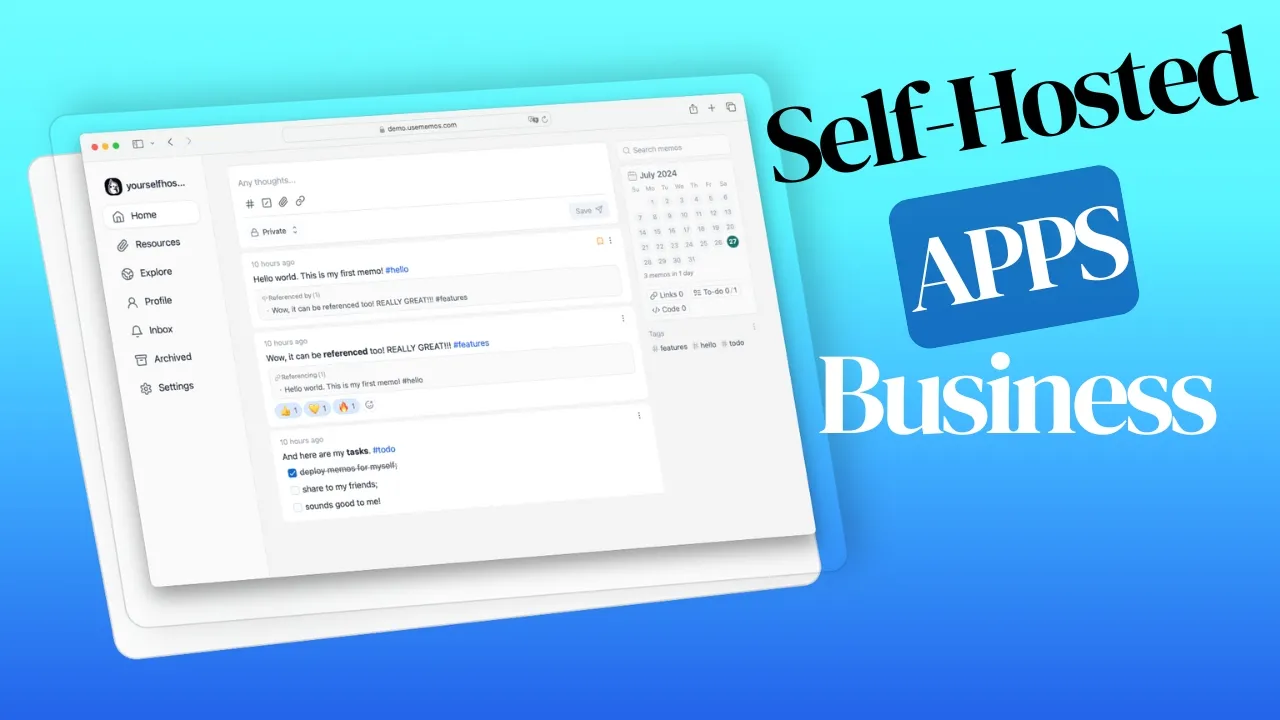
Businesses of all sizes are turning to self-hosted solutions to keep control over their data, cut costs, and customize their software stack. Docker containers have changed how applications get deployed and managed, offering a lightweight, portable way to run software. This article covers Docker containers for businesses, where to host them, and highlights 20+ containers that can strengthen your business operations.
Where Docker Containers For Business Can be Hosted
When it comes to hosting self hosted apps on docker containers for your business, you have several options, each with its own advantages. Let’s explore two popular choices: VPS servers and home servers.
In case you are interested to monitor server resources like CPU, memory, disk space you can check: How To Monitor Server and Docker Resources
VPS Server With Hetzner, DigitalOcean, etc.
Virtual Private Servers (VPS) are a solid choice for hosting Docker containers. Hetzner and DigitalOcean both offer reliable options at reasonable prices. Here’s what you get with a VPS:
- Scalability: Easily upgrade resources as your business grows
- High availability: Benefit from enterprise-grade infrastructure and redundancy
- Managed services: Many providers offer managed Kubernetes clusters for easier container orchestration
- Global reach: Choose from data centers worldwide to reduce latency for your users
- Cost-effective: Pay only for the resources you use, with flexible pricing plans
When selecting a VPS provider, consider factors such as pricing, performance, data center locations, and support options. Both Hetzner and DigitalOcean offer user-friendly interfaces and extensive documentation to help you get started with Docker containers.
Home Server
For businesses that need tighter security or want full control over their hardware, a home server works well for Docker containers. Two main options:
Mini PC
Mini PCs have gained popularity as home servers due to their compact size, energy efficiency, and sufficient power for running Docker containers. Some advantages of using a mini PC as a home server include:
- Low power consumption: Ideal for 24/7 operation without significant energy costs
- Quiet operation: Many models are fanless or have low-noise cooling systems
- Customizable: Choose from a variety of models to fit your specific needs
- Cost-effective: Often more affordable than traditional server hardware
For more information on selecting the best mini PC for your home server, check out our comprehensive guide on the best mini PCs for home servers.
NAS
Network Attached Storage (NAS) devices are another popular option for home servers, offering a balance of storage capacity and processing power. Many modern NAS systems support Docker containers, making them versatile solutions for small businesses. Benefits of using a NAS for Docker containers include:
- Built-in storage: Large storage capacity with RAID support for data redundancy
- Easy management: User-friendly interfaces for managing both storage and containers
- Power efficiency: Designed for 24/7 operation with low power consumption
- Backup solutions: Often include built-in backup software and cloud integration
Whether you go with a VPS, mini PC, or NAS, any of these can run Docker containers well for a small business.
Best 20+ Docker Containers for A Business
Docker containers cover a lot of ground when it comes to business tools. Here are some of the most useful ones:
If you are interested to see some free cool open source self hosted apps you can check toolhunt.net self hosted section.
| Category | Application | Complexity | Resource Usage | Key Benefit |
|---|---|---|---|---|
| Collaboration | NextCloud | Medium | High | Complete office suite replacement |
| Communication | Zulip | Easy | Medium | Organized team discussions |
| Support | Zammad | Medium | Medium | Customer service automation |
| Remote Work | Kasm Workspaces | High | High | Secure remote applications |
| Monitoring | Uptime Kuma | Easy | Low | Service availability tracking |
| Database | NocoDB/Baserow | Easy | Medium | No-code database solutions |
| Finance | Firefly III | Easy | Low | Financial management |
| Document Management | Paperless-ngx | Medium | Medium | Digital document organization |
| Automation | n8n/Activepieces | Medium | Medium | Workflow automation |
| Analytics | Plausible | Easy | Low | Privacy-focused analytics |
| Marketing | Mautic/ListMonk | Medium | Medium | Marketing automation |
| Container Management | Dockge/Portainer | Medium | Low | Docker administration |
| AI Integration | Flowise AI | Medium | High | Custom AI solutions |
| Version Control | Gitea | Easy | Low | Code repository management |
| Knowledge Base | Docmost | Easy | Low | Team documentation |
| Backup | Duplicati | Easy | Low | Data protection |
| Business Management | ERPNext | High | High | Complete business solution |
| Feedback | Formbricks | Easy | Low | User feedback collection |
| Monitoring | beszel | Easy | Low | Resource monitoring |
| Billing | Invoice Ninja | Easy | Low | Invoice management |
| Time Tracking | Kimai | Easy | Low | Time management |
NextCloud
NextCloud is an open-source file sharing and collaboration platform that works as a central hub for your business data.
Key features:
- File sharing and synchronization across devices
- Collaborative document editing
- Calendar and contact management
- Video conferencing and chat
- Task management and project planning
How it helps small businesses: NextCloud is a self-hosted alternative to Dropbox or Google Drive. You keep full control over your data while getting similar features. It handles file sync, document editing, calendars, and video calls in one place.
Zulip
Zulip is an open-source team chat application that combines the best features of real-time and asynchronous communication.
Key features:
- Topic-based threading for organized discussions
- Powerful search functionality
- Integrations with various tools and services
- Mobile apps for iOS and Android
- Customizable notifications
How it helps small businesses: Zulip’s topic-based threading keeps conversations organized, which matters more as your team grows. Instead of messages getting buried in a chat stream, discussions stay grouped by topic. Makes it easier to catch up after being away.
Zammad
Zammad is an open-source help desk and customer support system that can help businesses manage customer inquiries efficiently.
Key features:
- Multi-channel support (email, chat, social media)
- Ticket management and automation
- Knowledge base for self-service support
- Customizable workflows and integrations
- Reporting and analytics
How it helps small businesses: Zammad centralizes customer support so your team isn’t juggling separate tools for email, chat, and social media. The automation cuts down response times, and the knowledge base lets customers find answers on their own. For a small team, that’s a big deal.
Kasm Workspaces
Kasm Workspaces is a Docker container streaming platform that delivers browser-based access to desktops, applications, and web services.
Key features:
- Secure remote access to applications and desktops
- Customizable workspaces for different user roles
- Integration with existing authentication systems
- Usage analytics and monitoring
- Support for GPU-accelerated applications
How it helps small businesses: Kasm Workspaces lets employees access applications from any device through a browser. Everything runs inside containers, so sensitive data never leaves your server. It’s a practical way to set up remote work without buying everyone new hardware. Additionally, it can help businesses maintain better control over sensitive data by keeping it within the containerized environment.
Uptime Kuma
Uptime Kuma is a self-hosted monitoring tool that helps businesses keep track of their websites and services’ availability.
Key features:
- Real-time monitoring of websites and services
- Multiple notification channels (email, SMS, chat apps)
- Status page generation
- Supports various monitoring methods (HTTP, TCP, Ping, etc.)
- User-friendly interface with customizable dashboard
How it helps small businesses: If your website goes down and you don’t know about it, you’re losing money and trust. Uptime Kuma checks your sites and services continuously and pings you through email, SMS, or chat when something breaks. You can also set up a public status page so customers know what’s going on during outages.
NocoDB or Baserow
NocoDB and Baserow are open-source alternatives to Airtable, providing flexible database and spreadsheet functionality. You can also see best aitable self hosted alternatives for a more in detail list.
Key features:
- Spreadsheet-like interface for database management
- Views: Grid, Gallery, Kanban, Form, and more
- API access for integration with other tools
- User roles and permissions
- Automation and workflow capabilities
How it helps small businesses: Both tools let you manage data through a familiar spreadsheet interface without needing a database admin. You can build custom views for inventory tracking, project management, or CRM. Non-technical team members can use them right away since they look and feel like a regular spreadsheet.
Firefly III
Firefly III is a personal finance manager that can be adapted for small business use, helping to track income, expenses, and budgets.
Key features:
- Multi-currency support
- Budgeting and financial goal setting
- Bill management and recurring transactions
- Detailed reports and charts
- Import data from various sources
How it helps small businesses: For sole proprietors or small partnerships, Firefly III handles financial tracking without the cost of commercial accounting software. You get clear visibility into cash flow, can set budgets, and track expenses over time.
Paperless-ngx
Paperless-ngx is a document management system that helps businesses go paperless by digitizing and organizing documents.
Key features:
- OCR (Optical Character Recognition) for searchable PDFs
- Automatic tagging and categorization of documents
- Full-text search capabilities
- Mobile-friendly web interface
- Integration with scanners and email
How it helps small businesses: Paperless-ngx scans and OCRs your documents so you can search through them instead of digging through filing cabinets. The automatic tagging saves time on organization, and everything is accessible remotely. Helpful for audits and compliance too.
n8n or Activepieces
n8n and Activepieces are workflow automation tools that allow businesses to connect various applications and automate repetitive tasks.
Key features:
- Visual workflow builder
- Wide range of integrations with popular services
- Ability to create custom nodes/actions
- Scheduling and trigger-based automation
- Self-hosted for data privacy
How it helps small businesses: Workflow automation saves a surprising amount of time for small teams. You can connect your apps to automate lead generation, sync data between systems, post to social media, or send follow-up emails. Less time on repetitive tasks means more time on work that actually matters.
Plausible
Plausible is a lightweight, open-source website analytics platform that prioritizes user privacy.
Key features:
- Simple, intuitive dashboard
- GDPR compliant and cookie-free
- Lightweight script for minimal impact on site performance
- Custom event tracking
- Email reports and API access
How it helps small businesses: If you want website analytics without the privacy headaches of Google Analytics, Plausible is worth a look. It’s cookie-free and GDPR compliant out of the box. The script is tiny, so it won’t slow your site down. The dashboard shows you what matters without drowning you in data.
Mautic or ListMonk
Mautic and ListMonk are open-source marketing automation and email marketing platforms that can help businesses manage their marketing campaigns.
Key features:
- Email campaign management
- Landing page and form builders
- Lead scoring and segmentation
- Marketing automation workflows
- Integration with CRM systems
How it helps small businesses: These tools give you email marketing and automation without paying for Mailchimp or HubSpot. You can run targeted campaigns, score leads, and segment your audience. For small businesses competing against bigger players, having these capabilities at no licensing cost makes a real difference.
Dockge, Portainer, or Dockploy
Dockge, Portainer, or Dockploy tools are Docker management platforms that simplify the process of deploying and managing Docker containers.
Key features:
- User-friendly web interface for container management
- Container templating and stack deployment
- Resource monitoring and logging
- Role-based access control
- Support for Docker Swarm or Kubernetes (varies by tool)
How it helps small businesses: If you don’t have a dedicated IT person, these management tools make Docker much less intimidating. You get a web interface for deploying and managing containers instead of working purely from the command line. Helpful as you add more services over time.
For more information on installing and using these tools, check out our guides on Dockge installation and Dockploy installation.
Flowise AI
Flowise AI is an open-source tool for building customized AI agents and chatbots using a visual interface.
Key features:
- Drag-and-drop interface for creating AI workflows
- Integration with various AI models and APIs
- Customizable chatbot interfaces
- API endpoints for integration with other applications
- Support for multiple languages
How it helps small businesses: Flowise AI lets you build chatbots and AI agents without writing much code. You can set up customer service bots, automate repetitive tasks, or add AI features to your products using the drag-and-drop interface.
For a detailed guide on setting up Flowise AI, visit our Flowise AI installation tutorial.
Gitea
Gitea is a lightweight, self-hosted Git service that provides version control and collaboration features similar to GitHub or GitLab.
Key features:
- Git repository management
- Issue tracking and project management
- Pull request and code review functionality
- Wiki for documentation
- Integration with CI/CD tools
How it helps small businesses: For teams doing software development, Gitea is a free alternative to GitHub or GitLab that you run on your own server. Your code and intellectual property stay on your hardware. It has the standard features you’d expect: pull requests, issue tracking, wiki, and CI/CD integration.
Docmost
Docmost is an open-source document collaboration platform that combines the features of a wiki and a document editor.
Key features:
- Real-time collaborative editing
- Version history and document comparison
- Markdown and WYSIWYG editing modes
- Nested document structure
- Full-text search capabilities
How it helps small businesses: Docmost works well as an internal knowledge base and team wiki. You can write documentation together in real-time, keep project plans organized, and search through everything with full-text search.
For installation instructions, check out our Docmost Docker installation guide.
Duplicati
Duplicati is an open-source backup solution that supports various storage backends, including cloud storage services.
Key features:
- Encrypted and compressed backups
- Incremental backups to save space and bandwidth
- Scheduling and retention policies
- Support for multiple storage providers
- Web-based interface for easy management
How it helps small businesses: Losing data can kill a small business. Duplicati handles encrypted, incremental backups to whatever storage you prefer — cloud or local. You set up a schedule and retention policy, and it runs in the background.
ERPNext or Twenty CRM
ERPNext and Twenty CRM are open-source business management solutions that cover various aspects of business operations.
Key features:
- Customer Relationship Management (CRM)
- Inventory and warehouse management
- Human Resources and payroll
- Accounting and financial management
- Project management and time tracking
How it helps small businesses: These tools combine CRM, inventory, HR, accounting, and project management into one platform. Instead of paying for separate SaaS subscriptions, you run everything on your own server and customize it to fit how your business actually works.
Formbricks
Formbricks is an open-source survey and feedback collection tool that helps businesses gather insights from their customers and users.
Key features:
- Customizable survey templates
- In-app survey targeting
- Response analysis and reporting
- Integration with various platforms and tools
- GDPR-compliant data collection
How it helps small businesses: Knowing what your customers think is half the battle. Formbricks lets you collect feedback through in-app surveys and analyze the responses. You can embed surveys at specific points in your product to get contextual feedback, not just generic opinions.
beszel server resource monitoring
beszel is a lightweight server monitoring tool that helps businesses keep track of their server resources and performance.
Key features:
- Real-time monitoring of CPU, memory, and disk usage
- Network traffic analysis
- Customizable alerts and notifications
- Historical data and trend analysis
- API for integration with other
Invoice Ninja
Invoice Ninja is an open-source invoicing and billing solution that can help small businesses manage their finances more effectively.
Key features:
- Customizable invoice templates
- Automated recurring invoices and payments
- Time tracking and project management
- Integration with multiple payment gateways
- Client portal for easy invoice access
How it helps small businesses: Invoice Ninja automates the boring parts of billing: recurring invoices, payment reminders, and tracking. Clients get their own portal to view invoices and pay directly. Supporting multiple payment gateways means fewer excuses for late payments.
Kimai
Kimai is an open-source time tracking application that can help businesses monitor employee work hours and project durations.
Key features:
- User-friendly interface for time entry
- Project and task management
- Detailed reporting and export options
- User roles and permissions
- Integration with invoicing systems
How it helps small businesses: Tracking time properly matters for billing clients and understanding where your team’s hours actually go. Kimai gives you flexible time tracking with reports you can export. The data helps with client billing accuracy and spotting projects that are eating more time than they should.
Security Considerations for Self-Hosted Containers
When deploying these containers, consider implementing:
- Reverse proxy with SSL (like Traefik or Nginx Proxy Manager)
- Regular backup solutions
- Container update automation
- Network segregation
- Access control and MFA
- Monitoring and logging solutions
Getting Started with Docker Containers
Essential tools for managing your container infrastructure:
- Docker Compose for container orchestration
- Reverse Proxy (Traefik/Nginx Proxy Manager)
- Backup solution (Duplicati/Borgbackup)
- Monitoring stack (Prometheus/Grafana)
- Container management (Portainer/Dockge)
Basic deployment checklist:
- Set up server with adequate resources
- Install Docker and Docker Compose
- Configure reverse proxy and SSL
- Implement backup strategy
- Set up monitoring
- Document deployment procedures
Minimum Resource Requirements by Usage Scale
| Scale | Users | CPU | RAM | Storage | Recommended VPS |
|---|---|---|---|---|---|
| Small | 1-10 | 2 cores | 4GB | 50GB | Basic VPS |
| Medium | 10-50 | 4 cores | 8GB | 100GB | Standard VPS |
| Large | 50+ | 8+ cores | 16GB+ | 200GB+ | Performance VPS |
Conclusions
Self-hosted Docker containers give small businesses a practical way to deploy and manage applications that can improve their day-to-day operations. From collaboration tools like NextCloud and Zulip to financial management solutions like Firefly III and Invoice Ninja, these containers deliver enterprise-grade functionality without the enterprise price tag.
By using these tools, small businesses can:
-
Improve collaboration and communication: Tools like NextCloud, Zulip, and Docmost make teamwork and information sharing easier.
-
Provide better customer support: Zammad and Uptime Kuma help with service quality and uptime monitoring.
-
Streamline operations: ERPNext, NocoDB, and n8n handle process automation and data management.
-
Run effective marketing: Mautic, ListMonk, and Plausible cover marketing automation and analytics.
-
Maintain tighter security: Self-hosting gives businesses direct control over their data and helps with regulatory compliance.
-
Lower software costs: Open-source solutions replace expensive licenses while providing comparable features.
When deciding which containers to deploy, consider your specific needs, available resources, and technical expertise. Starting with a few core applications and expanding as the business grows is usually the best approach.
Keep in mind that self-hosting brings responsibilities: security management, updates, and backups all need attention. Planning ahead and implementing properly will make for a smooth deployment.
These self-hosted solutions let small businesses compete with larger organizations, run more efficiently, and serve their customers better. The Docker ecosystem keeps growing, and with it the options for businesses to build out their IT infrastructure.