NanoClaw Deploy Guide: Container-Isolated Claude Agent on Your VPS
Step-by-step guide to deploying NanoClaw on a Linux VPS with WhatsApp integration, agent swarms, and container isolation. Covers Docker setup, skills, scheduled tasks, and security.
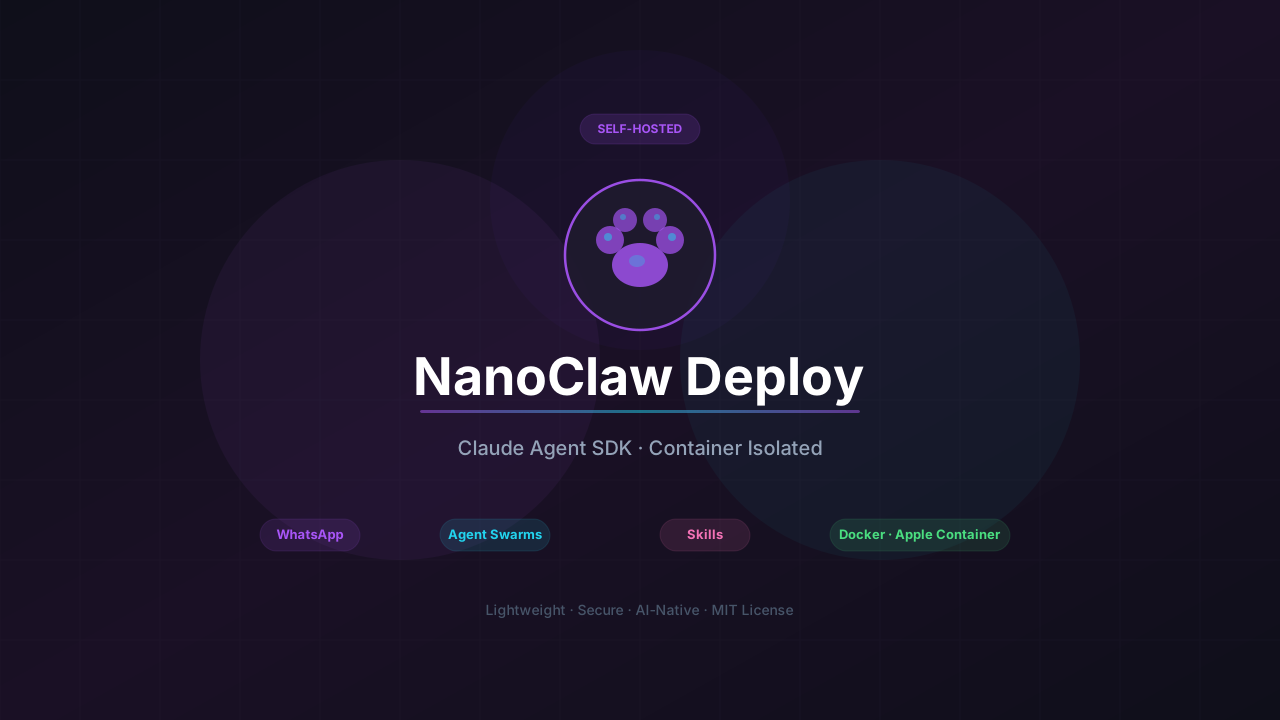
NanoClaw caught my attention because it does security differently from every other self-hosted bot I’ve tried. Instead of application-level permission checks, it runs every agent in an actual Linux container. The agent can only see what’s explicitly mounted. Bash commands run inside the container, not on your host. It also supports Agent Swarms, where multiple agents work together on the same task.
This guide walks through deploying NanoClaw on a VPS with WhatsApp integration, scheduled tasks, and proper container isolation.
NanoClaw GitHubWhat this guide covers
- Installing NanoClaw via Claude Code’s /setup command
- Docker container configuration for agent isolation
- WhatsApp channel setup with Baileys
- Configuring agent swarms for multi-agent tasks
- Skills system and customization
- Scheduled tasks and group context isolation
- Security model and best practices
If you’re comparing self-hosted bot options, our OpenClaw alternatives roundup includes NanoClaw alongside ZeroClaw, nanobot, memU, and PicoClaw.
What NanoClaw actually is
NanoClaw is a lightweight alternative to OpenClaw that runs on Claude’s Agent SDK. The key difference from other bots is the isolation model. Agents execute in Linux containers (Docker on Linux/macOS, Apple Container on macOS) with explicitly mounted directories. The agent can’t escape the container, and it can only access what you allow.
The architecture looks like this:
WhatsApp (Baileys) --> SQLite --> Polling loop --> Container (Claude Agent SDK) --> ResponseSingle Node.js process. Per-group message queues. IPC via filesystem. No microservices, no message queues, no abstraction layers. The whole codebase is small enough to read in a single sitting.
How it compares
| OpenClaw | nanobot | NanoClaw 🐾 | |
|---|---|---|---|
| Language | TypeScript | Python | TypeScript |
| Isolation | App-level | App-level | Container-level |
| Agent SDK | Custom | LiteLLM | Claude Agent SDK |
| Agent Swarms | No | No | Yes (first) |
| Channels | 4 platforms | 9 platforms | 6+ (via skills) |
| Setup | Custom script | pip install | Claude Code /setup |
| Customization | Config files | Config + files | Skills + code |
Philosophy: Why NanoClaw exists
OpenClaw has 52+ modules, 8 config management files, 45+ dependencies, and abstractions for 15 channel providers. Everything runs in one Node process with shared memory. Security is application-level — allowlists and pairing codes, not OS isolation.
NanoClaw takes a different approach:
Small enough to understand. One process, a few source files. The codebase is small enough that Claude Code can walk you through it and safely modify it.
Secure by isolation. Agents run in Linux containers. They can only see what’s explicitly mounted. Bash access is safe because commands run inside the container, not on your host.
Built for one user. This isn’t a framework. It’s working software that you fork and have Claude Code customize for your exact needs.
AI-native. No installation wizard. Claude Code guides setup. No monitoring dashboard. Ask Claude what’s happening. No debugging tools. Describe the problem, Claude fixes it.
Skills over features. Contributors don’t add features to the codebase. They contribute Claude Code skills like /add-telegram that transform your fork. You end up with clean code that does exactly what you need.
Requirements
Before starting, make sure you have:
| Requirement | Why |
|---|---|
| macOS or Linux | NanoClaw runs on Unix-like systems |
| Node.js 20+ | Runtime environment |
| Claude Code | Setup wizard and agent orchestration |
| Docker or Apple Container | Container runtime for agent isolation |
| Anthropic API key | Claude access via Agent SDK |
For this VPS deployment guide, I’m assuming Ubuntu 24.04 with Docker.
Installation
NanoClaw uses Claude Code for setup. There’s no npm install or pip install wizard. You clone the repo and let Claude handle everything.
git clone https://github.com/qwibitai/NanoClaw.git
cd NanoClaw
claude
Then run /setup. Claude Code handles:
- Installing Node.js dependencies
- WhatsApp authentication
- Container runtime detection and configuration
- Service configuration
- Initial skills setup
The setup process is interactive. Claude will ask questions and configure everything based on your answers.
Claude Code setup
NanoClaw is designed around Claude Code as the configuration interface. If you haven’t used Claude Code before, it’s Anthropic’s CLI tool that can execute commands and modify files. The /setup command is a skill that guides the entire installation.
Container isolation
This is the main thing that sets NanoClaw apart. Agents run in containers, not in the main process.
How it works
When you send a message to NanoClaw:
- Message arrives via WhatsApp (Baileys library)
- Message stored in SQLite with group context
- Polling loop picks up the message
- Container runner spawns an isolated container
- Claude Agent SDK processes the message inside the container
- Response written to IPC filesystem
- Main process sends response back to WhatsApp
The container has no network access by default. It can only see the directories you explicitly mount. Shell commands run inside the container, so even if the agent tries something dangerous, it’s contained.
Docker configuration
On Linux, NanoClaw uses Docker for container isolation. The container runner spawns a new container for each agent invocation:
// src/container-runner.ts (simplified)
const container = await docker.createContainer({
  Image: 'nanoclaw-agent',
  Cmd: ['node', 'agent-entrypoint.js'],
  HostConfig: {
    Binds: [`${groupDir}:/workspace:rw`],
    NetworkMode: 'none', // No network by default
  },
});
Each group gets its own mounted directory. The container can only see that group’s files.
Apple Container (macOS)
On macOS, you can optionally switch to Apple Container for a lighter-weight native runtime:
/convert-to-apple-containerThis modifies the configuration to use Apple’s container runtime instead of Docker. The isolation model is the same, but the overhead is lower on macOS.
WhatsApp setup
NanoClaw supports WhatsApp, Telegram, Discord, Slack, Signal, and headless operation. WhatsApp via the Baileys library is the default channel, with others available through skills.
Authentication
Run the setup command in Claude Code:
/setupClaude will guide you through WhatsApp authentication. The process generates a QR code that you scan with your phone:
- Open WhatsApp on your phone
- Go to Settings → Linked Devices
- Tap “Link a Device”
- Scan the QR code shown by NanoClaw
The authentication session is stored locally. You’ll stay logged in until you explicitly log out or the session expires.
Group isolation
Each WhatsApp group gets its own context:
| Isolation | What it means |
|---|---|
CLAUDE.md | Each group has its own memory file |
| Filesystem | Each group’s files are in separate directories |
| Container | Each group runs in its own container sandbox |
| History | Conversations are not shared between groups |
The main channel (your self-chat) is special. From there, you can manage groups and tasks:
@Andy list all scheduled tasks across groups
@Andy pause the Monday briefing task
@Andy join the Family Chat group
Trigger word
By default, the bot responds to @Andy. Change it by telling Claude Code:
Change the trigger word to @BobOr run /customize for guided changes.
Agent Swarms
NanoClaw supports Agent Swarms, where multiple agents split up the work on a single request.
What are Agent Swarms
Instead of one agent handling everything, you can spin up a team:
@Andy research the latest React patterns and have the code reviewer check if our codebase follows themThis might spawn:
- Researcher agent: Searches for latest React patterns
- Code reviewer agent: Analyzes your codebase against the patterns
- Coordinator: Synthesizes findings into a response
Each agent runs in its own container with access to the relevant tools and files.
Configuring swarms
Agent swarms are configured through skills. Tell Claude Code what kind of team you want:
Create a swarm for daily news briefing with separate agents for:
- Tech news fetching
- AI news fetching
- Summary writing
Claude will create the necessary skill files and configuration.
Skills system
NanoClaw doesn’t use configuration files for customization. It uses skills.
What are skills
Skills are instructions that teach Claude Code how to transform your NanoClaw installation. They’re Markdown files in .claude/skills/:
.claude/skills/
├── add-telegram/SKILL.md
├── customize/SKILL.md
├── setup/SKILL.md
└── ...
Built-in skills
| Skill | What it does |
|---|---|
/setup | Initial installation and configuration |
/customize | Guided customization of behavior |
/add-gmail | Add Gmail integration |
/add-telegram | Add Telegram as channel (contributed) |
/add-slack | Add Slack integration (contributed) |
/create-skill | Meta-skill for creating new skills |
Customizing behavior
There are no configuration files to learn. Just tell Claude Code what you want:
Change the trigger word to @Bob
Remember to make responses shorter and more direct
Add a custom greeting when I say good morning
Store conversation summaries weekly
The codebase is small enough that Claude can safely modify it. Each customization becomes part of your fork.
Contributing skills
Don’t add features. Add skills.
If you want to add Telegram support, don’t create a PR that adds Telegram alongside WhatsApp. Instead, contribute a skill file that teaches Claude Code how to transform a NanoClaw installation to use Telegram.
Users then run /add-telegram on their fork and get clean code that does exactly what they need.
Scheduled tasks
NanoClaw has a built-in task scheduler for recurring jobs.
Creating scheduled tasks
Tell the bot what you want scheduled:
@Andy send an overview of the sales pipeline every weekday morning at 9am
@Andy review the git history for the past week each Friday and update the README if there's drift
@Andy every Monday at 8am, compile news on AI developments from Hacker News and TechCrunch and message me a briefing
The bot creates scheduled tasks that run Claude and can message you back.
Managing tasks
From the main channel (your self-chat):
@Andy list all scheduled tasks across groups
@Andy pause the Monday briefing task
@Andy resume the Friday git review
Tasks are stored in SQLite and persist across restarts.
Memory system
Each group has its own CLAUDE.md file for memory:
groups/
├── main/
│   └── CLAUDE.md
├── family-chat/
│   └── CLAUDE.md
└── work-team/
    └── CLAUDE.md
The agent reads this file at the start of each conversation and can update it. Tell it to remember something and it writes to the file.
Context files
Like other bots in this space, NanoClaw uses workspace files to shape behavior:
| File | Purpose |
|---|---|
CLAUDE.md | Per-group memory and context |
IDENTITY.md | Who the agent is |
SOUL.md | Core personality and values |
These are plain Markdown files that you can edit directly or have Claude modify.
Security model
NanoClaw’s security is based on OS-level isolation, not application-level checks.
Container sandboxing
| Layer | Protection |
|---|---|
| Network | Containers have no network by default |
| Filesystem | Only explicitly mounted directories are visible |
| Process | Container process can’t access host processes |
| User | Container runs as non-root user |
Even if the agent tries to run dangerous commands, it’s contained. The host system is protected.
What you should still review
Container isolation is strong, but you should still review:
- What directories you mount — Only mount directories the agent actually needs
- What skills you install — Skills can modify the codebase
- Scheduled tasks — Tasks run automatically with whatever permissions the agent has
See docs/SECURITY.md in the repo for the full security model.
VPS deployment
For production use on a VPS, here’s a complete deployment setup.
Server requirements
| Spec | Minimum | Recommended |
|---|---|---|
| CPU | 1 core | 2+ cores |
| RAM | 1GB | 2GB+ |
| Storage | 10GB | 20GB+ |
| OS | Ubuntu 22.04 | Ubuntu 24.04 |
NanoClaw itself is lightweight. The main resource consumer is Docker for container isolation.
Quick deployment
ssh root@YOUR_SERVER_IP

# Update system
apt update && apt upgrade -y

# Install Docker
curl -fsSL https://get.docker.com | sh
usermod -aG docker $USER

# Install Node.js 20
curl -fsSL https://deb.nodesource.com/setup_20.x | bash -
apt install -y nodejs

# Install Claude Code
npm install -g @anthropic-ai/claude-code

# Clone NanoClaw
git clone https://github.com/qwibitai/NanoClaw.git
cd NanoClaw

# Run setup
claude
# Then type: /setup
Systemd service
Create a systemd service for automatic startup:
cat > /etc/systemd/system/nanoclaw.service << 'EOF'
[Unit]
Description=NanoClaw AI Assistant
After=docker.service network.target

[Service]
Type=simple
User=dragos
WorkingDirectory=/home/dragos/nanoclaw
ExecStart=/usr/bin/node dist/index.js
Restart=always
RestartSec=10
Environment=NODE_ENV=production

[Install]
WantedBy=multi-user.target
EOF

systemctl daemon-reload
systemctl enable nanoclaw
systemctl start nanoclaw
Environment variables
Create a .env file with your API keys:
ANTHROPIC_API_KEY=sk-ant-...The setup process will prompt for this, but you can also set it manually.
Troubleshooting
NanoClaw is designed to be debugged through Claude Code. No log viewers or debug dashboards.
Using /debug
If something isn’t working:
/debugClaude Code will analyze the logs, check the configuration, and suggest fixes. If it finds an issue that’s likely affecting other users, you can open a PR to modify the setup skill.
Common issues
Common issues
WhatsApp not connecting
Run /debug and Claude will check:
- Session file validity
- Network connectivity
- Baileys library status
You may need to re-scan the QR code if the session expired.
Container not starting
Check that Docker is running:
docker psIf Docker is running but containers aren’t spawning, check the logs:
journalctl -u nanoclaw -fScheduled tasks not running
From the main channel:
@Andy why isn't the scheduler running?The agent can diagnose its own scheduler issues.
Agent responses are slow
Container startup adds latency. For faster responses:
- Use a smaller base image
- Enable container reuse (advanced)
- Check Docker resource limits
Architecture deep dive
For those who want to understand the codebase:
src/
├── index.ts           # Orchestrator: state, message loop, agent invocation
├── channels/
│   └── whatsapp.ts    # WhatsApp connection, auth, send/receive
├── ipc.ts             # IPC watcher and task processing
├── router.ts          # Message formatting and outbound routing
├── group-queue.ts     # Per-group queue with global concurrency limit
├── container-runner.ts # Spawns streaming agent containers
├── task-scheduler.ts  # Runs scheduled tasks
└── db.ts              # SQLite operations (messages, groups, sessions, state)
Key patterns:
- Single process: Everything runs in one Node.js process
- Per-group queues: Each group has its own message queue with concurrency control
- IPC via filesystem: Communication between main process and containers uses files
- Streaming responses: Container output streams back to WhatsApp in real-time
NanoClaw vs ZeroClaw vs nanobot
I run all three, so here’s a direct comparison:
| Aspect | NanoClaw 🐾 | ZeroClaw 🦀 | nanobot 🐍 |
|---|---|---|---|
| Language | TypeScript | Rust | Python |
| Isolation | Containers | App-level | App-level |
| Agent SDK | Claude Agent | Custom | LiteLLM |
| Agent Swarms | Yes | No | No |
| Channels | 6+ (via skills) | 8+ | 9 |
| Setup method | Claude Code | cargo install | pip install |
| Customization | Skills | Config + code | Config + files |
| RAM usage | ~200MB | < 5MB | ~100MB |
NanoClaw wins on isolation and agent capabilities. ZeroClaw is more resource-efficient. nanobot has broader channel support and the easiest setup.
Frequently asked questions
Why WhatsApp only?
The author uses WhatsApp. The whole point is to fork it and run a skill to change it if you want something else. That’s the design philosophy.
Can I run this without Docker?
No. Container isolation is core to the security model. The agent runs inside containers, not as part of the main process.
How is this different from just running Claude Code?
Claude Code is an interactive CLI. NanoClaw is an always-on assistant that you message from your phone. It has memory, scheduled tasks, and group context that persists across conversations.
Can multiple people use one NanoClaw instance?
Yes, but each person should be in a different group. Groups are isolated from each other. The main channel (self-chat) is for admin control.
What’s the cost to run NanoClaw?
VPS: ~$5/month at Hetzner. Claude API: depends on usage. The Agent SDK uses Claude tokens, so expect $10-50/month for personal use depending on how much you interact with it.
Can I use a different LLM?
NanoClaw is built for Claude’s Agent SDK. It doesn’t support other LLMs out of the box. If you want multi-model support with providers like MiniMax M2.5 or GLM-5, look at nanobot, NullClaw, or ZeroClaw instead.
How do I add Telegram/Discord/Slack?
Run the appropriate skill:
/add-telegram
/add-slack
/add-discord
These are contributed skills that teach Claude Code how to transform your installation.
If you want a Zig-based alternative that runs on $5 hardware with 22+ providers, see our NullClaw deploy guide. For a Python-based option with MiniMax M2.5 and GLM-5 support, check the nanobot setup guide. For model recommendations that work across these platforms, see best open source models for OpenClaw.
If you want to explore other AI coding tools, our AI coding tools comparison covers the current landscape. For MCP basics that work across assistants, check the MCP introduction for beginners.
Este artículo también está disponible en español: Guía de Despliegue de NanoClaw.