OpenClaw Alternatives Worth Trying in 2026
A look at NanoClaw, nanobot, memU, bitdoze-bot, PicoClaw, IronClaw, ZeroClaw, and NullClaw as self-hosted alternatives to OpenClaw for running your own 24/7 AI assistant.
OpenClaw (the project that went through Clawdbot and Moltbot name changes) made a lot of people realize they could run an AI assistant on their own server. Always on, always reachable through Telegram or Slack, and not dependent on anyone’s SaaS. I’ve been running it myself and wrote a full setup guide if you want to try the original.
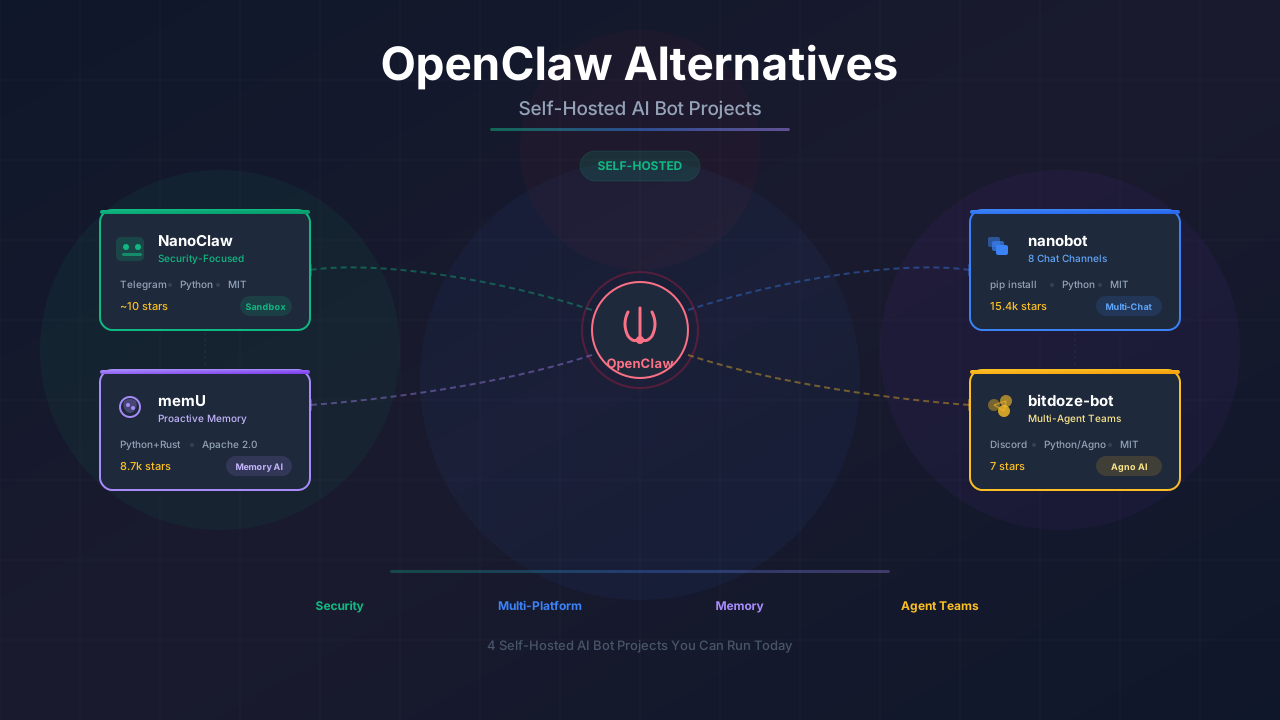
But OpenClaw isn’t the only option anymore. Several projects have appeared with different takes on the same idea. Some are smaller and more focused. Some try to do more. I’ve been looking at four of them, and each one makes different tradeoffs worth knowing about.
What this covers
Seven self-hosted AI bot projects that work as OpenClaw alternatives. Each section includes what the project does, how it’s different, and how to get it running.
New additions
ZeroClaw was added to this roundup on February 16, 2026. It’s a Rust-based assistant with a 3.4MB binary and under 5MB RAM usage. See section 7 or our full ZeroClaw setup guide.
NullClaw was added on February 24, 2026. It’s a Zig-based assistant with a 678 KB binary and ~1 MB RAM usage. See section 8 or our full NullClaw deploy guide.
Quick comparison
Before getting into each project, here’s how they stack up:
| Feature | NanoClaw | nanobot | memU | bitdoze-bot | PicoClaw | IronClaw | ZeroClaw | NullClaw |
|---|---|---|---|---|---|---|---|---|
| GitHub stars | 9.3k | 21.6k | 9.6k | 10 | 16k | 2.4k | 14.2k | 8.7k |
| Language | TypeScript | Python | Python + Rust | Python | Go | Rust | Rust | Zig |
| Codebase size | ~35k tokens | ~3.5k lines | Larger (framework) | Medium | Small (single binary) | Medium-large | Medium (1,017 tests) | Medium (3,230+ tests) |
| License | MIT | MIT | Apache 2.0 | MIT | MIT | Apache 2.0 / MIT | MIT | MIT |
| Chat channels | WhatsApp, Telegram, Discord, Slack, Signal | Telegram, Discord, WhatsApp, Slack, Feishu, DingTalk, Email, QQ | Bot at memu.bot | Discord | Telegram, Discord | REPL, HTTP, Telegram, Slack (WASM) | CLI, Telegram, Discord, Slack, iMessage, Matrix, WhatsApp, Webhook | CLI, Telegram, Discord, Slack, iMessage, Matrix, WhatsApp, Signal, IRC, Line, Lark, QQ, Email, Webhook, and more (17 total) |
| Memory | Per-group CLAUDE.md | Built-in | Hierarchical (main feature) | Agno memory + learning | File-based workspace | PostgreSQL + pgvector (hybrid search) | SQLite hybrid (FTS5 + vector cosine) | SQLite hybrid (FTS5 + vector cosine) |
| Install method | Claude Code /setup | pip (nanobot-ai) | pip (memu-py) | UV + manual | Single binary / source | cargo build | cargo build / Docker | zig build / Docker |
| Local models | Claude only (Agent SDK) | vLLM support | Via custom providers | OpenAI-compatible | Via OpenRouter | Via NEAR AI | Ollama + 22 providers | Ollama + 22+ providers |
| Security features | Container isolation (Docker / Apple Container) | Basic | N/A (framework) | Tool permissions, audit | Basic | WASM sandbox, credential protection, prompt injection defense | Gateway pairing, sandbox, allowlists, encrypted secrets | Gateway pairing, multi-layer sandbox (Landlock, Firejail, Bubblewrap, Docker), encrypted secrets |
| Multi-agent | Agent Swarms | No | No (memory layer) | Yes (Agno teams) | No | Parallel jobs with isolated workers | No | No |
1. NanoClaw
GitHub RepositoryNanoClaw is a TypeScript-based AI assistant built on Claude’s Agent SDK. The key difference from other bots on this list is real container isolation — agents run inside Docker containers (or Apple Container on macOS), not behind application-level permission checks. It’s also the first personal assistant to support Agent Swarms, where teams of specialized agents collaborate on tasks. We wrote a full NanoClaw deploy guide covering WhatsApp setup, container configuration, skills, and scheduled tasks.
What it does
- Agents execute inside Linux containers with filesystem isolation
- Supports WhatsApp (default), Telegram, Discord, Slack, Signal via skills
- Agent Swarms for multi-agent collaboration
- Per-group memory and context isolation (each group gets its own CLAUDE.md)
- Skills system where contributors add Claude Code skills instead of features
- Scheduled tasks with per-group context
- Setup and customization through Claude Code commands
Security approach
NanoClaw’s security model is OS-level rather than application-level:
- Container isolation: Every agent runs in its own Docker container with only explicitly mounted directories visible
- No network by default: Containers have no network access unless you enable it
- Process isolation: Container processes can’t access host processes
- Non-root execution: Containers run as non-root user
This puts NanoClaw ahead of projects that rely on allowlists or file path restrictions. The agent physically cannot escape the container.
Getting started
git clone https://github.com/qwibitai/NanoClaw.git
cd NanoClaw
claude
# Then type: /setup
Claude Code handles dependencies, WhatsApp authentication, container setup, and service configuration.
git clone https://github.com/qwibitai/NanoClaw.git
cd NanoClaw
claude
# Then type: /setup
# Optionally: /convert-to-apple-container for lighter-weight native containers
Who this is for
NanoClaw is the pick if container-level security matters to you, or if you want multi-agent swarms. The Claude Agent SDK gives you Claude Code capabilities in an always-on assistant. The tradeoff is that it only works with Claude (no multi-model support) and the codebase is customized through Claude Code rather than config files. If you need multi-provider support, look at NullClaw or nanobot instead.
2. nanobot
GitHub Repositorynanobot comes from HKUDS (Hong Kong University) and has grown fast. 15,400 stars, 2,200 forks. The pitch is similar to NanoClaw but much more ambitious: a lightweight bot (~3,500 lines of code) that connects to basically every chat platform. We wrote a full nanobot setup guide covering MiniMax M2.5, GLM-5, and Brave Search if you want to try it.
What it does
- Connects to Telegram, Discord, WhatsApp, Slack, Feishu, DingTalk, Email, and QQ
- Installable via pip:
pip install nanobot-ai - Built-in memory system
- Supports local models through vLLM
- Works with OpenRouter, Anthropic, OpenAI, DeepSeek, Groq, Gemini, and others
- Docker deployment available
The channel coverage is what sets nanobot apart. If you need your bot on WhatsApp and Discord and Slack at the same time, most alternatives don’t do that without significant extra work.
Setup
pip install nanobot-ai
nanobot init
# Follow wizard to configure channels and API keys
nanobot start
That’s really it for a basic setup. The init wizard walks you through picking a chat platform and connecting an LLM provider. You can add more channels later.
Local model support
nanobot can connect to a local vLLM server, which means you can run the whole stack without any API costs after the initial hardware investment. If you already have an Ollama or vLLM setup, pointing nanobot at it is straightforward.
# Example: using a local vLLM endpoint
nanobot config set llm.base_url http://localhost:8000/v1
nanobot config set llm.model your-local-model
Who this is for
nanobot is the pragmatic choice if you need multi-channel support or want something you can install with pip and have running in five minutes. The university backing and large community mean bugs get fixed and features get added regularly. The tradeoff is that with so many integrations, configuration can get dense.
3. memU
GitHub RepositorymemU is different from the other projects here. It’s not really a chatbot. It’s a memory framework built for 24/7 agents, and it happens to include a bot (at memu.bot) as a reference implementation.
The core idea: most chatbots forget everything between sessions, and even ones with memory just do basic retrieval. memU treats memory like a file system, with categories, items, and cross-references, and it tries to predict what you’re about to need before you ask for it.
How memory works
memU organizes everything into three layers:
| Layer | What it stores | Purpose |
|---|---|---|
| Resources | Raw conversations, documents, images | Original data |
| Items | Extracted facts, preferences, skills | Searchable knowledge |
| Categories | Auto-organized topics | Navigation and context |
The “file system” metaphor means your agent’s memory looks like this:
memory/
├── preferences/
│   ├── communication_style.md
│   └── topic_interests.md
├── knowledge/
│   ├── domain_expertise/
│   └── learned_skills/
└── context/
    ├── recent_conversations/
    └── pending_tasks/
New memories get auto-categorized. Related memories link to each other. The system claims 92% accuracy on the Locomo benchmark, which tests how well memory systems retain and retrieve information over long conversations.
Proactive behavior
This is where memU gets interesting. Instead of just answering when asked, it monitors conversations and tries to anticipate what you’ll need next. The agent can:
- Pre-fetch relevant context before you explicitly ask
- Notice patterns in what you’re working on and surface related memories
- Draft action items from conversation flow
- Learn your preferences over time and adjust responses
Whether this is useful or annoying probably depends on your tolerance for unsolicited suggestions. I can see it working well for someone who uses an AI assistant all day, less so for occasional use.
Setup
The hosted version at memu.so runs continuously. If you want to try a memory system without self-hosting, this is the fastest path.
pip install memu-py

# In-memory test (no database needed)
export OPENAI_API_KEY=your_key
cd tests
python test_inmemory.py

# With PostgreSQL for persistent storage
docker run -d \
  --name memu-postgres \
  -e POSTGRES_USER=postgres \
  -e POSTGRES_PASSWORD=postgres \
  -e POSTGRES_DB=memu \
  -p 5432:5432 \
  pgvector/pgvector:pg16

python test_postgres.py
memU also supports OpenRouter, so you can route through whatever model provider you prefer:
from memu import MemoryService

service = MemoryService(
    llm_profiles={
        "default": {
            "provider": "openrouter",
            "base_url": "https://openrouter.ai",
            "api_key": "your_openrouter_api_key",
            "chat_model": "anthropic/claude-3.5-sonnet",
        },
    },
)
Who this is for
memU makes the most sense if you’re building your own agent and want a proper memory layer underneath it. It’s also worth looking at if you’re frustrated with how shallow memory is in other bots. The project has 8,700 stars and an active community. The downside is complexity. This isn’t a “clone and run” bot like NanoClaw. It’s a framework, and you’ll need to integrate it into something.
4. bitdoze-bot
GitHub RepositoryThis is my project. I built it because I wanted a Discord bot that could handle multiple specialized agents working together, not just one model answering questions.
bitdoze-bot uses the Agno framework for multi-agent orchestration. You define agent “teams” in workspace folders, each agent with its own tools and personality, and a coordinator routes incoming messages to the right specialist.
I wrote a detailed build guide for it: Build your own AI Discord bot with Agno teams.
What it does
- Discord-first (responds on mention)
- Multi-agent teams: a coordinator + specialist agents (coding, research, ops, whatever you define)
- Workspace-based config: each agent gets its own folder with instructions, tools, and permissions
- Memory and learning: stores context across conversations and learns from corrections
- Heartbeat + cron: scheduled health checks and recurring tasks
- Tool permissions and audit logging
- Observability: structured logs for every agent run
The team setup
The multi-agent approach is the main difference from everything else on this list. Instead of one model trying to do everything, you split responsibilities:
workspaces/
├── main/
│   └── agent.yaml          # Coordinator - routes to specialists
├── coding/
│   └── agent.yaml          # Coding specialist
├── research/
│   └── agent.yaml          # Web research specialist
└── ops/
    └── agent.yaml          # Server ops specialist
When a message comes in, the coordinator decides which specialist handles it. You can start with just the main agent and add specialists as you need them.
Getting started
git clone https://github.com/bitdoze/bitdoze_bot.git
cd bitdoze_bot
cp .env.example .env
# Edit .env with Discord token and API keys

# Install with UV
uv sync
uv run python main.py
You need Python 3.12+, a Discord bot token, and an API key for your model provider.
Who this is for
If you want to go beyond a single-agent chatbot and experiment with multi-agent coordination, this is the project to look at. The workspace-based configuration makes it easy to add new specialists without touching the core code. The tradeoff is that it’s Discord-only and the smallest project here by star count. But it’s one I use daily, and the multi-agent approach has been worth the extra setup.
5. PicoClaw
GitHub RepositoryPicoClaw takes the opposite approach from everything else on this list. Instead of adding features, it strips them away. The project is a Go rewrite of nanobot that compiles to a single binary, uses less than 10MB of RAM, and boots in under a second. Sipeed (the RISC-V hardware company) built it to run on their $10 LicheeRV-Nano boards, which says a lot about the resource budget they were working with. We wrote a full PicoClaw setup guide covering MiniMax M2.5, GLM-5, and Discord if you want to try it.
The whole thing was reportedly written in a single day, with the AI agent itself driving most of the Go migration. That sounds like a gimmick, but the result actually works. The binary runs on RISC-V, ARM, and x86 without changes.
What it does
- Single binary AI assistant, no runtime dependencies
- Telegram and Discord support
- Tool access: shell commands, file operations, web search (via Brave Search API)
- Works with OpenRouter, Zhipu, Anthropic, OpenAI, Gemini, Groq, and DeepSeek
- Workspace-based file storage for memory and logs
- CLI mode for local use, gateway mode for chat channels
- Voice message transcription through Groq’s Whisper
Resource comparison
The numbers here are hard to ignore:
| Metric | OpenClaw | nanobot | PicoClaw |
|---|---|---|---|
| RAM | >1GB | >100MB | under 10MB |
| Startup (0.8GHz core) | >500s | >30s | under 1s |
| Minimum hardware cost | Mac Mini $599 | ~$50 SBC | ~$10 board |
If you have a NanoKVM or MaixCAM sitting around, PicoClaw can turn it into an always-on assistant. That’s a use case none of the other projects here can touch.
Getting started
# Download prebuilt binary from releases, or build from source:
git clone https://github.com/sipeed/picoclaw.git
cd picoclaw
make build

# Initialize config
picoclaw onboard

# Edit ~/.picoclaw/config.json with your API keys

# Chat directly
picoclaw agent -m "What is 2+2?"

# Or start as gateway for Telegram/Discord
picoclaw gateway
Who this is for
PicoClaw is the pick if you care about resource efficiency above all else, or if you want to run a bot on hardware that would choke on Python. The Go codebase is small and readable, and the single-binary deployment means there’s nothing to install. The tradeoff is that it’s brand new (launched February 2026), so the feature set is more limited than nanobot, and the community is still forming. But 1,100 stars in a few days suggests people are paying attention.
6. IronClaw
GitHub Repository ZeroClaw ForkIronClaw comes from NEAR AI and takes a security-first approach that goes well beyond what the other projects attempt. It’s a full Rust rewrite of the OpenClaw concept, and the main selling point is the WASM sandbox. Every untrusted tool runs inside an isolated WebAssembly container with explicit capability-based permissions. Your API keys never get exposed to tool code. HTTP requests only go to hosts you’ve approved.
If you’ve ever felt nervous about giving an AI agent shell access on a box with real data on it, IronClaw was built for that anxiety.
What it does
- Rust-native AI assistant with REPL, HTTP webhook, and WASM-based channels (Telegram, Slack)
- WASM sandbox for all tool execution with capability-based permissions
- Credential protection: secrets get injected at the host boundary, tool code never sees them
- Prompt injection defense with pattern detection and content sanitization
- Endpoint allowlisting so the agent can only reach hosts you approve
- PostgreSQL with pgvector for memory (full-text + vector hybrid search)
- Heartbeat system for proactive background tasks
- Parallel job execution with isolated contexts
- Self-expanding: describe a tool you need, and IronClaw builds it as a WASM module
- MCP protocol support for connecting external tool servers
The security model
This is where IronClaw stands apart. The security pipeline for tool execution looks like this:
- Tool request hits the endpoint allowlist validator
- Request gets scanned for credential leaks
- Credentials get injected at the host boundary (tool code never holds them)
- Request executes inside the WASM sandbox
- Response gets scanned again for credential leaks
- Result returns to the agent
There are also per-tool rate limits and resource caps (memory, CPU time, execution duration). Policy rules let you set severity levels for different situations: block, warn, review, or sanitize.
No other project on this list has anything close to this level of isolation. NanoClaw has its FileGuard and ShellSandbox, but those are Python-level guards. IronClaw’s WASM containers are a fundamentally different approach.
Getting started
git clone https://github.com/nearai/ironclaw.git
cd ironclaw

# Build
cargo build --release

# Set up PostgreSQL with pgvector
createdb ironclaw
psql ironclaw -c "CREATE EXTENSION IF NOT EXISTS vector;"

# Run the setup wizard (handles DB connection, NEAR AI auth, encryption)
ironclaw onboard

# Start as REPL
cargo run
You’ll need Rust 1.85+, PostgreSQL 15+ with pgvector, and a NEAR AI account (the setup wizard handles the OAuth flow through your browser).
Who this is for
IronClaw is for people who want the strongest security guarantees available in this space. The WASM sandbox and credential isolation make it the safest option for running an AI agent with real tool access on a production machine. The Rust codebase gives native performance and memory safety. The downsides: it’s newer (368 stars), requires PostgreSQL infrastructure, and requires a NEAR AI auth requirement that may not sit well with everyone who wants a fully independent self-hosted setup.
7. ZeroClaw
GitHub RepositoryZeroClaw is a Rust-based assistant that pushes resource efficiency further than PicoClaw. The release binary is 3.4MB, it uses under 5MB of RAM, and it boots in under 10ms. The project comes from zeroclaw-labs and has 22+ built-in providers, 8+ chat channels, and a SQLite memory system with hybrid search (FTS5 keyword + vector cosine similarity). We wrote a full ZeroClaw setup guide covering MiniMax M2.5, GLM-5, and Discord if you want to try it.
What it does
- Single Rust binary, no runtime dependencies beyond the binary itself
- 8+ channels: CLI, Telegram, Discord, Slack, iMessage, Matrix, WhatsApp, Webhook
- 22+ LLM providers built in (OpenRouter, Anthropic, OpenAI, Ollama, Gemini, Groq, Mistral, xAI, DeepSeek, and more)
- SQLite hybrid memory: FTS5 keyword search + vector embeddings with cosine similarity
- Gateway pairing with 6-digit one-time codes and bearer token auth
- Workspace sandboxing, command allowlists, and forbidden path protection
- Encrypted secrets storage (ChaCha20-Poly1305)
- Docker support with distroless production images
- Built-in
zeroclaw migrate openclawcommand for switching from OpenClaw - TOML configuration instead of JSON
Security approach
ZeroClaw’s security defaults are stricter than most projects on this list. The gateway binds to 127.0.0.1 and refuses to go public without a tunnel. Empty channel allowlists deny all messages by default (opposite of most bots). There’s a 6-digit pairing code flow before the gateway accepts webhook requests.
[autonomy]
workspace_only = true
allowed_commands = ["git", "npm", "cargo", "ls", "cat", "grep"]
forbidden_paths = ["/etc", "/root", "/proc", "/sys", "~/.ssh", "~/.gnupg", "~/.aws"]

[secrets]
encrypt = true
14 system directories and 4 sensitive dotfiles are blocked by default. Symlink escape attempts get caught through path canonicalization.
Getting started
git clone https://github.com/zeroclaw-labs/zeroclaw.git
cd zeroclaw
cargo build --release --locked
cargo install --path . --force --locked

# Interactive setup
zeroclaw onboard --interactive

# Chat
zeroclaw agent -m "Hello!"

# Start all channels
zeroclaw daemon
On a Raspberry Pi with 1GB RAM, use CARGO_BUILD_JOBS=1 cargo build --release to avoid the kernel killing rustc.
Who this is for
ZeroClaw is the pick if you want the lowest possible resource footprint with serious security defaults and a wide range of built-in providers. The 22+ provider support means you can point it at nearly any LLM API without custom configuration. The SQLite hybrid memory is more capable than what PicoClaw or nanobot offer. The tradeoff is compile time (Rust builds take a few minutes on a VPS) and a newer, smaller community. If you’re migrating from OpenClaw, the built-in migration command makes the switch straightforward.
8. NullClaw
GitHub RepositoryNullClaw pushes resource efficiency to the absolute limit. It’s a static Zig binary — 678 KB, ~1 MB RAM at runtime, boots in under 2 milliseconds on Apple Silicon. The project ships with 22+ LLM providers, 17 chat channels, hybrid memory (FTS5 + vector), and multi-layer sandboxing. We wrote a full NullClaw deploy guide covering provider setup, channels, memory, sandboxing, and edge hardware deployment.
The “null overhead, null compromise” philosophy means zero runtime dependencies beyond libc. Drop the binary on any hardware with a CPU and it runs. That includes $5 ARM boards and RISC-V SBCs.
What it does
- 678 KB static binary with no runtime dependencies
- 17 channels: CLI, Telegram, Signal, Discord, Slack, WhatsApp, iMessage, Matrix, IRC, Line, Lark, QQ, OneBot, Email, DingTalk, MaixCam, Webhook
- 22+ LLM providers via OpenAI-compatible interface (OpenRouter, Anthropic, OpenAI, Ollama, Groq, Mistral, xAI, DeepSeek, and more)
- SQLite hybrid memory: FTS5 keyword search + vector embeddings with cosine similarity
- Multi-layer sandboxing: Landlock, Firejail, Bubblewrap, Docker (auto-detected)
- Gateway pairing with 6-digit codes and bearer token auth
- Encrypted secrets (ChaCha20-Poly1305)
- MCP server support
- Built-in
nullclaw migrate openclawfor switching from OpenClaw - Cross-compilation for ARM, x86, and RISC-V from any platform
Resource footprint
The numbers speak for themselves:
| Metric | OpenClaw | nanobot | PicoClaw | ZeroClaw | NullClaw |
|---|---|---|---|---|---|
| RAM | >1GB | >100MB | <10MB | <5MB | ~1 MB |
| Startup (0.8 GHz) | >500s | >30s | <1s | <10ms | <8 ms |
| Binary | ~28MB | N/A | ~8MB | 3.4MB | 678 KB |
| Tests | — | — | — | 1,017 | 3,230+ |
| Min hardware | Mac Mini $599 | ~$50 SBC | ~$10 board | ~$10 | $5 board |
Getting started
# Install Zig 0.15.2
curl -L https://ziglang.org/download/0.15.2/zig-linux-x86_64-0.15.2.tar.xz | tar -xJ
sudo mv zig-linux-x86_64-0.15.2 /usr/local/zig
sudo ln -s /usr/local/zig/zig /usr/local/bin/zig

# Clone and build
git clone https://github.com/nullclaw/nullclaw.git
cd nullclaw
zig build -Doptimize=ReleaseSmall

# Setup
nullclaw onboard --interactive

# Start
nullclaw daemon
For model recommendations, MiniMax M2.5 and GLM-5 work well with NullClaw through OpenRouter or direct API endpoints.
Who this is for
NullClaw is for anyone who wants the smallest possible footprint with the widest feature set. If you have a Raspberry Pi Zero, a cheap ARM SBC, or any edge device sitting around, NullClaw turns it into a full AI assistant. The 17-channel support and 22+ providers mean you’re unlikely to hit a wall with what it connects to. The tradeoff is that Zig is less familiar than Rust or Python, and the community is newer. But the 3,230+ test suite and active development suggest the project is solid.
Which one should you pick?
It depends on what you actually need:
- Want container-level security with multi-agent swarms? NanoClaw isolates agents in Docker containers and supports Agent Swarms. See the deploy guide.
- Need to be on Telegram, Discord, WhatsApp, and Slack at once? nanobot handles that.
- Building your own agent and need a real memory system? memU is the memory framework to look at.
- Want multi-agent teams on Discord? bitdoze-bot does that with Agno.
- Running on extremely limited hardware or want a single Go binary with no dependencies? PicoClaw.
- Need serious security isolation with WASM-sandboxed tools? IronClaw is the hardened option.
- Want ultra-low resource usage (under 5MB RAM) with 22+ providers and SQLite hybrid memory? ZeroClaw.
- Want the absolute smallest binary (678 KB, ~1 MB RAM) with 17 channels and edge hardware support? NullClaw.
All of them run on a basic VPS. A Hetzner CX22 ($5.50/month) is enough for any of them. API costs depend on which model you pick and how much you chat, but $15-50/month covers most people. For model recommendations, see our best open source models for OpenClaw guide covering MiniMax M2.5 and GLM-5.
If you haven’t tried any self-hosted AI bot yet, I’d actually recommend starting with OpenClaw itself. It’s the most documented, has the largest community, and the setup wizard makes the first run pretty painless. Once you know what you want to change about it, these alternatives start making more sense.
Frequently asked questions
Can I switch from OpenClaw to one of these without losing my conversations?
Not directly. Each project stores memory differently. You’d need to export from OpenClaw and manually import, or just start fresh. memU has the most flexible import options since it’s designed as a memory framework.
Do any of these work on a Raspberry Pi?
NanoClaw and nanobot can run on a Pi 4 with 4GB+ RAM. Performance will be limited. memU with PostgreSQL needs more resources. bitdoze-bot depends on how many agents you run. PicoClaw is the clear winner here, running on boards as cheap as $10 with under 10MB of RAM. ZeroClaw is a close second with under 5MB RAM at runtime, though it needs more RAM during compilation. NullClaw takes it further — the 678 KB binary uses only ~1 MB RAM and runs on $5 boards including Raspberry Pi Zero 2 W. IronClaw needs PostgreSQL, so a Pi 4 with 4GB is the minimum.
Can I use local models instead of API providers?
nanobot has native vLLM support. NanoClaw only uses Claude’s Agent SDK (no other model support). bitdoze-bot works with any OpenAI-compatible endpoint, so you can point it at Ollama or vLLM. memU supports custom LLM providers. PicoClaw works with OpenRouter and several direct providers. ZeroClaw has a built-in Ollama provider and supports any OpenAI-compatible endpoint via the custom: provider. NullClaw supports 22+ providers including Ollama and any OpenAI-compatible endpoint. IronClaw routes through NEAR AI. See our running OpenClaw with Ollama guide for hardware tiers, model picks, and full configuration, or the Ollama Docker guide for the Docker setup.
How much coding do these require?
NanoClaw requires Claude Code and is customized through Claude Code commands rather than config files. nanobot and PicoClaw are close to zero-code for basic setups. ZeroClaw is similar, edit a TOML config and the interactive onboard wizard handles the rest. NullClaw uses a JSON config file and an interactive onboard wizard — straightforward once Zig is installed. bitdoze-bot needs some YAML configuration for agents. memU requires Python integration work since it’s a framework, not a standalone bot. IronClaw requires Rust tooling and PostgreSQL setup, but the onboard wizard handles most of the configuration.
If you’re settled on OpenClaw and want a proper UI for it, our best OpenClaw dashboards guide covers nine community-built options — from full multi-agent orchestration platforms like Mission Control down to lightweight single-file monitors. For getting started with OpenClaw itself, the setup guide has the full installation walkthrough. And before installing skills from ClawHub, read the OpenClaw security guide — 12% of skills were infected in a supply chain attack (CVE-2026-25253).