Freebuff: Free AI Coding Agent With No Subscription
Freebuff is a free, ad-funded AI coding agent for terminal, desktop, browser, and phone. Here's what it does now and where it still falls short.

11 min read
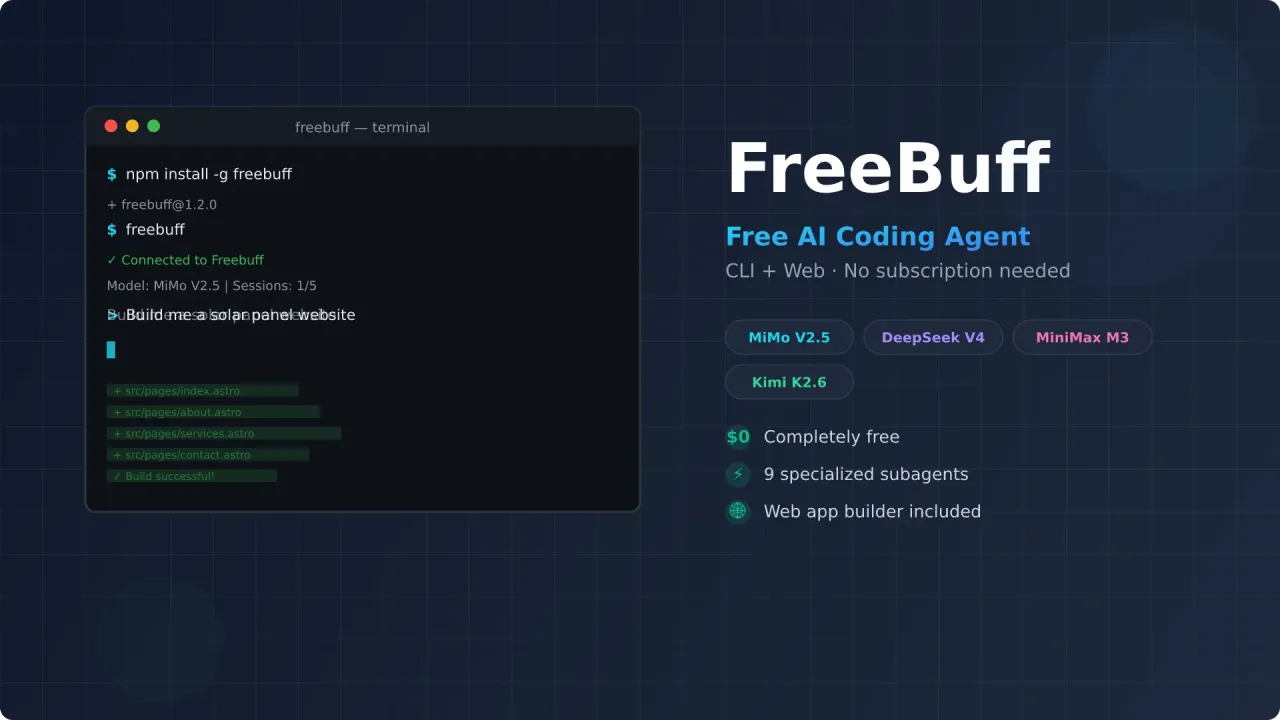
Freebuff is a free coding agent that runs in your terminal, on your desktop, in the browser, and on your phone. No subscription, no API keys to manage, no credit card. You install it, log in, and start coding with models like GLM 5.3 Flash, DeepSeek V4.1 Flash, and GPT-6 Luna. Text ads pay for the whole thing.
A lot has changed since I first tried it. What was a CLI plus a web app builder is now a family of five products, the model roster has turned over completely, and there are paid plans for heavier use alongside the free tier.
I tested it by asking it to build an Astro website from scratch. Here’s what happened, plus what the product looks like now.
What you'll learn
- How Freebuff works and what models it uses
- Installation and setup in under a minute
- The five Freebuff products: CLI, Desktop, Web, Cloud, and Chat
- How the free tier works now (hours, not sessions)
- Real test results building an Astro website with Freebuff CLI
- Where it fits compared to paid tools like Claude Code and Cursor
What is Freebuff?
Freebuff is the free, ad-supported coding product built on Codebuff, the open-source multi-agent framework (Apache-2.0, ~13.6k GitHub stars). Codebuff the framework is what powers the orchestration and SDK; Freebuff is what you actually install. Ads shown during your session pay for the model time.
It’s no longer just a terminal tool. There are five products now:
| Product | What it does |
|---|---|
| Freebuff CLI | The original terminal agent: npm install -g freebuff |
| Freebuff Desktop | macOS, Windows, and Linux app that runs parallel agents in isolated workspaces |
| Freebuff Web | Prompt-to-app builder for full-stack apps in the browser |
| Freebuff Cloud | Runs agents on any connected GitHub repository |
| Freebuff Chat | General research and thinking chat |
There’s also an Android app (“Freebuff in your pocket”), with iOS listed as coming soon. Threads live in the cloud, so you can start a task on your desktop, check it from your phone, and finish in the browser. Integrations cover GitHub, Linear, Notion, Stripe, Vercel, Supabase, Sentry, PostHog, and Resend.
Instead of one model doing everything, Freebuff coordinates nine specialized subagents: file-finding, planning, editing, code review, browser use, and so on. It also orchestrates polished slash commands — /interview → /plan → implement → /review takes you from a rough idea to a PR.
Available models
The roster has turned over since launch. The current picker:
| Model | Access | Notes |
|---|---|---|
| MiMo Fast | Everyone | The default; balanced, handles images |
| GLM 5.3 Flash | Everyone | Deepest reasoning pick, unmetered at full access |
| DeepSeek V4.1 Flash | Everyone | Fast coding and tool use, unmetered at full access |
| GPT-6 Luna | Full access | OpenAI’s budget tier, runs on flex capacity |
| MiMo 2.6 Pro | Full access | Xiaomi’s stronger reasoning model, images supported |
| Solar Mini 4 / Solar Pro 4 | Everyone | Upstage’s models, 524K context, text only |
| Gemini 3.8 Flash | Paid plans | 1M context, the only model that takes audio, video, and PDF |
| Muse Spark 1.3 | Paid plans | Meta’s agentic model; falls back to DeepSeek V4.1 Flash when busy |
| Gemini 4 Argon | US or paid | Google’s flagship at a promo price, one session a day |
| GPT-6.1 Sol | US or paid | OpenAI’s flagship, one session a day |
DeepSeek V4 Pro was retired from the catalog — GLM 5.3 Flash took over the deep-reasoning slot. Gemini 3.1 Flash Lite handles specialist work like file finding behind the scenes and doesn’t show up in the picker.
What you see depends on your region. Full-access countries get the whole catalog; anywhere else (or over a VPN) you get limited mode with MiMo Fast, GLM 5.3 Flash, DeepSeek V4.1 Flash, and the Solar models. Freebuff Desktop can also drive a locally installed Claude Code or Codex agent using your own provider account — those are separate from the included catalog.
How the free tier works now
This changed since launch, and it’s worth understanding before you start. Usage is measured in hours, not sessions. Each session lasts an hour with unlimited messages; a model with a 3x multiplier burns three hours per session.
- Free plan: 30 hours refilled daily, no card required. Daily hours reset at midnight local time and don’t roll over.
- Unmetered models: at full access, GLM 5.3 Flash, DeepSeek V4.1 Flash, MiMo Fast, Solar Mini 4, and Solar Pro 4 cost nothing at all.
- Limited mode (unsupported regions or VPN): 5 hours a day, 4 on a VPN, or 6 one-hour sessions where the app still shows sessions.
- Referrals and bounties earn extra sessions on top of the daily allowance.
Paid plans now exist for heavier use: Starter at $8/month (50 h/day), Plus at $25/month (80 h/day), and Pro at $60/month (130 h/day), each with a monthly bonus pool and access to all models. The free tier is still the point of the product — the paid plans just raise the ceiling. Older app versions display the same balance as Freebucks, five to an hour.
Free means ad-funded
The trade for $0 is data and attention. Freebuff shows text ads in the session, uses your usage to personalize them, and warns that some models or features may keep submissions for training — it says so before you start when that’s the case. If you work on proprietary code, read the data-use notice in the picker before choosing a model.
Installing Freebuff CLI
One command gets you started:
npm install -g freebuffThen navigate to your project and run it:
cd your-project
freebuff
On first run, it’ll ask you to log in. After that, you pick a model and start chatting. freebuff --continue reopens an old session, and /export writes a transcript to a Markdown file in the project.
The other Freebuff products
Freebuff Web is the prompt-to-app builder — a free alternative to Lovable, Bolt.new, or v0. Describe what you want or pick a template and it generates a deployed app.
Freebuff Cloud connects to a GitHub repo and runs agents on it in hosted sandboxes, with previews and deployment workflows.
Freebuff Desktop is the most interesting addition for daily use: it runs several agents in parallel, each isolated in its own workspace, and it can drive your local Claude Code or Codex install if you already pay for one of those.
Real test: building an Astro website
I put Freebuff to work on a real task: creating a solar panel company website with Astro. The prompt included specific requirements for pages, Tailwind styling, and a professional layout. This test ran on the older lineup (MiMo V2.5 handled it); the current GLM 5.3 Flash and DeepSeek V4.1 Flash models are stronger on paper, but the workflow is the same.
Here’s what happened:
The good parts:
- It generated all the pages (index, about, services, contact) without major hiccups
- Components were clean and well-structured with proper descriptions, titles, and meta tags
- The build completed successfully after Freebuff automatically fixed some build errors
- Total time was around 10 minutes for a complete multi-page website
- The generated code was organized with proper Astro conventions
The rough edges:
- It didn’t import Tailwind CSS in the layout file, which broke the styling. I had to add one line manually.
- It removed the SEO component and baked meta tags directly into the layout. Not ideal for a real project.
- Google Fonts weren’t loaded using Astro’s recommended approach
- Some accessibility issues with buttons appeared during the code review
- The AI reviewer subagent caught some problems and fixed them (like a missing favicon), but not all
After a quick manual fix for the Tailwind import, the site actually looked decent. Nice header with animations, working navigation, testimonials section, and a proper footer. For a free tool producing this in 10 minutes, that’s not bad.
Try FreebuffHow it compares to paid tools
Freebuff won’t replace Claude Code or Cursor for complex backend work. The models are capable for front-end tasks and straightforward coding, but they hit limits with more demanding projects.
Where Freebuff makes sense:
| Use case | Freebuff | Paid tools |
|---|---|---|
| Landing pages and static sites | Works well | Overkill |
| Learning to code with AI | Good starting point | Too expensive for experiments |
| Quick prototypes | Gets the job done | Faster but costs money |
| Parallel side tasks | Desktop app handles it | Usually one session at a time |
| Complex backend systems | Will struggle | Better suited |
| Production applications | Not recommended | More reliable |
The previous attempt at this model (AMP Code) lasted a few months before the ad-supported approach wasn’t sustainable. Freebuff has been running for well over a year now and has grown from a CLI into five products, so it seems to be holding up better — though the new paid plans suggest ads alone weren’t the whole answer.
Who should use Freebuff?
Beginners who want to understand how AI coding agents work without spending money. You get a feel for the CLI workflow, learn how to prompt effectively, and see what these tools can do.
Developers on a budget who need help with small tasks. If you’re building a personal project or need a quick prototype, Freebuff handles that fine.
Anyone curious about AI coding who doesn’t want to commit to a $20-50/month subscription just to try things out.
If you’re already paying for Claude Code or Cursor and rely on them for production work, Freebuff isn’t going to replace that. But as a free tool to have in your toolkit — especially the desktop app for parallel side tasks — it’s worth trying.
Tips for better results
Based on my testing, here’s what helps:
- Be specific in your prompts — tell it exactly what pages you want, what framework, and what styling approach
- Provide documentation — if you’re using a specific framework like Astro, mention the docs so the agent uses the right patterns
- Pick the right model — use the unmetered ones (GLM 5.3 Flash, DeepSeek V4.1 Flash) for volume work and save the metered frontier models for hard problems
- Give it web access — the agent is only as current as the model’s training data. I pair it with TinyFish’s free Search + Fetch API so it can pull live docs and GitHub issues instead of guessing — the free tier (30 search/min, 150 fetch/min) is enough for daily use, and a key costs nothing at tinyfish.ai
- Check the build — Freebuff runs builds automatically, but verify the output yourself
- Fix small issues manually — sometimes one missing import is faster to fix yourself than waiting for the agent
Referrals and bounties
Freebuff still offers extra usage if you refer other users, and there’s a bounties program on top of that. Earned hours go into a wallet that’s spent after your daily allowance runs out, so they don’t evaporate at midnight the way daily hours do.
FAQ
Is Freebuff really free?
Yes. The free plan refills 30 hours of usage daily and is funded by text ads shown during your coding sessions. No credit card, no subscription, no API keys needed. Paid plans ($8-60/month) exist if you want more hours and the full model catalog, but nothing in the free tier requires them.
What's the difference between Freebuff and Codebuff?
Codebuff is the open-source multi-agent framework — the orchestration, tools, and SDK you can build on. Freebuff is the product family built on it: the CLI, desktop app, web builder, cloud agents, and chat you install and use. Same codebase underneath.
Can I use Freebuff for commercial projects?
You can, but check the per-model data-use notice first — Freebuff warns you when a model or feature may keep submissions for training. For production work, you’d want to test output thoroughly anyway, since the free-tier models are optimized for speed over depth.
How much can I use it per day?
30 hours refilled daily at full access, and each session runs for an hour with unlimited messages. Frontier models draw more per hour than fast ones. In limited mode (unsupported region or VPN) it’s 5 hours a day, 4 over a VPN. Some models are unmetered and don’t touch your allowance at all.
Does Freebuff work offline?
No. It needs an internet connection to access the AI models. Your files are edited locally, but the AI processing happens on Freebuff’s servers.
Wrapping up
Freebuff has grown from a free terminal agent into a full platform — desktop parallel agents, a web app builder, GitHub cloud agents, and a phone app, still funded by ads instead of a subscription. The limits are real: frontier models eat your daily hours fast, the strongest options are region-gated or paid-only, and you’re trading attention and some data for the free ride. But for learning, prototyping, and small tasks, it does the job.
If you’re interested in other free AI coding tools, check out Amp Code Free or our guide on AI coding tools for beginners.
Try Freebuff