Langfuse Docker Install: Self Hosted LangSmith Alternative
Learn how you can install Langfuse with docker compose and Postgres DB and take advantage of the observability software for your AI apps.
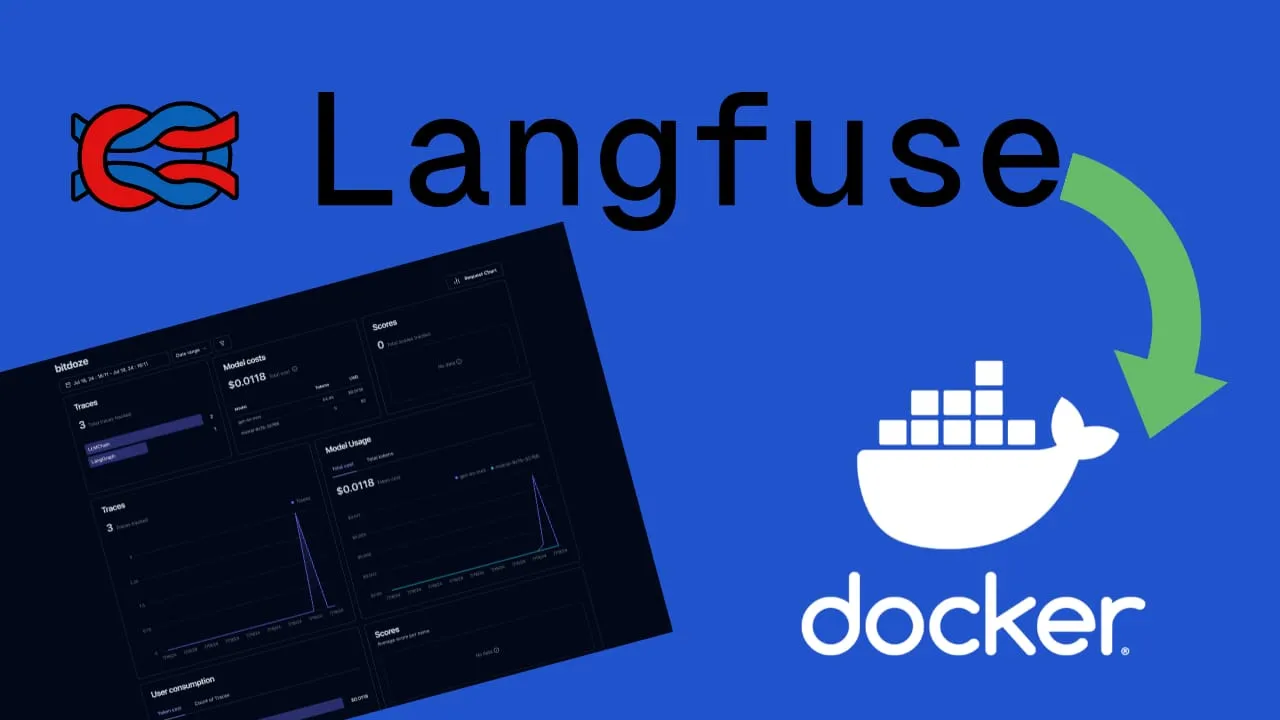
Langfuse is an open-source LLM engineering platform with tools for observability, metrics, evaluations, prompt management, and dataset handling. It’s a self-hosted alternative to LangSmith. Langfuse is now at v3, with a reworked architecture built for better performance and scale.
Key features:
-
Observability: Instrument your application and ingest traces to see how your LLM is performing.
-
Analytics: Track cost, latency, and quality through dashboards and data exports.
-
Prompt Management: Version and deploy prompts directly within Langfuse.
-
Evaluations: Score LLM completions using model-based evaluations, user feedback, and manual scoring.
-
Experimentation: Test application behavior before deploying, using datasets to benchmark performance.
-
LLM Playground: A built-in environment for testing prompts.
-
Integrations: Works with LlamaIndex, Langchain, and other popular LLM frameworks.
What’s new in Langfuse v3:
- ClickHouse as OLAP database: Traces, observations, and scores are now stored in ClickHouse, enabling much faster analytics queries compared to the previous PostgreSQL-only setup.
- Redis/Valkey for queue and cache: A Redis instance is now required to handle queue and cache operations, improving ingestion reliability.
- S3/MinIO for blob storage: Events and multi-modal traces (images, audio) are persisted in S3-compatible storage like MinIO.
- Two application containers: The application is split into
langfuse-web(serves the UI and APIs) andlangfuse-worker(processes events asynchronously). - Queued trace ingestion: Traces are now ingested via a queue for better reliability and throughput under load.
For self-hosting, Langfuse v3 requires several backing services (PostgreSQL, ClickHouse, MinIO, and Redis), all managed through a single Docker Compose file.
Step-by-Step Guide to Installing LangFuse on Docker
If you are interested to see some free cool open source self hosted apps you can check toolhunt.net self hosted section.
In case you are interested to monitor server resources like CPU, memory, disk space you can check: How To Monitor Server and Docker Resources
1. Prerequisites
Before you begin, make sure you have the following prerequisites in place:
- VPS where you can host Langfusew, you can use one from Hetzner or use a Mini PC as Home Server
- Docker and Dockge installed on your server, you can check the Dockge - Portainer Alternative for Docker Management for the full tutorial.
- CloudFlare Tunnels are configured for your VPS server, the details are in the article here I deployed Dockge
- OR reverse proxy with CloudPanel you can check: Setup CloudPanel As Reverse Proxy with Docker and Dockge
You can use also Traefik as a reverse proxy for your apps. I have created a full tutorial with Dockge install also to manage your containers on: How to Use Traefik as A Reverse Proxy in Docker
2. Langfuse Docker Compose File
services:
  langfuse-worker:
    image: langfuse/langfuse-worker:3
    restart: always
    depends_on:
      postgres:
        condition: service_healthy
      minio:
        condition: service_healthy
      redis:
        condition: service_healthy
      clickhouse:
        condition: service_healthy
    environment:
      DATABASE_URL: postgresql://${POSTGRES_USER}:${POSTGRES_PASSWORD}@postgres:5432/${POSTGRES_DB}
      NEXTAUTH_URL: https://langfuse.yourdomain.com
      SALT: ${SALT}
      ENCRYPTION_KEY: ${ENCRYPTION_KEY}
      TELEMETRY_ENABLED: false
      CLICKHOUSE_MIGRATION_URL: clickhouse://clickhouse:9000
      CLICKHOUSE_URL: http://clickhouse:8123
      CLICKHOUSE_USER: ${CLICKHOUSE_USER}
      CLICKHOUSE_PASSWORD: ${CLICKHOUSE_PASSWORD}
      LANGFUSE_S3_EVENT_UPLOAD_BUCKET: langfuse
      LANGFUSE_S3_EVENT_UPLOAD_REGION: auto
      LANGFUSE_S3_EVENT_UPLOAD_ACCESS_KEY_ID: ${MINIO_USER}
      LANGFUSE_S3_EVENT_UPLOAD_SECRET_ACCESS_KEY: ${MINIO_PASSWORD}
      LANGFUSE_S3_EVENT_UPLOAD_ENDPOINT: http://minio:9000
      LANGFUSE_S3_EVENT_UPLOAD_FORCE_PATH_STYLE: true
      LANGFUSE_S3_MEDIA_UPLOAD_BUCKET: langfuse
      LANGFUSE_S3_MEDIA_UPLOAD_REGION: auto
      LANGFUSE_S3_MEDIA_UPLOAD_ACCESS_KEY_ID: ${MINIO_USER}
      LANGFUSE_S3_MEDIA_UPLOAD_SECRET_ACCESS_KEY: ${MINIO_PASSWORD}
      LANGFUSE_S3_MEDIA_UPLOAD_ENDPOINT: http://minio:9000
      LANGFUSE_S3_MEDIA_UPLOAD_FORCE_PATH_STYLE: true
      REDIS_HOST: redis
      REDIS_PORT: 6379
      REDIS_AUTH: ${REDIS_PASSWORD}

  langfuse-web:
    image: langfuse/langfuse:3
    restart: always
    depends_on:
      postgres:
        condition: service_healthy
      minio:
        condition: service_healthy
      redis:
        condition: service_healthy
      clickhouse:
        condition: service_healthy
    ports:
      - 5061:3000
    environment:
      DATABASE_URL: postgresql://${POSTGRES_USER}:${POSTGRES_PASSWORD}@postgres:5432/${POSTGRES_DB}
      NEXTAUTH_URL: https://langfuse.yourdomain.com
      NEXTAUTH_SECRET: ${NEXTAUTH_SECRET}
      SALT: ${SALT}
      ENCRYPTION_KEY: ${ENCRYPTION_KEY}
      TELEMETRY_ENABLED: false
      CLICKHOUSE_MIGRATION_URL: clickhouse://clickhouse:9000
      CLICKHOUSE_URL: http://clickhouse:8123
      CLICKHOUSE_USER: ${CLICKHOUSE_USER}
      CLICKHOUSE_PASSWORD: ${CLICKHOUSE_PASSWORD}
      LANGFUSE_S3_EVENT_UPLOAD_BUCKET: langfuse
      LANGFUSE_S3_EVENT_UPLOAD_REGION: auto
      LANGFUSE_S3_EVENT_UPLOAD_ACCESS_KEY_ID: ${MINIO_USER}
      LANGFUSE_S3_EVENT_UPLOAD_SECRET_ACCESS_KEY: ${MINIO_PASSWORD}
      LANGFUSE_S3_EVENT_UPLOAD_ENDPOINT: http://minio:9000
      LANGFUSE_S3_EVENT_UPLOAD_FORCE_PATH_STYLE: true
      LANGFUSE_S3_MEDIA_UPLOAD_BUCKET: langfuse
      LANGFUSE_S3_MEDIA_UPLOAD_REGION: auto
      LANGFUSE_S3_MEDIA_UPLOAD_ACCESS_KEY_ID: ${MINIO_USER}
      LANGFUSE_S3_MEDIA_UPLOAD_SECRET_ACCESS_KEY: ${MINIO_PASSWORD}
      LANGFUSE_S3_MEDIA_UPLOAD_ENDPOINT: http://minio:9000
      LANGFUSE_S3_MEDIA_UPLOAD_FORCE_PATH_STYLE: true
      REDIS_HOST: redis
      REDIS_PORT: 6379
      REDIS_AUTH: ${REDIS_PASSWORD}
      AUTH_DISABLE_SIGNUP: ${AUTH_DISABLE_SIGNUP}

  postgres:
    image: postgres:17-alpine
    restart: always
    healthcheck:
      test: ["CMD-SHELL", "pg_isready -U ${POSTGRES_USER} -d ${POSTGRES_DB}"]
      interval: 5s
      timeout: 5s
      retries: 5
    volumes:
      - ./langfuse-db:/var/lib/postgresql/data:rw
    environment:
      POSTGRES_DB: ${POSTGRES_DB}
      POSTGRES_USER: ${POSTGRES_USER}
      POSTGRES_PASSWORD: ${POSTGRES_PASSWORD}

  clickhouse:
    image: clickhouse/clickhouse-server
    restart: always
    user: "101:101"
    environment:
      CLICKHOUSE_DB: default
      CLICKHOUSE_USER: ${CLICKHOUSE_USER}
      CLICKHOUSE_PASSWORD: ${CLICKHOUSE_PASSWORD}
    volumes:
      - ./langfuse-clickhouse:/var/lib/clickhouse
      - ./langfuse-clickhouse-logs:/var/log/clickhouse-server
    healthcheck:
      test: wget --no-verbose --tries=1 --spider http://localhost:8123/ping || exit 1
      interval: 5s
      timeout: 5s
      retries: 10

  minio:
    image: cgr.dev/chainguard/minio
    restart: always
    entrypoint: sh
    command: -c 'mkdir -p /data/langfuse && minio server --address ":9000" --console-address ":9001" /data'
    environment:
      MINIO_ROOT_USER: ${MINIO_USER}
      MINIO_ROOT_PASSWORD: ${MINIO_PASSWORD}
    ports:
      - 9090:9000
    volumes:
      - ./langfuse-minio:/data
    healthcheck:
      test: ["CMD", "mc", "ready", "local"]
      interval: 1s
      timeout: 5s
      retries: 5

  redis:
    image: redis:7
    restart: always
    command: >
      --requirepass ${REDIS_PASSWORD}
      --maxmemory-policy noeviction
    healthcheck:
      test: ["CMD", "redis-cli", "ping"]
      interval: 3s
      timeout: 10s
      retries: 10
This Docker Compose file defines six services that make up the Langfuse v3 architecture:
-
langfuse-worker: Processes trace events asynchronously from the queue, handles ClickHouse writes, and manages background jobs.
-
langfuse-web: Serves the Langfuse UI and APIs on port 5061. This is the container you expose to users via your reverse proxy.
-
postgres: Transactional database (PostgreSQL 17) for storing project configuration, users, prompts, and other relational data.
-
clickhouse: OLAP database optimized for fast analytics on traces, observations, and scores. This is what makes v3 dashboards significantly faster.
-
minio: S3-compatible blob storage used for persisting ingestion events and storing multi-modal trace data (images, audio).
-
redis: Handles cache and queue operations. Used for queued trace ingestion and caching frequently accessed data.
Key points to note:
- The use of environment variables
${VARIABLE_NAME}allows for easy configuration without modifying the Docker Compose file directly. - All backing services include healthchecks, and the Langfuse containers wait for dependencies to be healthy before starting.
- The volume mounts for PostgreSQL, ClickHouse, and MinIO ensure that your data persists even if containers are stopped or removed.
- Telemetry is disabled by default.
3. .env File for LangFuse
To use the environment variables referenced in the Docker Compose file, you’ll need to create a .env file in the same directory. Here’s an example of what it should contain:
POSTGRES_USER='user'
POSTGRES_PASSWORD='pass'
POSTGRES_DB='langfuse'
NEXTAUTH_SECRET=aOlY0UgIitolkrZUWoWyVRwuo2BpUPKB/t2l2ufbXSw=
SALT=VBQk4V98zZ8L8xwpvI696Ixv88D5QfrciLU4fx/C4VQ=
ENCRYPTION_KEY=0000000000000000000000000000000000000000000000000000000000000000
CLICKHOUSE_USER=clickhouse
CLICKHOUSE_PASSWORD=clickhouse
MINIO_USER=minio
MINIO_PASSWORD=miniosecret
REDIS_PASSWORD=myredissecret
AUTH_DISABLE_SIGNUP=false
Important security considerations:
- Replace ‘user’ and ‘pass’ with a strong username and password for your PostgreSQL database.
- The NEXTAUTH_SECRET and SALT values should be unique, randomly generated strings. You can use a tool like OpenSSL to generate these securely.
- The ENCRYPTION_KEY must be a 64-character hex string. Generate one with
openssl rand -hex 32. - Replace the ClickHouse, MinIO, and Redis passwords with strong, unique values.
For example, to generate a secure NEXTAUTH_SECRET, you could use:
openssl rand -base64 32Remember, never share these secrets or commit them to version control. Treat them with the same level of security as you would any other sensitive credentials.
You have all the variables that can be used in Langfuse Self-Hosting Guide
4. Deploying the Docker Compose File for LangFuse
Once you have your Docker Compose and .env files set up, deploying LangFuse is straightforward. Simply run the following command in the directory containing your Docker Compose file:
docker compose up -dThis command will:
- Pull the necessary Docker images if they’re not already present on your system.
- Create and start the containers defined in your Docker Compose file.
- Run the containers in detached mode (-d), allowing them to run in the background.
After running this command, you should see output indicating that the containers are being created and started. Once complete, you can verify that the containers are running with:
docker compose psThis will show you the status of your LangFuse and PostgreSQL containers.
5. Implementing SSL with CloudFlare Tunnels for Langfuse
CloudFlare Tunnels let you connect your web applications to the internet without public IP addresses or open inbound ports. The service creates a secure tunnel between your server and CloudFlare’s edge network.
Here’s how it works:
- Outbound Connection: Your server initiates an outbound connection to CloudFlare’s network using the CloudFlare daemon (cloudflared).
- Tunnel Creation: This connection establishes a secure tunnel between your origin and CloudFlare’s edge.
- Traffic Routing: Incoming requests to your domain are routed through this tunnel to your origin server.
- Response Delivery: Responses from your server are sent back through the tunnel and delivered to the user.
This means you don’t need traditional port forwarding or firewall rules — all traffic goes through the tunnel.
Go in Access - Tunnels and choose the tunnel you created and add a hostname that will link a domain or subdomain and the service and port.

You can also check Setup CloudPanel as Reverse Proxy with Docker and Dokge to use CloudPanel as a reverse proxy to your Docker containers or How to Use Traefik as A Reverse Proxy in Docker.
6. Access the Langfuse UI
Now after you set the subdomain in Cloudflare tunnels you can go and access the aplication with the url. First you will be promted to create a username and a password and after you can access the apps.
You can create your first project and start tracking the AI apps you have. You need to create an API key so you can use it with Langfuse, in the video you will find all the details as well as integrating this with Flowise AI.

7. Disable Signups
By default anyone can sign up and create an account, after you create you account you can alter the .env and change the AUTH_DISABLE_SIGNUP=false to AUTH_DISABLE_SIGNUP=true
this will not allow for new accounts to be created via sign up.
You need to restart your container for this change to be activated:
docker compose pull
docker compose up -d
Conclusion
Langfuse v3 uses ClickHouse for faster analytics, Redis for queued ingestion, and MinIO for blob storage. Self-hosting with Docker Compose gives you full control over your data with the same performance as the managed cloud version.
The six-service stack in this guide gives you a production-ready LLM observability platform that handles high trace volumes with faster dashboard queries than previous versions.
If you want to explore more Docker containers for your home server, including other AI tools, check out our guide on Best 100+ Docker Containers for Home Server.