OpenFang Setup Guide: GLM-5, MiniMax M2.5, Hands, and Discord on Your VPS
Step-by-step guide to installing OpenFang on a Linux VPS with GLM-5, MiniMax M2.5, Discord integration, autonomous Hands, and 16 security layers.

23 min read
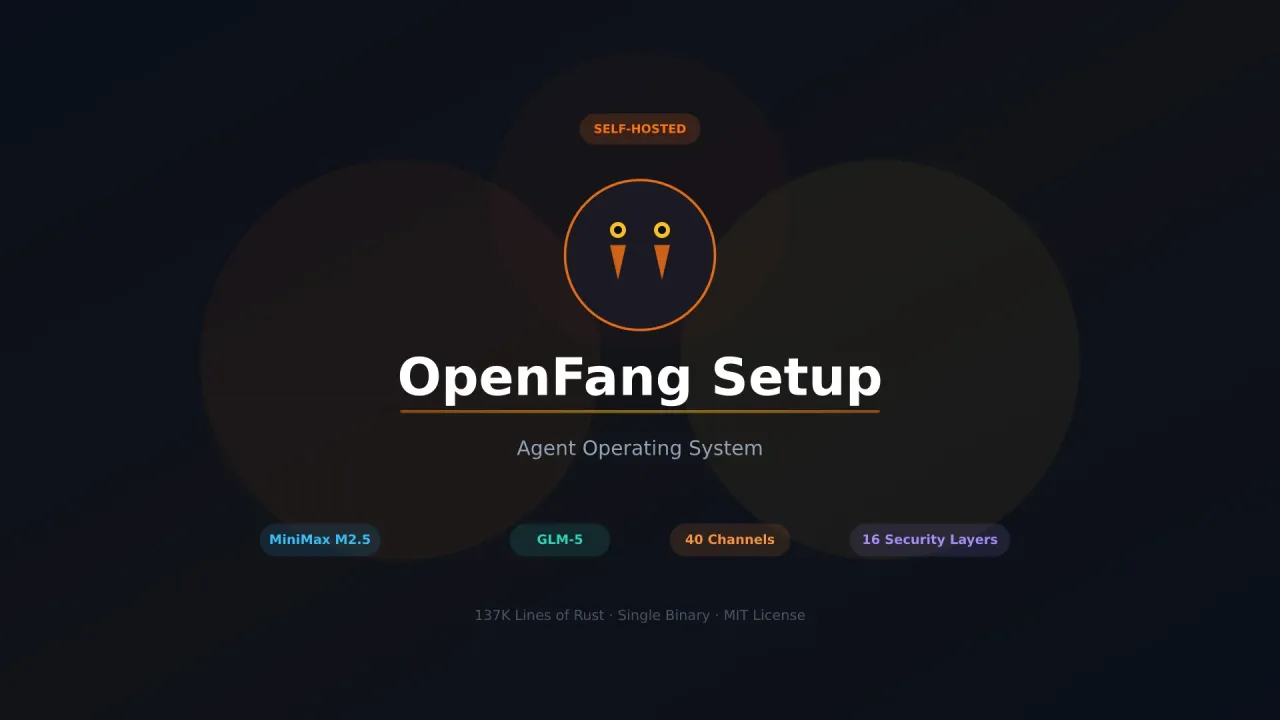
I’ve been running OpenFang for about two weeks now, side by side with my OpenClaw setup and nanobot instance. OpenFang is different from everything else I’ve tested. It calls itself an “Agent Operating System,” and after using it I think that label fits. It ships autonomous agents called Hands that run on schedules without you having to prompt them, backed by 16 security layers and 40 chat channel adapters, all in a single Rust binary.
This guide walks through getting OpenFang running on a VPS with GLM-5 and MiniMax M2.5 as your LLM providers, Discord as the chat channel, and the Researcher Hand activated.
OpenFang GitHubWhat this guide covers
- Installing OpenFang via the install script or from source
- Configuring GLM-5 (Zhipu) and MiniMax M2.5 as LLM providers
- Setting up Discord as a chat channel
- Activating the Researcher Hand for autonomous tasks
- Security settings, MCP support, and the Hands system
- Docker deployment and systemd service setup
If you want to compare OpenFang against other self-hosted bots, our OpenClaw alternatives roundup covers NanoClaw, nanobot, PicoClaw, ZeroClaw, NullClaw, and now OpenFang. For MCP basics, check the MCP introduction for beginners.
What OpenFang actually is
OpenFang is an open-source project from RightNow AI, built entirely in Rust. It’s structured as a 14-crate workspace totaling about 137,000 lines of code with 1,767+ tests and zero clippy warnings. The whole thing compiles down to a single ~32MB binary.
The architecture looks like this:
You (Discord / Telegram / Slack / WhatsApp / 36 more)
    ↓
OpenFang Daemon (running on your VPS)
    ↓
┌─────────────────────────────────┐
│  Kernel: orchestration, RBAC,   │
│  scheduling, budget tracking    │
├─────────────────────────────────┤
│  Runtime: agent loop, 53 tools, │
│  WASM sandbox, MCP, A2A         │
├─────────────────────────────────┤
│  LLM Provider (27 supported)    │
│  MiniMax, Zhipu, Anthropic, etc │
└─────────────────────────────────┘
    ↓
Hands (autonomous agents on schedules)
Messages come in from your chat app and get routed to whichever LLM you configured. Agents can use 53 built-in tools, connect to MCP servers, and run inside a WASM sandbox. The part I keep coming back to is Hands. These are autonomous agents that wake up on a schedule, do their job, and report back to your dashboard without you ever sending a message.
Why GLM-5 and MiniMax M2.5
Both models work well with OpenFang’s provider system and keep costs low for always-on agent setups.
GLM-5
GLM-5 from Zhipu AI is a 744B MoE model with about 40-44B active parameters. It ranks first among open-source models on BrowseComp, which measures web search and research tasks — a good match for OpenFang’s Researcher Hand.
| Spec | Value |
|---|---|
| Architecture | 744B MoE, ~40B active |
| Context window | 200K tokens |
| SWE-Bench Verified | 77.8% |
| BrowseComp | #1 open-source |
| License | MIT |
The 200K context window handles long research tasks without running into limits.
MiniMax M2.5
MiniMax M2.5 is a 230B MoE model with only 10B active parameters per pass. It’s faster and cheaper than GLM-5, and the 1M token context window is hard to ignore:
| Spec | Value |
|---|---|
| Architecture | 230B MoE, 10B active |
| Context window | 1M tokens |
| Speed (Lightning) | 100 tokens/sec |
| Cost (Lightning) | $0.30/M input, $2.40/M output |
| SWE-Bench Verified | 80.2% |
| License | Modified MIT (open-source) |
MiniMax M2.5 scores 80.2% on SWE-Bench Verified, which puts it alongside Claude Opus 4.6 at a fraction of the price. The 1M context is overkill for chat but helpful when Hands are processing large amounts of research data.
Both models are available through their direct APIs and through OpenRouter.
Installation
Three paths to get OpenFang running.
Install script (recommended)
The fastest way. Works on macOS and Linux.
curl -fsSL https://openfang.sh/install | shThis downloads the prebuilt binary for your platform and puts it in your PATH.
From source
If you want the latest code or plan to contribute:
# Install Rust if you don't have it
curl --proto '=https' --tlsv1.2 -sSf https://sh.rustup.rs | sh
source $HOME/.cargo/env

# Clone and build
git clone https://github.com/RightNow-AI/openfang.git
cd openfang
cargo build --workspace --release

# The binary is at target/release/openfang
sudo cp target/release/openfang /usr/local/bin/
Windows
PowerShell:
irm https://openfang.sh/install.ps1 | iexAfter installing, initialize the workspace and config:
openfang initThis creates the ~/.openfang/ directory with a default config.toml, sets up the local workspace, and walks you through picking an LLM provider.
Check that it’s working:
openfang statusConfiguring GLM-5 (Zhipu)
OpenFang uses a config.toml file at ~/.openfang/config.toml. In practice, the cleanest setup is to define the selected model in [default_model], then keep provider-specific credentials and API endpoints in the matching [providers.<name>] block.
Get an API key
- Go to z.ai
- Register and create an API key
Z.AI GLM coding plan — 10% off
Z.AI offers GLM coding plans designed for continuous developer workloads. Use our link for 10% off.
Zhipu coding plan endpoint
If you’re on Zhipu’s coding plan, set api_base = "https://api.z.ai/api/coding/paas/v4" in your zhipu provider config. This routes through their coding-optimized endpoint.
Add to config
[default_model]
provider = "openai"
model = "glm-5"
api_key = "your-zhipu-api-key"
base_url = "https://api.z.ai/api/coding/paas/v4"
Zhipu is configured through OpenFang’s openai provider because the GLM endpoint is OpenAI-compatible. The docs put provider, model, api_key, and any custom base_url in the same [default_model] block.
Test it
openfang chat
> What's 42 * 17?
If you get a response, GLM-5 is wired up correctly. Type exit to leave the chat.
Configuring MiniMax M2.5
Get an API key
- Go to platform.minimax.io (global) or minimaxi.com (mainland China)
- Create an account and generate an API key
- Note which platform you’re on since the API base URL differs
MiniMax coding plan — 10% off
MiniMax offers coding plans priced for developer workloads. Get 10% off with our referral link. For details on how GLM-5 and MiniMax M2.5 compare for always-on bots, see our best open source models for OpenClaw breakdown.
Add to config
For the global platform, use the provider-specific config style:
[default_model]
provider = "minimax"
model = "MiniMax-M2.5"

[memory]
decay_rate = 0.05

[providers.minimax]
api_key_env = "MINIMAX_API_KEY"
api_base = "https://api.minimax.io/v1"

[agents.defaults]
model = "MiniMax-M2.5"
For the mainland China platform, add the API base override:
[default_model]
provider = "minimax"
model = "MiniMax-M2.5"

[memory]
decay_rate = 0.05

[providers.minimax]
api_key_env = "MINIMAX_API_KEY"
api_base = "https://api.minimaxi.com/v1"

[agents.defaults]
model = "MiniMax-M2.5"
This keeps the provider declaration explicit: default_model selects MiniMax, [providers.minimax] holds the API settings, and [agents.defaults] keeps the default agent model aligned with the provider.
Configuring both providers
If you want both providers available in the same config, keep each one in its own provider block and point your default model at the one you want to use first:
[default_model]
provider = "zhipu"
model = "glm-5"

[providers.zhipu]
api_key = "your-zhipu-key"
api_base = "https://api.z.ai/api/coding/paas/v4"

[providers.minimax]
api_key_env = "MINIMAX_API_KEY"
api_base = "https://api.minimax.io/v1"

[agents.defaults]
model = "glm-5"
To switch over to MiniMax, change default_model.provider to "minimax" and set agents.defaults.model to "MiniMax-M2.5".
Discord setup
Discord is straightforward with OpenFang since it’s one of 40 supported channel adapters.
Create a Discord bot
- Go to discord.com/developers/applications
- Click New Application, give it a name
- Go to Bot in the left sidebar, click Add Bot
- Copy the bot token
Enable intents
Still in the Bot settings page:
- Scroll down to Privileged Gateway Intents
- Enable MESSAGE CONTENT INTENT (required for the bot to read messages)
- Optionally enable SERVER MEMBERS INTENT if you plan to use allow lists
Get your user ID
- Open Discord Settings → Advanced → enable Developer Mode
- Right-click your avatar anywhere in Discord
- Click Copy User ID
Configure OpenFang
Then use the channel format from the docs:
[channels.discord]
enabled = true
token = "YOUR_DISCORD_BOT_TOKEN"
allowed_users = ["YOUR_USER_ID"]
allowed_users is the current allowlist key in the docs. Leave it empty to let anyone in the server use the bot, or add specific user IDs if you want a private bot.
Invite the bot to your server
- In the Discord developer portal, go to OAuth2 → URL Generator
- Under Scopes, check
bot - Under Bot Permissions, check
Send MessagesandRead Message History - Copy the generated URL and open it in your browser
- Select the server you want to add the bot to
Start the daemon
openfang startSend a message in Discord. The bot should respond. The dashboard listens on 127.0.0.1:5555 by default unless you change dashboard_listen.
Full config example
Here’s what a complete ~/.openfang/config.toml looks like with MiniMax M2.5, Discord, and the API server exposed externally with an API password while keeping the default ports:
api_listen = "0.0.0.0:50051"
api_key = "change-this-long-random-password"

[default_model]
provider = "minimax"
model = "MiniMax-M2.5"
max_tokens = 8192
temperature = 0.7

[memory]
decay_rate = 0.05

[providers.minimax]
api_key_env = "MINIMAX_API_KEY"
api_base = "https://api.minimaxi.com/v1"

[agents.defaults]
model = "MiniMax-M2.5"

[channels.discord]
enabled = true
token = "YOUR_DISCORD_BOT_TOKEN"
allowed_users = ["YOUR_USER_ID"]
Config settings explained
| Setting | Default | What it does |
|---|---|---|
default_model.provider |
— | Which provider OpenFang uses first |
memory.decay_rate |
app default | Controls how quickly stored memory fades over time |
providers.minimax.api_key_env |
— | Environment variable that stores the MiniMax key |
providers.minimax.api_base |
provider default | MiniMax API endpoint for your region |
agents.defaults.model |
— | Default model used by spawned agents and hands |
api_listen |
127.0.0.1:50051 |
Address the API server binds to |
api_key |
none | Bearer token required for API access |
channels.discord.allowed_users |
empty | Restricts who can talk to the bot |
MiniMax M2.5 external API example
If you want to run OpenFang with MiniMax M2.5 only and let external clients connect through the API, this is the cleanest config pattern while keeping the default ports:
[default_model]
provider = "minimax"
model = "MiniMax-M2.5"

[memory]
decay_rate = 0.05

[providers.minimax]
api_key_env = "MINIMAX_API_KEY"
api_base = "https://api.minimaxi.com/v1"

[agents.defaults]
model = "MiniMax-M2.5"
temperature = 0.7
max_tokens = 8192

api_listen = "0.0.0.0:50051"
api_key = "replace-with-a-long-random-api-password"

[channels.discord]
enabled = true
token = "YOUR_DISCORD_BOT_TOKEN"
allowed_users = ["YOUR_USER_ID"]
This keeps the default API port (50051) and only changes the bind address so it is reachable remotely. Export MINIMAX_API_KEY in the shell or your service manager before starting OpenFang, and keep the API port locked down in your firewall to trusted IPs.
The provider system
OpenFang ships with 3 native LLM drivers (Anthropic, Gemini, OpenAI-compatible) that route to 27 providers. When you set a model name, OpenFang:
- Matches keywords in the name against its provider registry
- Checks that the matched provider has an API key
- Routes through the correct native driver
- Handles authentication, rate limiting, and cost tracking
Here are the supported providers:
| Provider | What it covers |
|---|---|
| Anthropic | Claude models (native driver) |
| Gemini | Google Gemini (native driver) |
| OpenAI | GPT models (native driver) |
| Groq | Fast inference |
| DeepSeek | DeepSeek models |
| OpenRouter | Gateway to any model |
| Together | Open-source model hosting |
| Mistral | Mistral models |
| Fireworks | Fast inference |
| Cohere | Command models |
| Perplexity | Search-augmented models |
| xAI | Grok models |
| Ollama | Local models |
| vLLM | Local model serving |
| LM Studio | Local models |
| MiniMax | MiniMax M2.5 and others |
| Zhipu | GLM-5 and others |
| Moonshot | Kimi models |
| Qwen / DashScope | Qwen models |
| Bedrock | AWS-hosted models |
OpenFang routes requests based on task complexity scoring, falls back to another provider if one fails, and tracks per-model costs in the dashboard.
The Hands system
Hands are the reason I keep running OpenFang alongside my other bots. They’re pre-built autonomous agents that run on schedules without you sending messages. You activate a Hand, it goes to work, and you check its progress on the dashboard.
Each Hand comes bundled in the binary with:
- HAND.toml — manifest declaring required tools and settings
- System prompt — a multi-phase operational playbook (500+ words, not a one-liner)
- SKILL.md — domain expertise loaded into context at runtime
- Guardrails — approval gates for sensitive actions
The 7 bundled Hands
| Hand | What it does |
|---|---|
| Clip | Takes YouTube URLs, cuts them into vertical shorts with captions and thumbnails, publishes to Telegram/WhatsApp |
| Lead | Daily lead generation — discovers, enriches, scores, and deduplicates qualified prospects |
| Collector | OSINT intelligence — monitors targets with change detection, sentiment tracking, knowledge graphs |
| Predictor | Superforecasting — collects signals, builds reasoning chains, tracks accuracy with Brier scores |
| Researcher | Deep research — cross-references sources, CRAAP fact-checking, cited reports in multiple languages |
| X/Twitter management — 7 content formats, scheduling, engagement tracking, approval queue | |
| Browser | Web automation — navigates sites, fills forms, handles workflows (mandatory purchase approval gate) |
Activating a Hand
# Activate the Researcher Hand
openfang hand activate researcher

# Check progress
openfang hand status researcher

# List all available Hands
openfang hand list

# Pause without losing state
openfang hand pause researcher
I’d start with the Researcher Hand. It runs on its own, cross-references sources, evaluates credibility using CRAAP criteria, and generates cited reports. Pair it with GLM-5 (which ranks #1 on BrowseComp) and the research output is genuinely useful without any babysitting.
Security model
OpenFang has 16 security systems, each running independently. Here are the ones that matter for a personal setup:
WASM sandbox
Every tool runs inside a WebAssembly sandbox with fuel metering. If a tool tries to run forever, the watchdog kills it.
This is enabled by default. Unlike application-level permission checks, the tool physically cannot escape the sandbox.
Audit trail
Every action gets added to a Merkle hash-chain. Tamper with one entry and the entire chain breaks.
Channel allowlists
Same concept as nanobot — restrict who can interact with the bot:
[channels.discord]
allowed_users = ["123456789"]
Secret zeroization
API keys are automatically wiped from memory the moment they’re no longer needed. OpenFang uses Zeroizing<String> throughout the codebase, so secrets don’t linger in RAM.
MCP and A2A support
OpenFang supports both Model Context Protocol for tool servers and Agent-to-Agent (A2A) communication. It ships with 25 MCP templates and an AES-256-GCM credential vault for storing MCP server credentials.
Adding an MCP server
[[mcp_servers]]
name = "filesystem"
command = "npx"
args = ["-y", "@modelcontextprotocol/server-filesystem", "/home/user/documents"]

[[mcp_servers]]
name = "remote_server"
url = "https://mcp.example.com/sse"
MCP tools get discovered automatically when OpenFang starts. The LLM can use them alongside the 53 built-in tools.
Docker deployment
OpenFang publishes container images:
# Pull the image
docker pull ghcr.io/rightnow-ai/openfang:latest

# Initialize config (first time)
docker run -v ~/.openfang:/root/.openfang --rm \
  ghcr.io/rightnow-ai/openfang:latest init

# Edit config on host
nano ~/.openfang/config.toml

# Run the daemon
docker run -d \
  -v ~/.openfang:/root/.openfang \
  -p 50051:50051 \
  -p 5555:5555 \
  --name openfang \
  ghcr.io/rightnow-ai/openfang:latest start
The dashboard is accessible at http://your-server-ip:5555 after starting if you bind dashboard_listen externally. If you keep the safer default of 127.0.0.1:5555, access it through SSH tunneling or a reverse proxy instead.
VPS hosting
OpenFang uses about 40MB of RAM at idle, far less than OpenClaw’s 394MB. I’m running it on a Hetzner CX22 (2 vCPU, 4GB RAM) at €4.35/month alongside nanobot with no issues.
Hetzner discount
Get €20 credit, Hostinger VPS when you sign up through our referral link. That covers around 4 months of a CX22.
VPS prices jumped across the board in 2026 — if you’re rethinking a rented box, see what changed and when a mini PC wins.
Quick setup on a fresh Ubuntu 24.04 VPS:
ssh root@YOUR_SERVER_IP

# Update system
apt update && apt upgrade -y

# Install OpenFang
curl -fsSL https://openfang.sh/install | sh

# Initialize
openfang init

# Edit config
nano ~/.openfang/config.toml

# Start daemon in background
openfang start
For a proper daemon setup, create a systemd service:
[Unit]
Description=OpenFang Agent OS
After=network.target

[Service]
Type=simple
ExecStart=/usr/local/bin/openfang start
Restart=always
RestartSec=10

[Install]
WantedBy=multi-user.target
Save that to /etc/systemd/system/openfang.service, then:
systemctl daemon-reload
systemctl enable openfang
systemctl start openfang
The dashboard will be live at http://your-server-ip:5555 if you bind dashboard_listen externally. You can add more channel adapters later without restarting.
OpenFang vs nanobot vs OpenClaw
I run all three, so here’s a direct comparison:
| Aspect | OpenFang | nanobot | OpenClaw |
|---|---|---|---|
| Language | Rust | Python | TypeScript |
| Codebase | 137K LOC | ~3,700 lines | 430k+ lines |
| Install method | curl one-liner |
pip install |
Custom installer |
| Binary size | ~32MB | N/A (Python) | ~500MB |
| RAM (idle) | ~40MB | ~100MB | >394MB |
| Cold start | under 200ms | >30s | ~6s |
| Chat channels | 40 | 9 | 13 |
| LLM providers | 27 | 13+ | 10 |
| Security layers | 16 | Basic | 3 |
| Autonomous agents | 7 Hands | No | No |
| Dashboard | Built-in (Tauri) | No | Community |
| MCP support | Yes + A2A | Yes | Not yet |
OpenClaw has the biggest community and most documentation. nanobot installs faster and covers more chat platforms per line of code. OpenFang has the Hands system, more security layers than anything else here, and 40 channel adapters. The tradeoff is that OpenFang is newer (v0.1.0) and you will probably hit rough edges before v1.0. Pin to a specific commit if you’re using it for anything critical.
CLI reference
| Command | What it does |
|---|---|
openfang init |
Initialize config and workspace |
openfang start |
Start the daemon (dashboard + channels) |
openfang stop |
Stop the daemon |
openfang status |
Show current status |
openfang chat |
Interactive chat mode |
openfang chat researcher |
Chat with a specific agent |
openfang agent spawn coder |
Spawn a pre-built agent |
openfang hand list |
List available Hands |
openfang hand activate <name> |
Activate a Hand |
openfang hand status <name> |
Check Hand progress |
openfang hand pause <name> |
Pause a Hand |
openfang migrate --from openclaw |
Migrate from OpenClaw |
Migrating from OpenClaw
If you’re already running OpenClaw, OpenFang has a built-in migration tool:
# Dry run to see what would change
openfang migrate --from openclaw --dry-run

# Run the migration
openfang migrate --from openclaw

# Or specify a custom path
openfang migrate --from openclaw --path ~/.openclaw
This imports your agents, conversation history, skills, and configuration. OpenFang reads SKILL.md natively and is compatible with ClawHub skills.
Frequently asked questions
How much does it cost to run OpenFang?
VPS: ~$5/month at Hetzner. GLM-5 through Z.AI’s coding plan or MiniMax M2.5 Lightning at roughly $0.30/M input tokens. Expect $5-25/month for personal use depending on how active your Hands are and how much you chat.
Can I run OpenFang without API costs?
Yes. Configure the Ollama or vLLM provider and point it at a local model server. You need hardware that can run inference, but there are no API bills. OpenFang’s 40MB idle footprint leaves plenty of room for a local model on the same machine.
Does OpenFang work on a Raspberry Pi?
The ~32MB binary and 40MB idle RAM mean it runs fine on a Pi 4 with 4GB RAM when using remote API providers. Running local models on a Pi is a different situation.
Can multiple people use one OpenFang instance?
Yes. OpenFang has per-channel allowlists, DM/group policies, and role-based access control. Each channel adapter supports independent user restrictions.
How stable is OpenFang for production use?
It’s v0.1.0 — the first public release. Architecture is solid and the test suite has 1,767+ tests, but breaking changes can happen between minor versions. Pin to a specific commit for production and watch the GitHub releases.
Can Hands work with any LLM provider?
Yes. Hands use whichever model you configure as the default, or you can set per-Hand model overrides. The Researcher Hand works well with GLM-5 given its BrowseComp scores, while Clip and Lead work fine with MiniMax M2.5.
For other self-hosted bot options, check our OpenClaw alternatives roundup. If you want a lighter option, the nanobot setup guide covers a 3,700-line Python alternative. For container-isolated agents, see the NanoClaw deploy guide. For the smallest possible binary, the NullClaw deploy guide covers a 678KB Zig option. And for a self-improving assistant with voice mode and built-in OpenClaw migration, see the Hermes Agent setup guide.