Best Portainer Alternatives in 2026
Five Docker management UIs that can replace Portainer in 2026. Hands-on look at Arcane, Dockhand, UsulNet, Dockge, and Komodo with feature comparisons and UI screenshots.
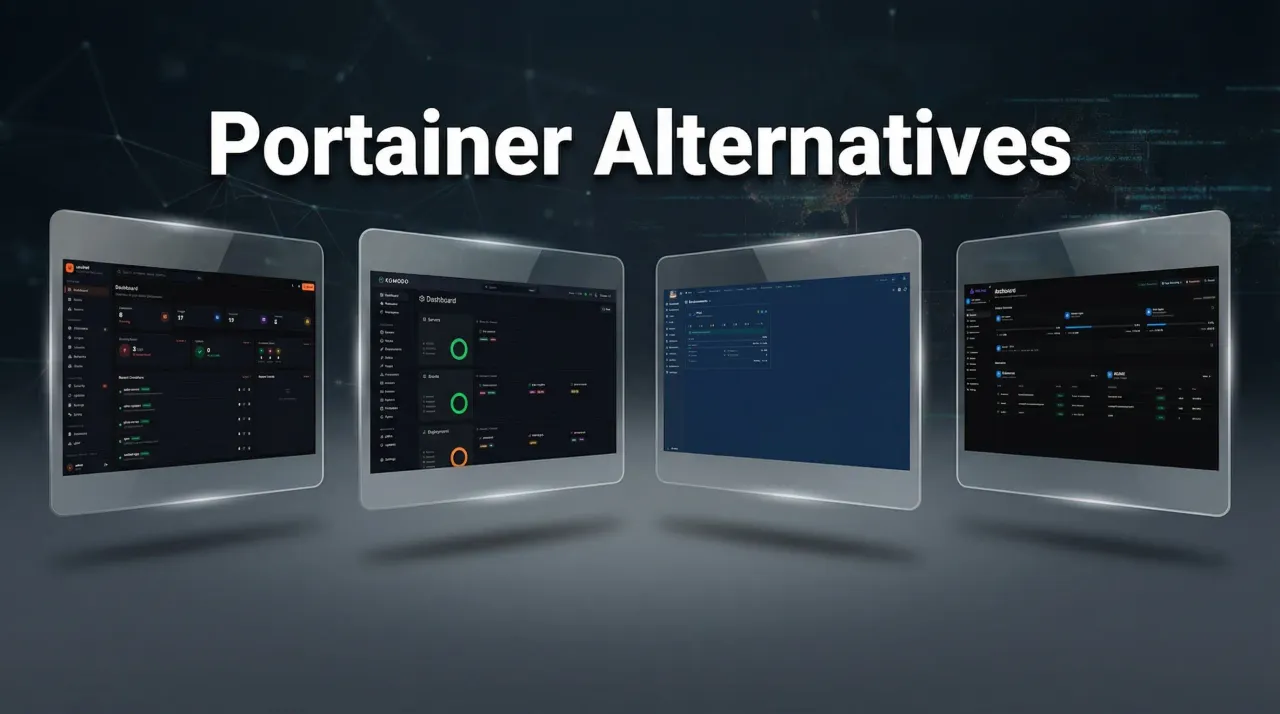
Portainer has been the go-to Docker GUI for years. It got the job done, but the licensing changes over time pushed useful features behind paid tiers. OIDC/SSO, RBAC, and other things that used to be free now require a business license. That shift drove a lot of people to look for alternatives, myself included.
I run Docker on multiple servers, both VPS and homelab. Over the past few months, I tested five tools that work as Portainer replacements. I installed all of these, ran them for weeks, and have individual install guides for four of them.
Quick comparison
| Arcane | Dockhand | UsulNet | Dockge | Komodo | |
|---|---|---|---|---|---|
| License | BSD-3-Clause | BSL 1.1 | AGPL-3.0 | MIT | GPL-3.0 |
| Backend | Go | Bun + SvelteKit | Go | Node.js | Rust |
| Vuln scanning | No | Grype/Trivy | Trivy | No | No |
| Multi-node | Yes | Yes (Hawser) | Yes (NATS) | Yes (agents) | Yes (Periphery) |
| OIDC/SSO | Free | Free | Business tier | No | OAuth (GitHub/Google) |
| GitOps | Built-in | Webhooks | Auto-deploy on push | No | Auto-deploy on push |
| Auto-updates | No | Yes + rollback | No | No | Yes |
| RBAC | No | Enterprise | 44+ permissions | No | Granular |
| API | REST | REST | REST + WebSocket | No | REST + WebSocket |
| Pricing | Free | Free / $499 SMB | Free CE / EUR79 Biz | Free | Free |
1. Arcane
Arcane is written in Go and runs as a single container. It’s the tool I reach for first when setting up a new server because it’s fast, has a small memory footprint, and the GitOps integration works without any external dependencies.

Arcane has been around since 2022 with 4,400+ GitHub stars, 35 contributors, and 1,800+ commits. When something breaks at 2am, that contributor count matters.
What I like about it:
- GitOps that actually works. Point it at a repo, push changes, stacks redeploy automatically
- REST API you can script against, plus a CLI tool for terminal-based management
- OIDC/SSO support included for free
- Remote host management via the arcane-headless agent
- BSD-3-Clause license. No paid tiers, no feature locks
What it’s missing: vulnerability scanning and scheduled auto-updates with rollback. If those matter to you, Dockhand fills that gap.
For a comparison between these two, check out my Arcane vs Dockhand article. And for a full setup walkthrough, here’s the Arcane install guide.
2. Dockhand
Dockhand has better security tooling than anything else on this list, and it’s free. It shipped its first release in December 2025 and has been putting out updates at an unusual pace since then.

The best part is safe-pull protection. When Dockhand auto-updates a container, it pulls the new image, scans it for vulnerabilities using Grype or Trivy, and only swaps it in if the scan passes. If the new image has problems, your running container stays untouched. I had this catch two bad updates in three weeks of testing.
- Vulnerability scanning built into the UI, free tier
- Scheduled auto-updates with automatic rollback on failure
- OIDC/SSO included in the free tier (Portainer charges for this)
- Container file browser and web terminal
- Hawser agent for remote hosts with NAT traversal
- Zero telemetry
The BSL 1.1 license means you can use it freely for personal and internal business purposes. You can’t resell it as a hosted service.
Dockhand is newer than Arcane, with fewer commits and contributors. It’s polished for a v1, but there will be edge cases it hasn’t hit yet. Full setup walkthrough: Dockhand install guide.
3. UsulNet
UsulNet tries to be the entire management stack in one binary. Container management, security scanning, reverse proxy config, backups, monitoring, multi-node orchestration. It’s ambitious for a project that just shipped its first public beta in February 2026.

The feature list is long:
- Trivy scanning with per-container security scores (0-100) and SBOM generation
- RBAC with 44+ granular permissions and custom roles
- Scheduled backups to S3, Azure Blob, GCS, Backblaze B2, SFTP
- Caddy and Nginx Proxy Manager integration for reverse proxy
- Multi-node with NATS messaging and mTLS
- Monaco code editor and Neovim running in the browser
- Database browser for PostgreSQL, MySQL, MongoDB, Redis, SQLite
The trade-off is maturity. One developer, eleven commits, first release. The four-container stack (PostgreSQL, Redis, NATS, plus the app) is heavier than the single-container approach of Arcane or Dockhand. On a small VPS with 2 GB RAM, that overhead is noticeable.
UsulNet’s Community Edition is limited to 2 nodes and 3 users. OIDC and LDAP require the Business license (EUR79/node/year). Full setup walkthrough: UsulNet install guide.
4. Dockge
Dockge comes from Louis Lam, the same developer behind Uptime Kuma. It takes a fundamentally different approach from everything else on this list. Dockge is not trying to replace Portainer feature-for-feature. It’s a compose-file manager with a clean UI.

If all you need is a visual way to manage docker-compose stacks, deploy new ones, view logs, and use a web terminal, Dockge does that well without the complexity of the other options. It stores your compose files on disk in standard format, so you can still manage them with normal Docker Compose commands. Nothing gets locked inside a proprietary database.
- Clean, single-page UI for compose management
- Interactive compose editor with real-time progress tracking
- Convert docker run commands to compose YAML
- Multi-agent support for managing stacks across servers
- MIT licensed, fully open source
- Lightweight Node.js backend
Dockge doesn’t have vulnerability scanning, RBAC, OIDC, or a REST API. And that’s fine. Not every server needs a full-featured management platform. Sometimes you just want to see your stacks, restart a container, and check the logs.
With nearly 15,000 GitHub stars, Dockge has one of the largest communities in this space. Full setup walkthrough: Dockge install guide.
5. Komodo
Komodo has the most engineering behind it on this list. Written in Rust, it has 2,800+ commits, 10,200+ GitHub stars, and a core/periphery architecture designed for managing Docker across many servers.

Komodo is not just a container manager, it’s a build and deployment system. You can build auto-versioned Docker images from Git repos, trigger builds on push, deploy containers and compose stacks across your servers, and manage environment variables and secrets with shared interpolation.
- Rust backend with a Periphery agent on each server
- Build Docker images from Git repos with auto-versioning
- Deploy compose stacks from UI or Git with auto-deploy on push
- Granular permissioning system for multi-user teams
- REST and WebSocket API with Rust and npm client libraries
- OAuth sign-on with GitHub and Google
- Server resource monitoring with CPU, memory, and disk alerts
- GPL-3.0 license, no paid tiers, no limits on servers
There is no limit to the number of servers you can connect, and the developers have stated there never will be. No business edition, no feature gating. Everything is free.
Komodo uses MongoDB (or FerretDB with Postgres) as its database. The Periphery agent runs on each connected server and exposes a local API that only the Core can call, with address whitelisting for security.
The project has an active Discord community and a demo you can try at demo.komo.do. If you manage multiple servers and need build pipelines alongside deployment, Komodo fits that use case better than anything else here.
Which one should you pick?
You want the most mature, no-strings-attached option
Go with Arcane. BSD-3-Clause license, been around since 2022, active community, GitOps built in. It does container management well and doesn’t try to be everything. Install Arcane.
Security scanning is a requirement
Dockhand is the pick. Vulnerability scanning with Grype/Trivy, safe-pull protection for auto-updates, OIDC free. The BSL license is fine for self-hosting. Install Dockhand.
You want everything in one tool
UsulNet bundles the most features: scanning, backups, reverse proxy, monitoring, RBAC, multi-node. It’s beta software from a solo developer, so set expectations accordingly. Install UsulNet.
You just need a simple compose UI
Dockge is lightweight, easy to install, and does compose management without complexity. No scanning, no RBAC, no OIDC. Just a clean interface for your stacks. Install Dockge.
You manage many servers and need build pipelines
Komodo is built for fleet management. Rust backend, Periphery agents, build pipelines from Git, granular permissions, unlimited servers. See the Komodo docs.
I run Arcane on my production servers and Dockge on my homelab. Arcane for the GitOps workflow and API access, Dockge for quick visual management when I just want to spin something up. Both have been reliable.
Related articles
- Install Arcane - full setup guide with socket proxy and OIDC
- Install Dockhand - security-focused Docker manager
- Arcane vs Dockhand - side-by-side comparison
- Install UsulNet - all-in-one Docker management platform
- Install Dockge - lightweight compose management UI
- Best Docker containers for home server - what to run once your manager is set up
- Best self-hosted panels - server management panels compared
- Traefik reverse proxy for Docker - proper reverse proxy setup