Best Free WordPress Backup Plugins
Three free WordPress backup plugins that actually work — WPvivid, UpdraftPlus, and Duplicator. What each offers, how they compare, and which one to pick.

3 min read
I’ve had sites hacked. I’ve also had servers die. Both times, having backups meant I could restore in under an hour instead of starting from scratch. If you’re running WordPress and not backing up automatically to an external location, you’re gambling.
The good news: you don’t need to pay for this. Three free plugins handle it well — WPvivid, UpdraftPlus, and Duplicator. I’ve used all of them. Here’s what to know.
What a good backup plugin needs to do
Before getting into the plugins, here’s what I actually care about:
- Back up to external storage (Dropbox, Google Drive, S3, FTP) — not just the same server
- Run on a schedule automatically
- Handle large sites (500+ posts, several GB) without choking
- Make restoring straightforward, even for non-technical users
All three plugins below cover these.
1. WPvivid Backup Plugin
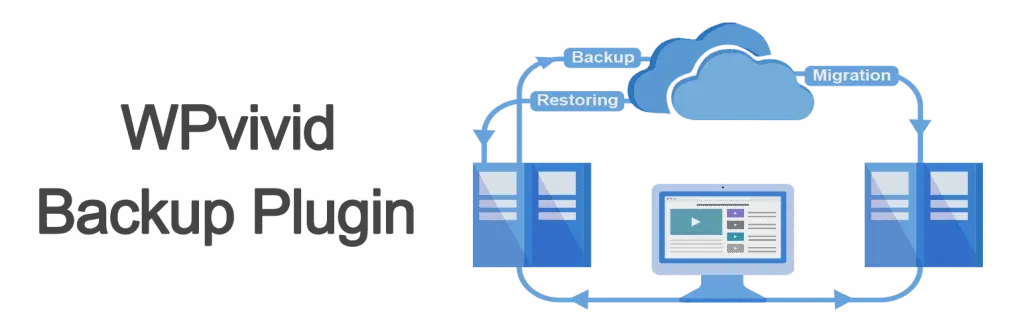
WPvivid is free and packs more into its free tier than you’d expect. Here’s what it does:
- Backs up to Dropbox, Google Drive, Amazon S3, OneDrive, FTP/SFTP
- Full site migration — copy your site to a new domain or server in a few clicks
- Unlimited backup size and no cap on backup count
- Backup splitting for storage providers with size limits
- One-click restore
Site migration alone makes this worth installing. If you ever need to move a WordPress site to a new host or clone it to a staging environment, WPvivid handles it without needing a separate plugin.
2. UpdraftPlus

UpdraftPlus is used by over 3 million sites and has been around longer. The free version is reliable and covers the basics:
- Scheduled automatic backups
- Storage options: Dropbox, Google Drive, S3, Rackspace, FTP, email
- One-click restore from within WordPress
- No size limits
- Available in 16+ languages
The free version works well for most sites. If you need incremental backups, encryption, or multisite support, that’s behind the paid plan.
3. Duplicator
Duplicator has over 1.5 million active installs. It started as a migration/cloning tool and later added backup functionality. The free version covers:
- Full site backups (files + database) or database-only
- One-click restore points before updates
- Site cloning for staging or testing environments
- Server-to-server migration with a standalone installer
- Drag-and-drop import
- WooCommerce and multisite support
The main limitation in the free version: cloud storage (Google Drive, Dropbox, S3) and scheduled backups require the Pro plan, which starts at $49.50/year. If you’re fine with manual backups stored locally or downloaded, the free tier is solid.
How they compare
| Feature | WPvivid | UpdraftPlus | Duplicator |
|---|---|---|---|
| Active installs | 700,000+ | 3,000,000+ | 1,500,000+ |
| Scheduled backups (free) | Yes | Yes | No (Pro only) |
| Cloud storage (free) | Dropbox, Google Drive, S3, OneDrive, FTP | Dropbox, Google Drive, S3, Rackspace, FTP, email | Local only (Pro for cloud) |
| Site migration (free) | Yes | No (paid add-on) | Yes |
| One-click restore | Yes | Yes | Yes |
| Staging/cloning | Yes | No (paid) | Yes |
| WooCommerce support | Yes | Yes | Yes |
| Backup splitting | Yes | No | No |
| Incremental backups | No (paid) | No (paid) | No (paid) |
Which one to install
For most people, WPvivid offers the best free feature set — scheduled backups to cloud storage plus site migration without paying a cent. UpdraftPlus is the safe, well-established choice if you want the largest community and widest language support. Duplicator is the strongest option if your main need is cloning and migrating sites between hosts.
If you’re unsure, install WPvivid. If you specifically need to move a site to a new server, Duplicator handles that workflow cleanly. Either way, the important thing is to actually have one installed and running — backing up to external storage, not just local.