Best WooCommerce Barcode and QR Code Plugins (Free & Paid)
A practical guide to the best WooCommerce barcode and QR code plugins — free and paid options for inventory management, order tracking, and payments.

3 min read
Barcodes and QR codes in WooCommerce serve two different purposes: inventory and order management on the backend, and payment or product lookup on the customer side. The right plugin depends on which problem you’re actually solving. If your bigger issue is product management speed rather than scanning, you might also want to check out the open-source WooCommerce admin dashboard I built for faster product editing.
Here are the best options available, both free and paid.
1. YITH WooCommerce Barcodes and QR Codes
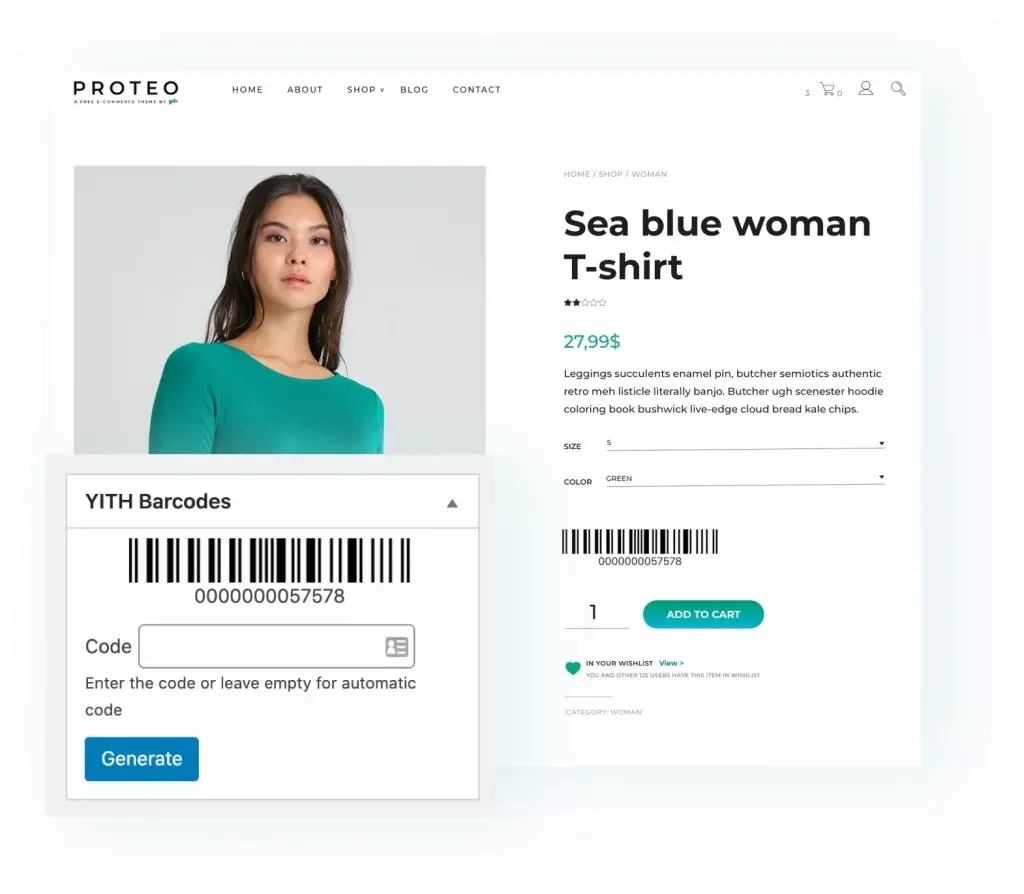
YITH Barcodes and QR Codes does the most out of any plugin on this list. It generates barcodes automatically for products and orders, supports 10 barcode protocols, and can trigger actions when a code is scanned, like reducing stock or changing order status.
Features worth noting:
- Auto-generate codes for all products (including variable products)
- Barcode types: product ID, SKU, custom fields
- Scan and search orders/products by barcode
- Print PDF with all product barcodes (with stock unit counts)
- Show barcodes in order confirmation emails
Price: ~$94.99/year (check YITH’s site for current pricing)
2. WooCommerce Order Barcodes
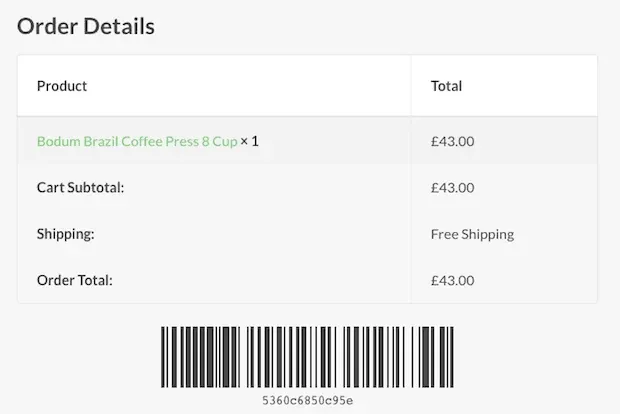
WooCommerce Order Barcodes generates a unique barcode for every order automatically. Works well for e-tickets, event check-ins, and reservations. Supports 5 barcode types including QR codes, and includes a built-in scanner so you can process orders without leaving WordPress. Compatible with WooCommerce Bookings and Box Office.
Price: $79/year
3. Print Barcode Labels for WooCommerce (free)
Print Barcode Labels is free and handles the physical side: printing labels for products to stick on shelves or packaging. It supports CODE128, CODE39, QR Code, DataMatrix, EAN-13, UPC-A, and more. Works with A4 paper and thermal printers (DYMO, Zebra, Brother). You can print from products, orders, categories, or enter codes manually.
Price: Free
4. UPI QR Code Payment Gateway (free)
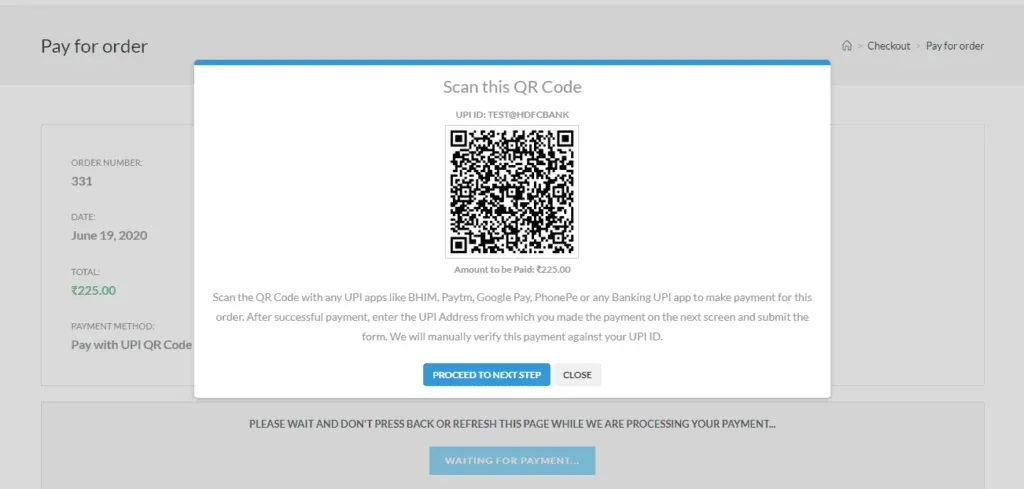
UPI QR Code Payment Gateway adds UPI as a checkout payment option. Customers see a QR code with the payment details; on mobile they get a button that opens their installed UPI app directly. No gateway fees, no commissions.
This is India-specific — only useful if your customers pay via BHIM, Google Pay, Paytm, PhonePe, or WhatsApp Pay.
Price: Free
5. Kaya QR Code Generator (free)

Kaya QR Code Generator is a general-purpose QR code plugin, not WooCommerce-specific. You add QR codes via widget or shortcode to any page, post, or product. Useful for linking to URLs, displaying contact info, or embedding a product page link as a scannable code.
Customizable colors, clickable image link, and compatible with multisite.
Price: Free
6. Payment QR WooCommerce (free)
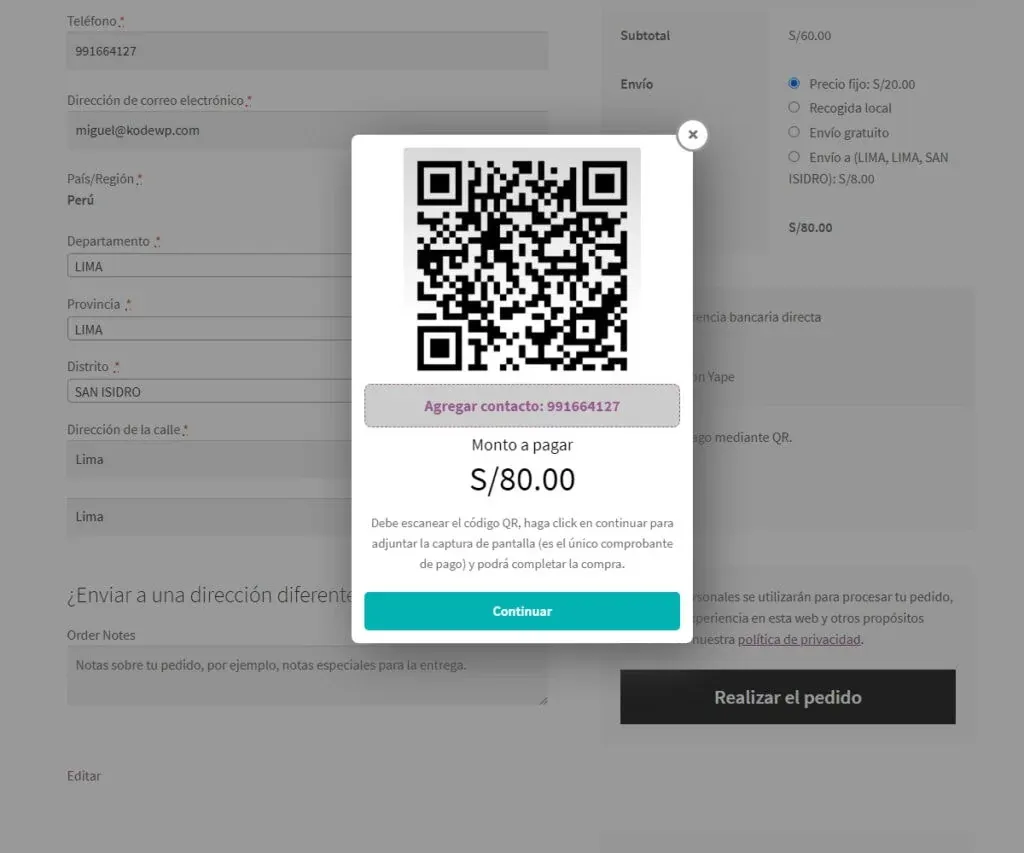
Payment QR WooCommerce adds a QR code-based payment method at checkout, similar to bank transfer but via QR scan. Customers can attach proof of payment. No third-party commissions. You configure which app icon shows, set a payment limit, and manage all messages.
Price: Free
7. EAN and Barcodes for WooCommerce
EAN and Barcodes for WooCommerce supports all major GTIN types: EAN-13, UPC-A, ISBN, JAN, and ITF-14. It generates barcodes for products and variations, displays them on product pages, and updates instantly. If you sell on marketplaces that require GTIN codes, this plugin handles the compliance side without much setup.
Price: Free version available, premium starts at ~$29.99/year
Quick comparison
| Plugin | Price | Type | Best For |
|---|---|---|---|
| YITH Barcodes & QR | ~$94.99/yr | Barcode + QR | Full store management, scanning, PDF labels |
| WooCommerce Order Barcodes | $79/yr | Barcode + QR | E-tickets, event check-ins, order tracking |
| Print Barcode Labels | Free | Barcode + QR | Physical label printing (shelves, packaging) |
| UPI QR Code Gateway | Free | QR (payment) | India-specific UPI payments |
| Kaya QR Code Generator | Free | QR (general) | QR codes on any page via widget/shortcode |
| Payment QR WooCommerce | Free | QR (payment) | Generic QR-based checkout payments |
| EAN and Barcodes | Free / ~$29.99/yr | Barcode | GTIN compliance for marketplace listings |
Which plugin to use
For inventory and order management (barcode scanning, stock updates, PDF label printing), YITH is the most capable, though the yearly cost adds up. For printing physical labels, the free Print Barcode Labels plugin covers most needs. For marketplace compliance (EAN/UPC/GTIN codes), the EAN and Barcodes plugin is the cheapest path. For QR-based payments, use UPI QR Code if you’re in India, or Payment QR WooCommerce for a more generic approach.