Carrd.co Review: The Best Budget Landing Page Builder
Carrd.co is the perfect tool for creating a simple yet effective landing page. Read our comprehensive review to learn about its features, pricing, and pros and cons.
I’ve used plenty of website builders over the years, and most of them feel like overkill for what people actually need. You want a landing page, not a spaceship control panel.
Carrd.co gets this. It builds single-page websites without the bloat, without the monthly drain on your wallet, and without requiring a computer science degree to figure out. I’ve been using it for several projects, and in this review I’ll share what works, what doesn’t, and whether it’s right for you.
What is Carrd.co?
Carrd.co builds responsive, single-page websites. That’s it. No multi-page hierarchies, no complex CMS, no database nonsense. You get a page, you customize it, you publish it.
The platform works well for personal portfolios, business landing pages, and simple company sites. I’ve seen people use it for everything from freelance portfolios to event countdown pages to simple product launches.
What I appreciate most is that Carrd doesn’t pretend to be something it isn’t. It won’t build you a 50-page e-commerce store. But it will get a clean, professional-looking landing page online in about 15 minutes. For freelancers, side projects, and small businesses who just need something that works, that’s often enough.
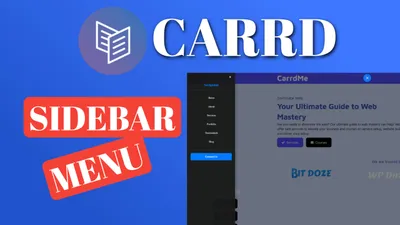
The platform also allows custom code for those who want more control. You can add a sticky header for better navigation, implement mobile responsive navigation, or add a sidebar menu for sites with multiple sections.
For complete guides, custom themes, and advanced plugins, visit my dedicated carrdme.com resource site.
Carrd.co Video Review
Carrd.co Key Features
Carrd Plugins and ThemesLet me walk through what Carrd actually gives you.
Intuitive Design Interface
The editor uses drag-and-drop. You move elements around, adjust layouts, and customize designs without writing code. The interface stays clean - no overwhelming sidebar with 47 options you’ll never use.
You can add text, images, buttons, forms, videos, and various other elements. Nothing groundbreaking, but everything you’d actually need for a landing page.
Complete Element Library
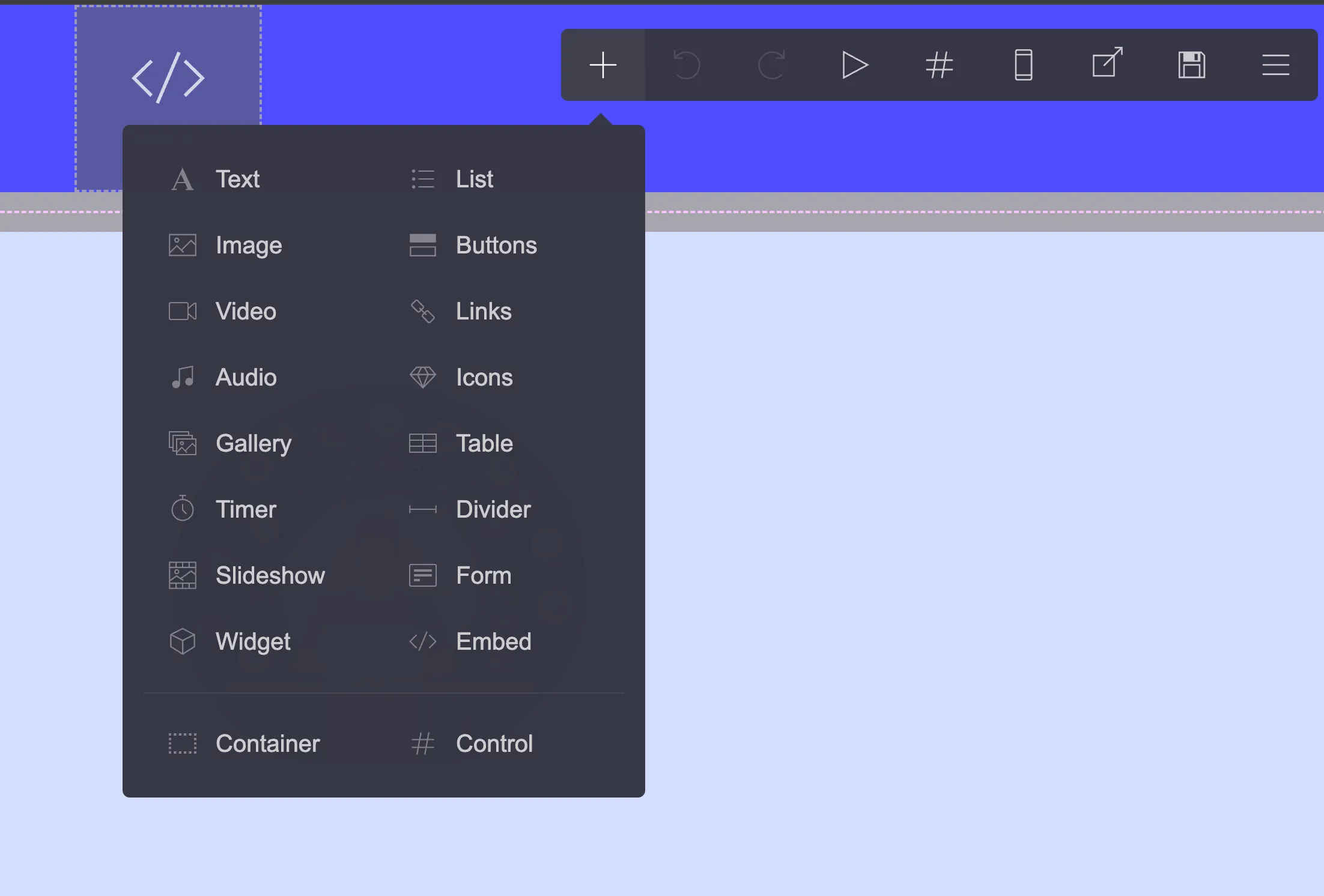
Here’s what you can actually add to your pages:
-
Content Elements: Text blocks, images, videos, and audio files. The image element handles optimization automatically.
-
Interactive Components: Buttons, lists, links, and icons. Standard stuff for any landing page.
-
Media Features: Galleries for portfolios, slideshows for presentations, and embedded video/audio.
-
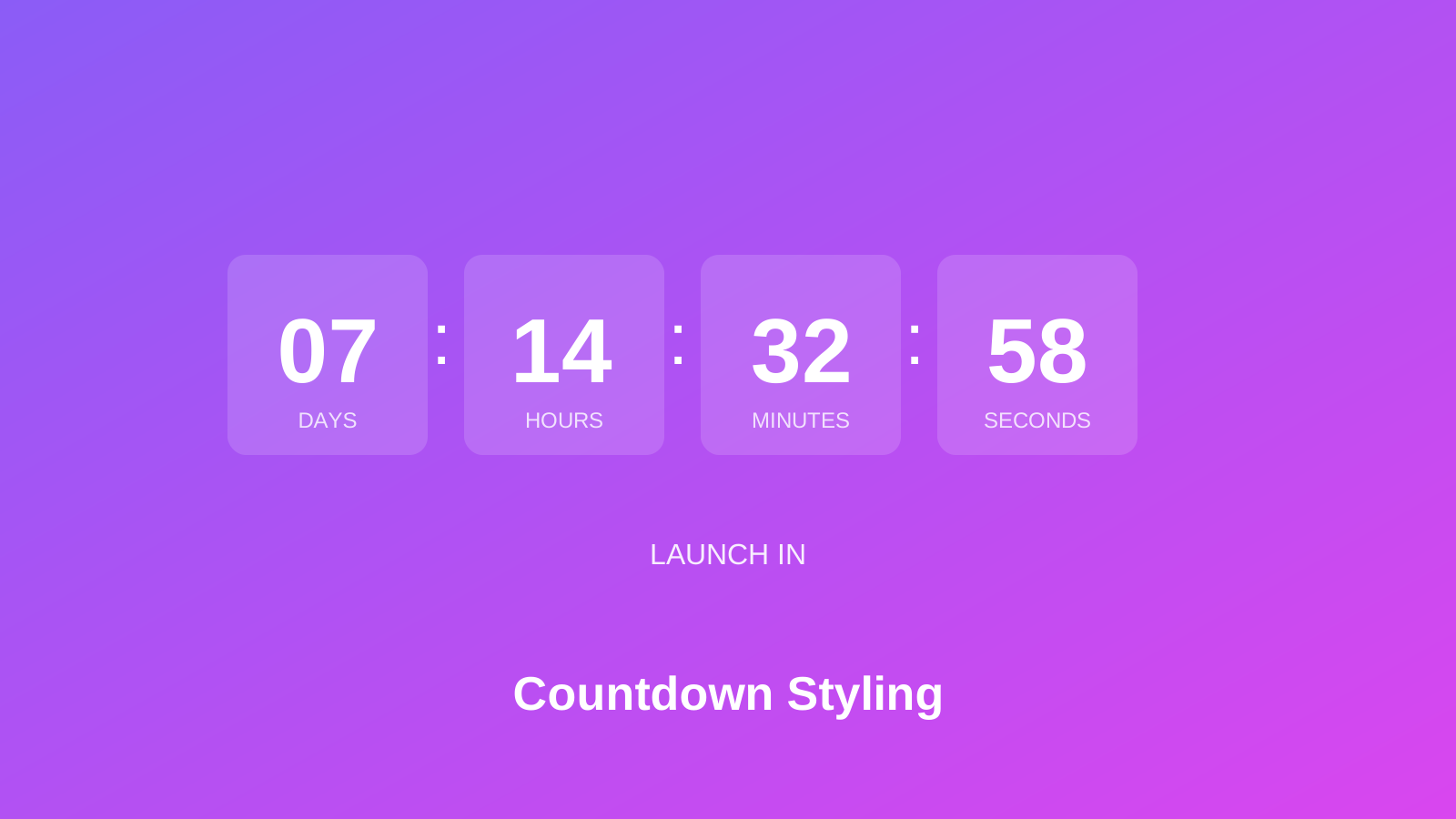
Functional Tools: Countdown timers for launches, contact forms for lead capture, and tables for organized data.
-
Advanced Elements: Dividers, custom code embeds, containers for layout control, and interactive elements.
Nothing revolutionary here, but the pieces fit together well. You can build a functional landing page without hitting unexpected limitations.
Extensive Template Library
Over 100 templates cover personal bios, business portfolios, event pages, and product launches. They’re mobile-optimized out of the box, which saves time. Pick one close to what you need and customize from there.
Payment Integration
PayPal and Stripe integrations let you sell digital products or services directly from your landing page. Not a full e-commerce solution, but enough for simple transactions.
Custom Domain Support
You can connect your custom domain to Carrd on paid plans. Having yourbrand.com instead of something.carrd.co makes a difference for credibility.
Advanced Form Builder
Forms connect with ActiveCampaign, Mailchimp, ConvertKit, and other email platforms. The integrations work well for basic lead capture and newsletter signups.
Enhanced User Experience Features
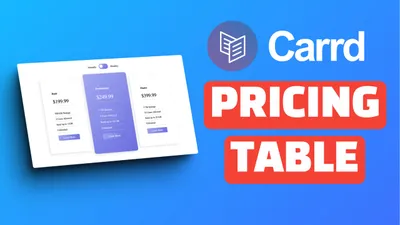
Several features help with longer pages: accordion-style FAQ sections collapse information neatly, pricing tables display service tiers clearly, floating menus keep navigation accessible, and back-to-top buttons help visitors navigate.
SEO and Analytics
Basic SEO tools let you set titles, descriptions, and meta tags. Google Analytics integration tracks visitor behavior. You can also add cookie notices for GDPR compliance.
Carrd Video Tutorials Playlist
I’ve put together a playlist covering Carrd techniques from basic setup to advanced customizations:
Watch these if you prefer learning by video rather than reading documentation.
Carrd.co Pricing Structure
This is where Carrd really stands out. The pricing is annual, not monthly, and it’s cheap.
Free Plan
Basic functionality with a carrd.co subdomain. Good for testing or simple personal pages. You won’t get custom domains or remove the Carrd branding, but you can build a functional site.
Pro Lite ($9/year)
Custom domains and no Carrd branding. Nine dollars per year. That’s less than most competitors charge per month.
Pro Standard ($19/year)
More templates, embed functionality, and advanced customization. This is the plan most people end up on.
Pro Plus ($49/year)
All features plus priority support and enhanced storage. Worth it if you’re building multiple sites or need the extra capacity.
Compare this to Squarespace at $16/month or Wix at $17/month. Carrd’s annual cost is less than one month on those platforms.
Carrd.co Advantages and Limitations
Let’s be honest about what works and what doesn’t.
What Works Well
-
The Price: Annual plans cost less than one month on most competitors. Hard to beat $19/year for a professional landing page.
-
Quick to Learn: Most people can build their first site within an hour. The interface doesn’t hide important options behind menus within menus.
-
Good Templates: The templates look modern and work on mobile. Start with one close to your vision and tweak from there.
-
Fast Loading: Sites load quickly because they’re simple. No bloated plugins or unnecessary scripts slowing things down.
-
Custom Code Support: You can add HTML, CSS, and JavaScript through embed elements. This extends functionality beyond what the visual editor offers.
What Doesn’t Work
-
Single Page Only: No multi-page sites. If you need a blog, about page, and contact page as separate URLs, Carrd isn’t the right tool. Consider Astro for that.
-
Basic E-commerce: PayPal and Stripe buttons work fine for simple sales. Inventory management, product variants, or shopping carts? Look elsewhere.
-
Limited SEO: You get titles, descriptions, and meta tags. That’s it. No advanced schema markup, no sitemap generation, no blog for content marketing.
-
Design Constraints: The editor gives you flexibility within limits. Sometimes you’ll want to do something and realize the platform doesn’t support it.
Who Carrd Is For (And Who It Isn’t)
I’ve recommended Carrd to dozens of people. Some loved it, others needed something else entirely. Here’s how to know which camp you’re in.
Carrd works well for:
- Freelancers who need a simple portfolio or “hire me” page
- Side projects that need a landing page before the product exists
- Event organizers promoting a conference, wedding, or meetup
- Musicians, artists, or creators who want a link-in-bio style page
- Small businesses testing an idea before investing in a full website
- Anyone collecting emails for a newsletter or waitlist
Carrd probably isn’t right for:
- Businesses that need multiple pages with different URLs
- Content creators who want to blog regularly
- E-commerce stores selling physical products
- Agencies managing sites for multiple clients
- Anyone who needs member logins or user accounts
The pattern is simple: if one page can tell your story and accomplish your goal, Carrd works. If you need complexity, structure, or regular content updates, look elsewhere.
Real Examples: What People Actually Build
Abstract feature lists don’t help much. Here’s what I’ve seen people create with Carrd:
Personal branding pages - Freelance designers linking their portfolio, social profiles, and contact form on one clean page. Takes maybe 30 minutes to build.
Product launch pages - Indie makers testing interest before building. Add a headline, some bullet points, maybe a mockup, and an email signup. See if anyone cares before writing code.
Event countdowns - Wedding sites, conference registrations, party invitations. The countdown timer element works well here. Add location, schedule, and RSVP form.
“Link in bio” replacements - Instead of Linktree, build something that matches your brand. Same functionality, more control over design.
Service landing pages - Consultants, coaches, and service providers explaining what they offer with a clear call to action. Pricing table, testimonials, contact form.
Coming soon pages - Domain parked with a professional placeholder while the real site gets built. Better than a blank page or generic “under construction” template.
None of these need multiple pages. None need a database. None need monthly maintenance. That’s the sweet spot where Carrd makes sense.
Carrd vs. Major Competitors
Here’s how Carrd compares to the alternatives I’ve actually used.
Carrd vs. Webflow
Webflow builds complex, multi-page sites with sophisticated animations. It’s powerful but has a steep learning curve and costs $14-39/month. If you need a simple landing page, Webflow is overkill. If you’re building a complex marketing site, Webflow makes more sense.
Carrd vs. Wix
Wix has more features but feels cluttered. The drag-and-drop editor is flexible, but you’ll spend time figuring out where things are hidden. Pricing starts around $17/month. For a single landing page, Carrd is simpler and cheaper.
Carrd vs. WordPress
WordPress can do anything, but that flexibility comes with maintenance headaches. You need hosting, security updates, plugin management, and regular backups. Carrd handles all that for you. If you need a blog or complex site, WordPress wins. For a landing page, Carrd saves time and hassle.
Carrd vs. Squarespace
Squarespace has gorgeous templates and works well for portfolios and small business sites. It starts at $16/month. The quality is high, but you’re paying roughly 10x what Carrd costs annually. For simple landing pages, the extra features don’t justify the price difference.
Carrd vs. Framer
Framer targets designers who want precise control over animations and interactions. It’s sophisticated but complex. Unless you’re a designer building a portfolio or prototype, Carrd’s simplicity is probably a better fit.
Start with Carrd.coUsing AI to Build Your Carrd Site
Here’s something that’s changed how I approach Carrd projects: AI tools can help with content, copywriting, and even custom code.
If you’re new to programming or want to add custom functionality to your Carrd site, AI coding assistants can generate the HTML, CSS, and JavaScript you need. I covered this extensively in my AI programming guide for beginners. The same principles apply to Carrd’s embed functionality.
For example, you can ask an AI assistant to generate:
- Custom CSS animations
- Interactive elements
- Form validation scripts
- Analytics tracking code
- Custom navigation menus
The embed element in Carrd accepts custom code, so anything an AI generates can be dropped right in. This extends what’s possible without needing to learn programming from scratch.
If you’re considering building a more complex site with multiple pages and a blog, check out my guide on building a free blog with Astro. It covers setting up a full blog that costs nothing to host.
Tips for Getting Good Results
A few things I’ve learned from building Carrd sites:
Keep It Simple
Single-page sites work best when they focus on one goal. Don’t try to cram your entire business onto one page. Pick one action you want visitors to take and design around that.
Optimize Your Images
Large images slow down your site. Compress them before uploading. There are free tools like TinyPNG that reduce file size without visible quality loss.
Test on Mobile
More than half your visitors will probably be on phones. Check how your site looks on mobile before publishing. The responsive preview in Carrd helps, but also test on an actual phone.
Use Custom Code When Needed
If the visual editor doesn’t do what you want, check if custom code can solve it. My tutorials cover several customizations like floating menus and sidebar navigation.
Conclusion
Carrd does one thing well: simple, fast landing pages at a price that makes sense. It won’t replace WordPress for blogs or Shopify for e-commerce, but it’s not trying to.
For freelancers, side projects, event pages, or anyone who needs a professional web presence without the overhead, Carrd is worth considering. The learning curve is short, the pricing is honest, and the results look professional.
Try the free tier first. If it works for your needs, the $19/year Pro plan is one of the best values in web tools.
All My Carrd Tutorials
I’ve written several guides on extending Carrd’s functionality:
- Add a Popup Modal to Carrd - Email capture popups and announcements
- Add Smooth Scroll to Carrd - Smooth navigation between sections
- Add a Testimonial Slider to Carrd - Rotating customer reviews
- Add Dark Mode Toggle to Carrd - Light/dark theme switcher
- Add a WhatsApp Button to Carrd - Instant chat contact button
- Style Countdown Timers in Carrd - Custom countdown designs
- Add a Sticky Header to Carrd - Keep navigation visible while scrolling
- Add a Mobile Responsive Navbar - Better mobile navigation experience
- Add a Sidebar Menu to Carrd - Slide-in navigation for content-heavy sites
- Add a Floating Menu to Carrd - Hamburger menu that stays accessible
- Add Accordion FAQs to Carrd - Collapsible FAQ sections
- Add a Pricing Table to Carrd - Display service tiers clearly
- Add a Back-to-Top Button - Help visitors navigate long pages
- Add a Cookie Notice to Carrd - GDPR compliance
- Connect a Custom Domain to Carrd - Use your own domain name
- Build a One-Page Website on a Budget - Compare Carrd with alternatives
Frequently Asked Questions
Is Carrd suitable for blogging?
No. The single-page format doesn’t work for regular content publishing. You can display a few posts in a blog-style layout, but for actual blogging, use something like Astro or WordPress.
Can Carrd handle portfolio websites?
Yes, portfolios work well. The gallery elements and templates are designed for showcasing creative work. Many freelancers and artists use Carrd for exactly this purpose.
Does Carrd offer customer support?
Documentation and email support. Pro Plus subscribers get priority responses. Honestly, the platform is simple enough that most people don’t need much support.
How reliable is Carrd’s hosting?
I haven’t experienced downtime issues. Sites load fast because they’re simple. Carrd handles security and maintenance on their end.
Can I migrate away from Carrd later?
There’s no export button, but single-page sites are easy to recreate elsewhere. Your content is your content - just rebuild the layout on another platform if needed.
Get Started with Carrd.co Carrd Plugins and Themes