Deindexed from Bing and DuckDuckGo -- How to Get Back
What to do when your site disappears from Bing and DuckDuckGo. The exact support process that got wpdoze.com reindexed after a manual exclusion.

3 min read

DuckDuckGo uses Bing’s index. So does ChatGPT’s web browsing and parts of Copilot. If you’re not in Bing, you’re invisible to a growing number of services beyond just bing.com. I found out wpdoze.com had been deindexed from both Bing and DuckDuckGo when the traffic dropped to zero overnight. Google was still sending visitors, but Bing had silently removed the site.
Here’s exactly what I did to get it back.
Identifying the problem
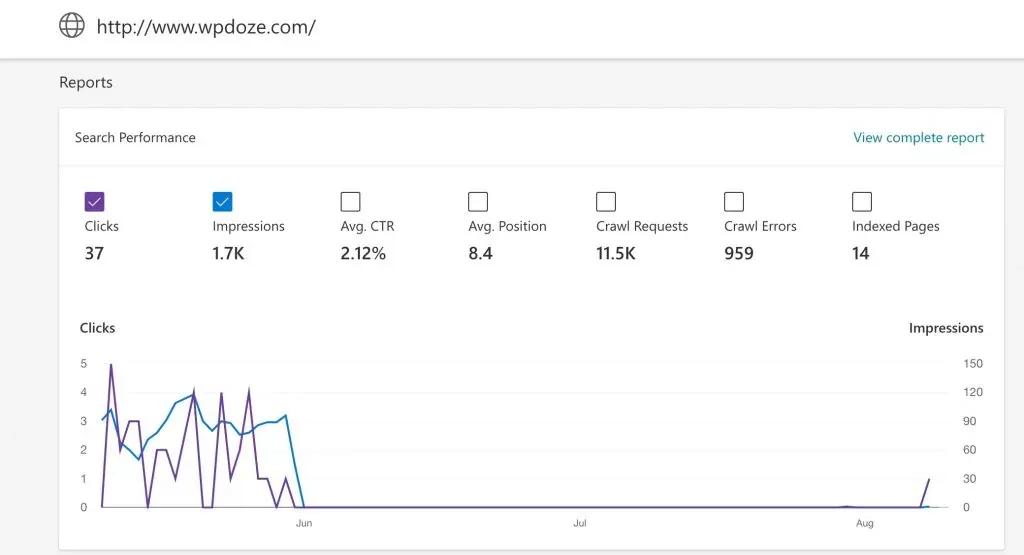
In Bing Webmaster Tools, the traffic chart showed a cliff drop in June:
Running site:yourdomain.com in Bing returned no results. The URL inspection tool showed:
“The inspected URL is known to Bing but has some issues which are preventing indexation.”
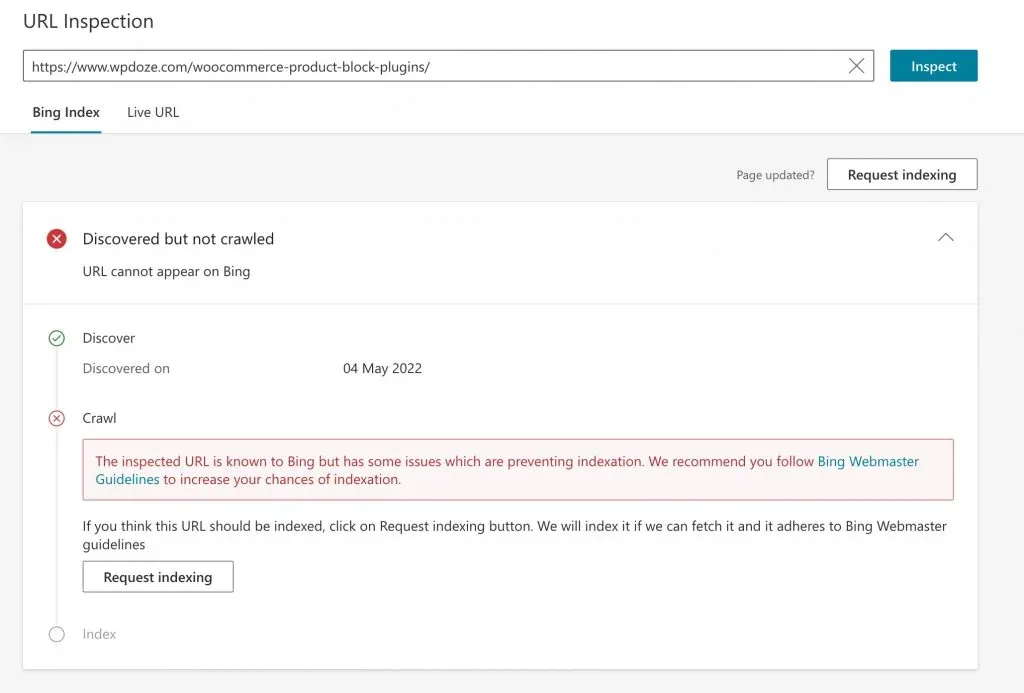
This isn’t a crawl error — it’s a deliberate manual exclusion by Microsoft.
What doesn’t work
Submitting URLs through Bing’s InstantIndex or via a sitemap doesn’t fix a manual exclusion. I tried submitting everything through RankMath and directly through Bing’s console and nothing changed the next day. The site was known but excluded.
What actually works: support ticket
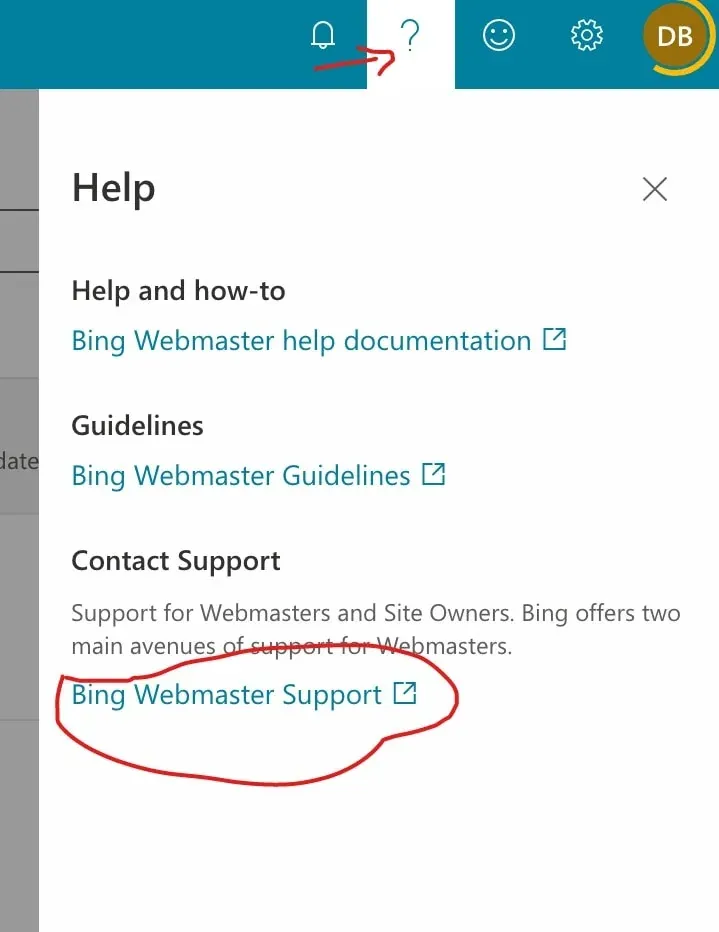
The only path out is contacting Bing Webmaster Support. In Bing Webmaster Tools, click the ? icon and select “Bing Webmaster Support”:
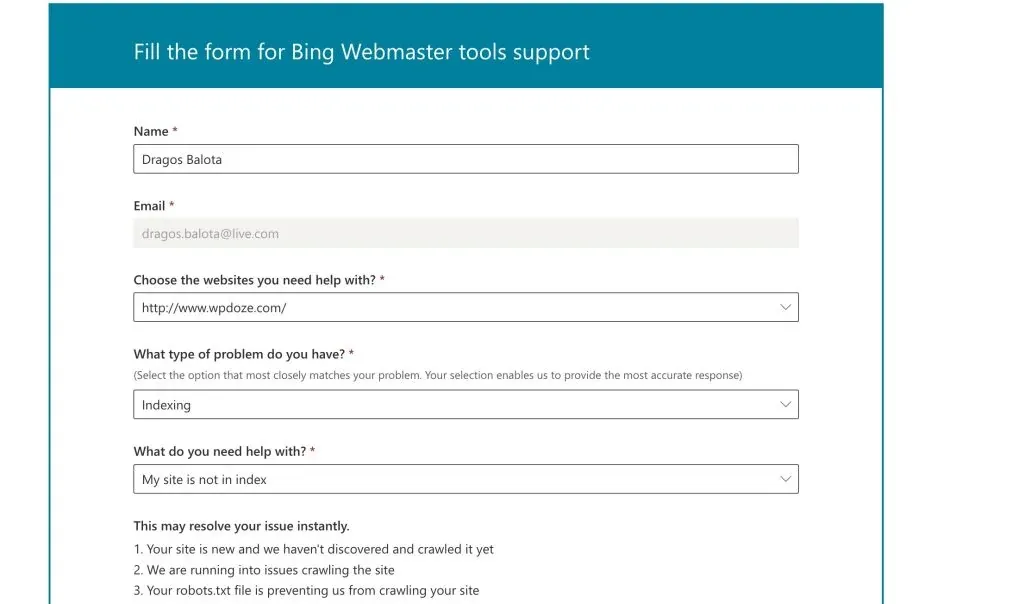
Create a new support request with this type of message:
Hello,
My website yourdomain.com was deindexed from Bing. The website follows Bing’s webmaster guidelines and is available for indexing.
Can you please investigate why it was removed?
Thanks
You’ll get an automated email confirming the ticket. Then wait. In my case I submitted on July 25 and got a response on August 9 — about 2 weeks.
Microsoft confirmed the exclusion was a bug on their end and said it was resolved. They recommended using IndexNow to speed up recrawling.
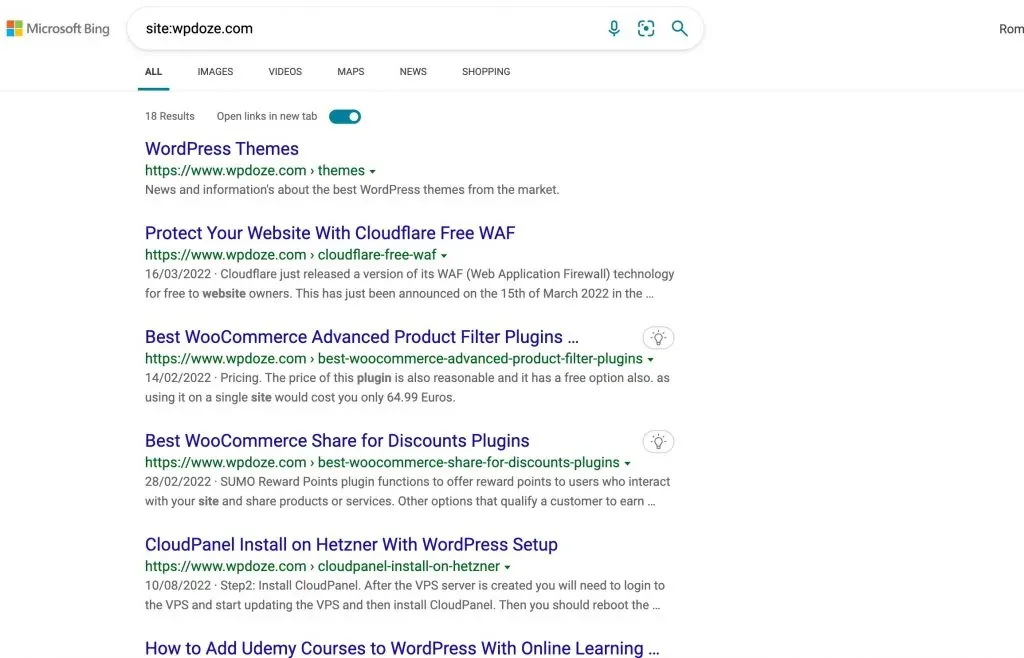
After submitting all URLs via IndexNow, the site started appearing in Bing again:
Things worth checking before you open a ticket
Based on other cases I’ve seen since this happened, Bing is more sensitive to certain issues than Google:
- HTML validity – Bing appears to care more about valid HTML than Google does. Misplaced scripts, unclosed tags, and other markup errors can cause indexing issues. Run your pages through the W3C Validator and fix any errors.
- robots.txt – Make sure it’s valid and not accidentally blocking Bingbot. A common mistake is blocking user agents too broadly.
- Server errors – Check your server logs for 5xx errors during Bing crawls. Intermittent server errors can trigger deindexation.
- Duplicate content – If Bing detects a large amount of content that looks copied from other sites, it may drop the entire domain.
If everything looks clean and you’re still deindexed, the support ticket is your path forward.
IndexNow via Cloudflare
If you use Cloudflare, you can enable IndexNow automatically through the Cloudflare dashboard (under Speed → Optimization → Content). Cloudflare pings Bing every time you publish or update content, which speeds up recrawling after a deindexation is resolved. This is easier than submitting URLs manually.
Summary
If your site is deindexed from Bing with no clear reason:
- Confirm it with
site:yourdomain.comin Bing - Check Bing Webmaster Tools for URL inspection errors
- Verify your HTML is valid, robots.txt is correct, and no server errors are happening
- Open a support ticket – don’t waste time resubmitting sitemaps
- Once resolved, use IndexNow (or Cloudflare’s built-in integration) to get pages recrawled faster
The process takes 1-3 weeks. There’s no way to speed it up beyond opening the ticket and waiting.