How to Export All WordPress Post URLs and Titles
Export all your WordPress post titles and URLs using SQL, WP-CLI, or a free plugin. Three methods, all take about a minute.

2 min read
Sometimes you need a plain list of all your post URLs for a redirect map, an SEO audit, a migration, or just to have on hand. There are a few ways to do this. The SQL method below is the quickest if you have phpMyAdmin access. I’ve also added WP-CLI and plugin alternatives at the bottom.
Steps
1. Open phpMyAdmin
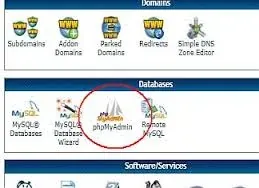
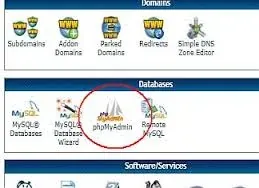
Log in to your hosting control panel and click phpMyAdmin.
2. Select your database and open the SQL tab
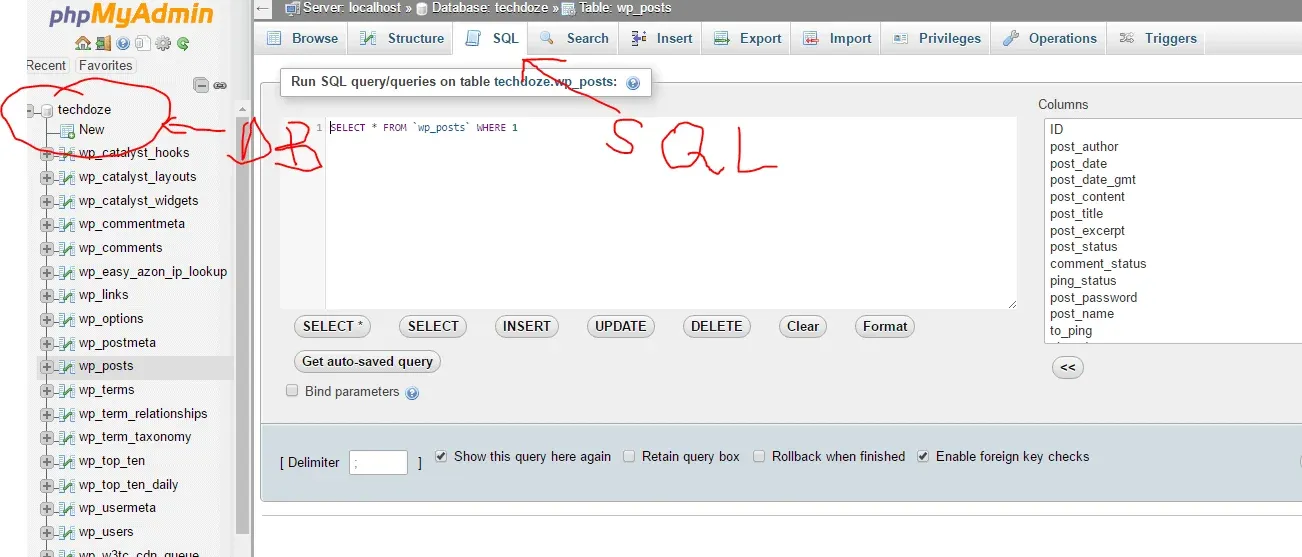
Click your WordPress database in the left sidebar, then open the SQL tab.
3. Run the query
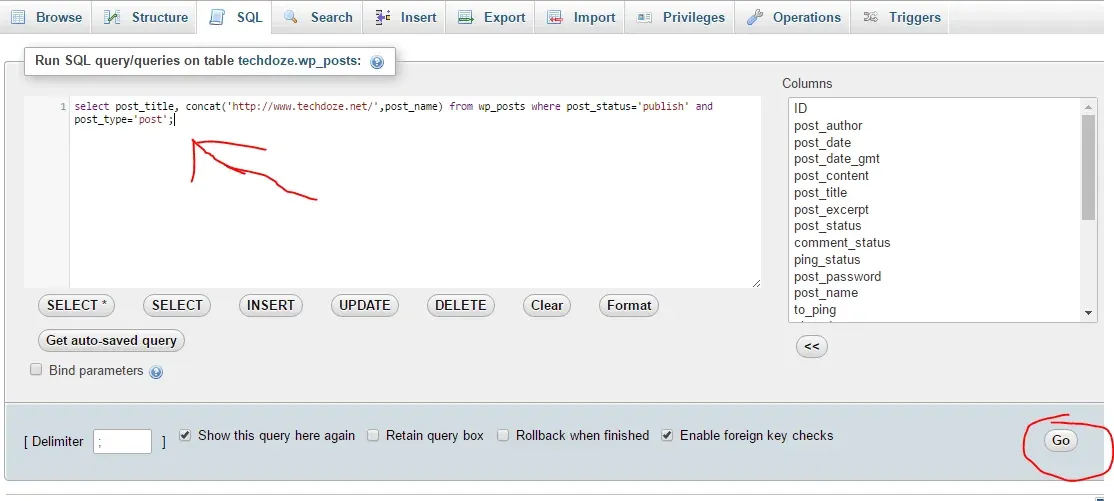
Paste the following SQL, replacing the domain with your own:
SELECT post_title, CONCAT('https://yourdomain.com/', post_name)
FROM wp_posts
WHERE post_status = 'publish'
AND post_type = 'post';
If your table prefix isn’t wp_, adjust accordingly (check the left sidebar for the actual table name).
Hit Go.
4. Export the results
A table of post titles and URLs appears. Click Export.
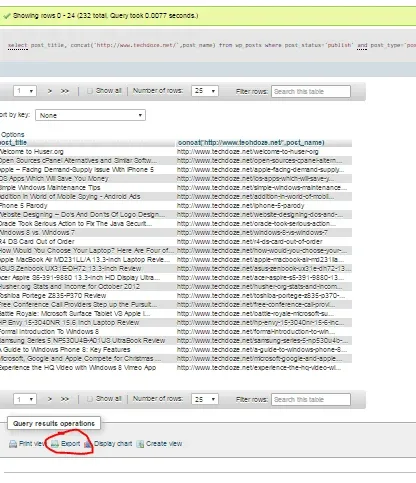
Choose your file format (CSV works well for spreadsheets), set the delimiter if needed, and hit Go.
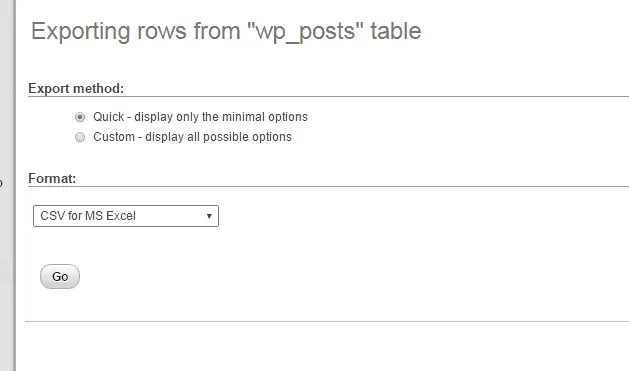
You’ll get a file with every published post title and its URL. To include pages or custom post types, change post_type = 'post' to post_type = 'page' or remove the post_type condition entirely to get everything.
Alternative: WP-CLI (if you have SSH access)
If you have SSH access to your server, WP-CLI is faster than phpMyAdmin for this. Run:
wp post list --post_type=post --post_status=publish --fields=post_title,post_name --format=csv > posts.csvThis exports titles and slugs to a CSV file. The post_name field is the URL slug, so you’d need to prepend your domain. To get full URLs directly:
wp post list --post_type=post --post_status=publish --fields=post_title,guid --format=csv > posts.csvThe guid field contains the full URL. You can add --fields=ID,post_title,post_date,guid to include post IDs and dates if you need them for an audit.
Alternative: Export All URLs plugin
If you don’t want to touch SQL or the command line, the free Export All URLs plugin does this through the WordPress admin. It lets you filter by post type, status, date range, and author, and exports to CSV. It also includes categories, tags, and author data if you need them. Install, configure, export, then deactivate it when you’re done.